.svg)


Find the software nobody expensed, because somebody opened it
Your asset register is complete about every tool that went through a system. The one a department bought on a card, or somebody installed for free, went through none of them.












Turn a complete register into an accurate one

Without Insightful

Every tool that went through a system is on it, reconciled and signed off.
A free tier generates no transaction, so there is nothing for it to read.
One department bought it, expensed it, and nobody outside that team knows.
A tool nobody submitted was never in scope for the review at all.
They sit outside the expense system and outside single sign-on.

With Insightful

The list is what people opened, which is a different list from what was bought.
No transaction exists, and it still lands on the list with hours against it.
Named against the team, with the working hours going into it each week.
You find out what has been holding company data before the next review.
Same deployment, same report, whether a person is staff or on contract.
See the tools that never reached a purchase order
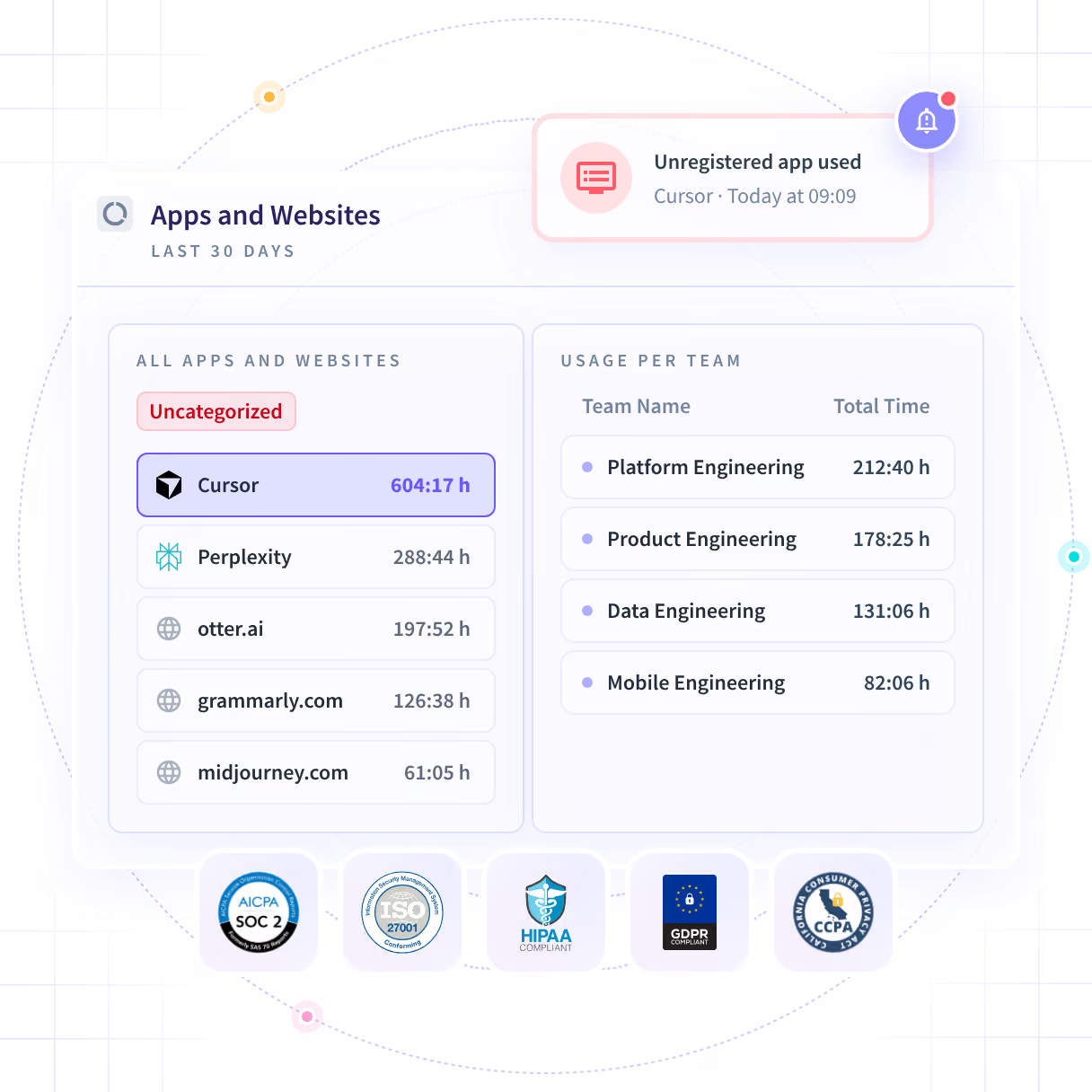
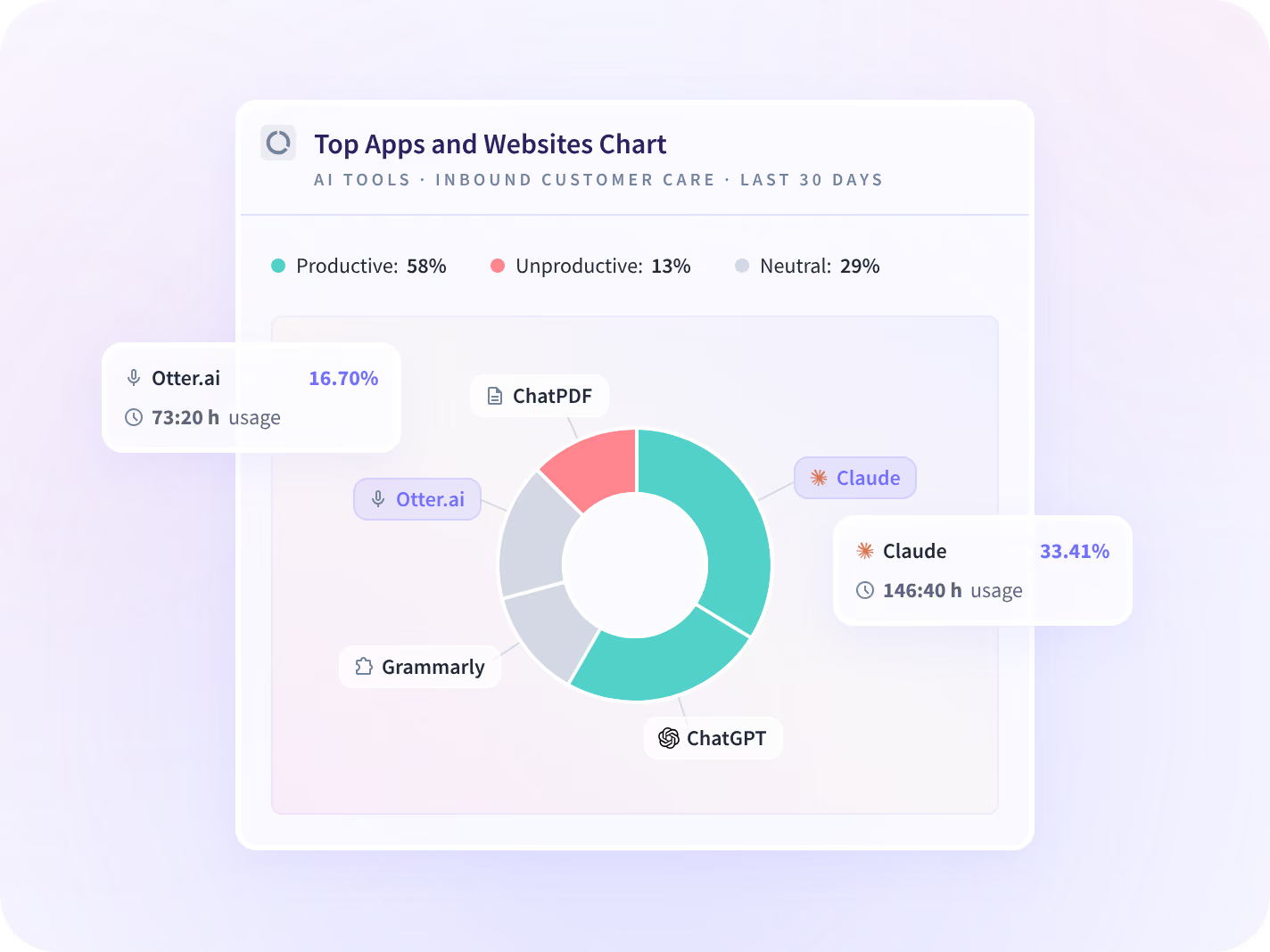
What ran on a managed device is ranked by the working time spent in it, paid for or not. An unregistered tool appears in that ranking the week somebody first opens it, beside the ones you bought.
- A free tier ranks beside an enterprise contract, with hours against each
- Named against the team using it, so you know where to start asking
Know how long it has been holding your data
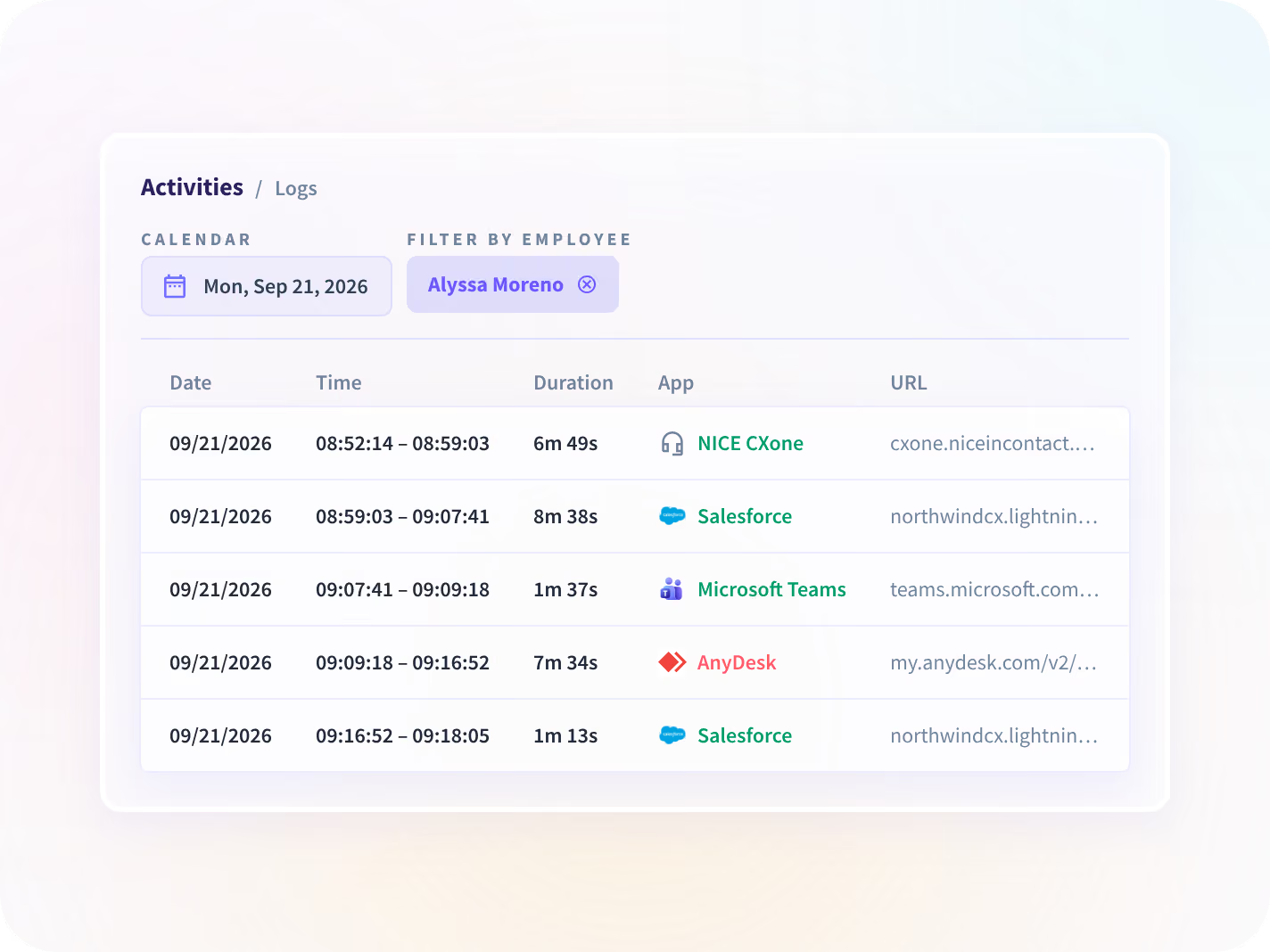
A tool nobody reviewed carries a first-seen date, and it is often earlier than anyone expects. Activity Logs reads the sessions back in sequence and timestamped, so the answer is a date.
- Filter to one team or one afternoon and read the sessions in order
- Gated: a Workspace Security add-on, available on Enterprise plans
See what the register missed
Know if the tool you removed comes back
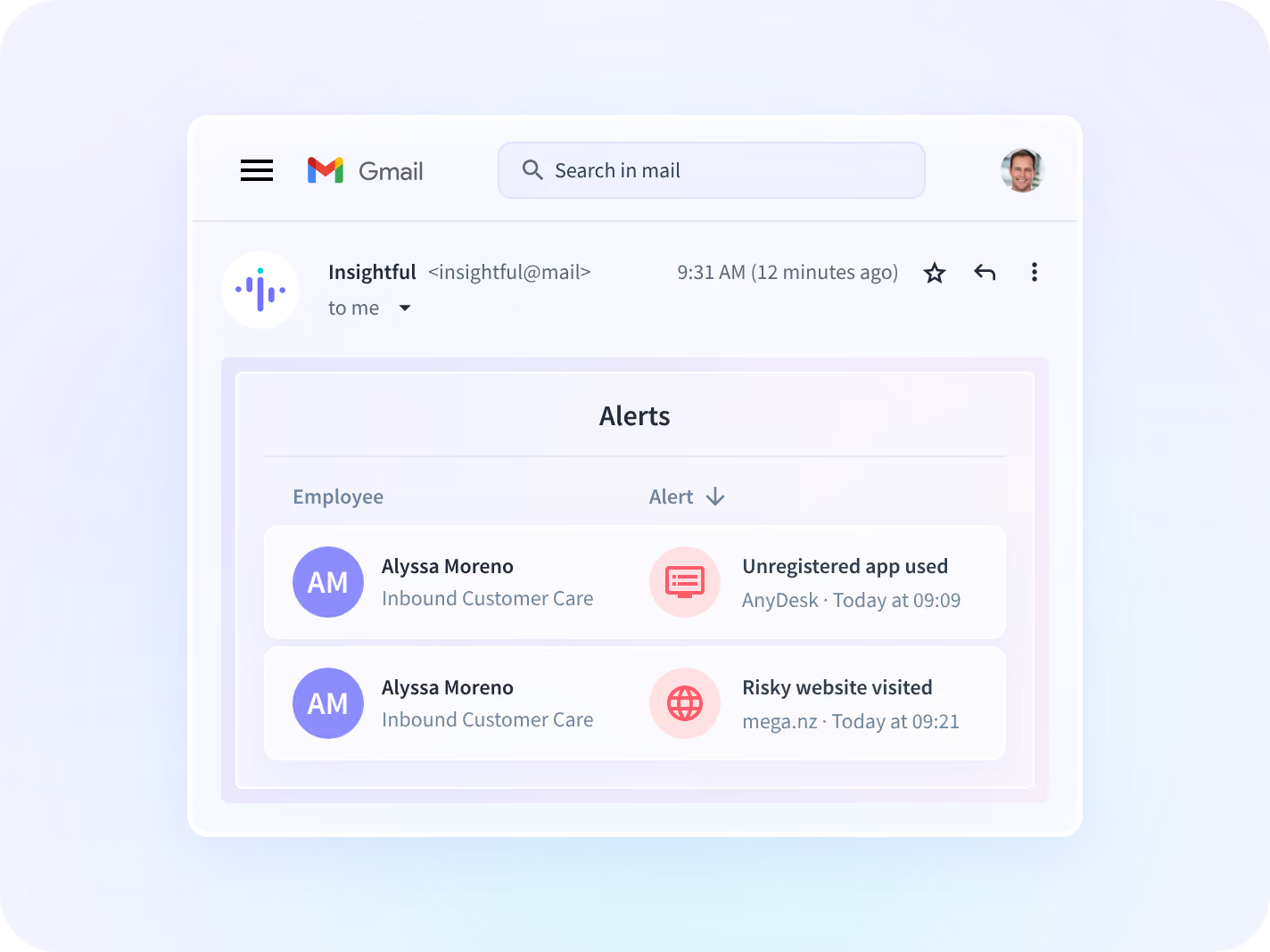
Removing a tool is a decision somebody has to hold afterwards. You enter the application or the domain yourself, the alert runs from that day, and it covers only the seats you put it on.
- Seat-licensed with no add-on gate, and you name what counts as unapproved
- One security lead scoped his own evaluation to 10 licenses across a 675-person organization
Prove who changed what, rather than assert it
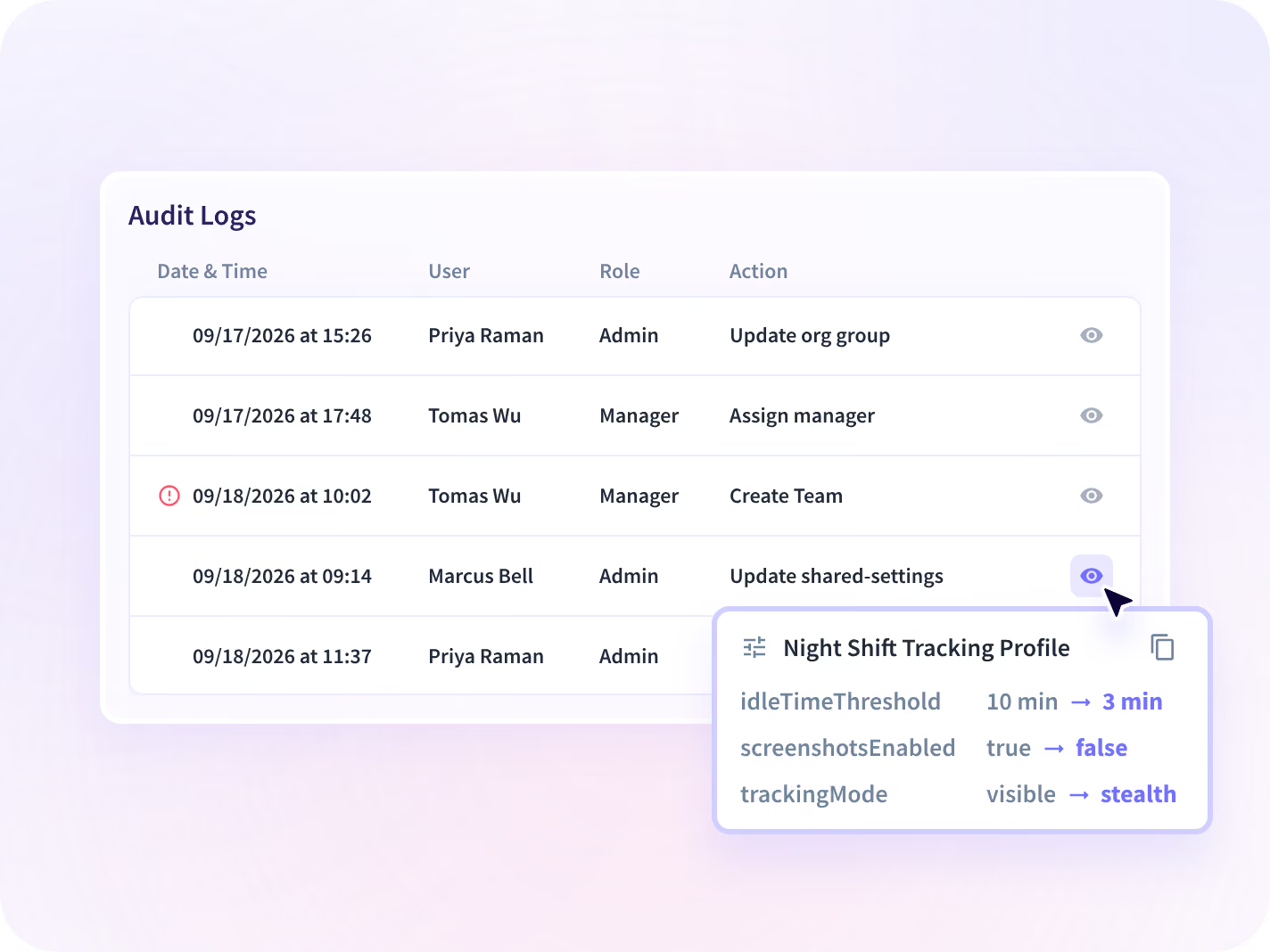
A discovery rollout gets read by security before anyone signs it. Audit Logs holds who changed a setting, a scope or a permission inside the account, in a record nobody can edit.
- Audit Logs sits inside the Workspace Security add-on, so it is a paid extra
- Open it on the call, rather than answering the question in a questionnaire
The inventory names tools, never their contents
What comes back is an application name and a domain, and nothing that was inside either. Collection scope is agreed with you per team before a device is deployed, then published, versioned and dated.






The first list is longer than anyone expects
Most of what comes back is somebody solving a problem quickly. Three questions decide what happens to each name on it.

Which of these are AI tools?
A free assistant in a browser tab is its own governance problem, and it has its own page.

What are the approved ones costing?
Seats you renew every year with almost no working hours behind them. That is a renewal question.

How do we deploy this without a fight?
Silent installation, MDM distribution and admin scoping, written for the people doing it.
The tool that had been running for a year







Connected to your stack, sourced from the desktop
Discovery starts on the device, which is how a tool that reached none of your connected systems turns up at all. 50+ integrations cover the rest. You can talk to your work data with MCP connectors.



The register, or the list of what ran
What IT and security leaders ask us most
Those platforms read expense records and single sign-on data, which Insightful does not have, and they are good at contracts and connected applications. This reads what somebody opened on the device. The two sources return genuinely different lists, and teams who want the whole picture tend to run both rather than choose between them. If your register is built from contracts, this is the half of it that contracts cannot reach.
Shadow IT is software in use inside an organization without approval from IT, usually adopted by one team to solve an immediate problem and never entered on any asset register. It matters because those tools hold company data outside any security review, and because nobody can remove what nobody has named. Insightful is a work insights platform. It collects hours, application use and meeting load from desk-based teams and reports them by team, each measure against the period before. Unsanctioned software surfaces in that activity, named against the team using it and the working hours going into it. Expect the first list to be longer than the register and less alarming than it looks.
By reporting what was opened. Every application and website in use on a managed device appears in the activity record whether or not the company paid for it, so a free tier ranks beside an enterprise contract, the week it turns up rather than at the next asset review. Two limits are worth having in front of you. The first is in that sentence: managed device. Anything running on a phone or a personal laptop sits outside it, and that is true of every discovery method rather than of this one alone. The second is that Insightful does not block anything. Blocking belongs to your endpoint or network tooling, and what this gives that stack is a target list with working hours against each name.
No, and the two are one sentence apart. A tool nobody approved is a risk question: it is running, it holds company data, and no review has been near it. A tool nobody uses is a renewal question: it is approved, it is paid for, and the seats are going to waste. This page is the first one. IT Spend is the second, and it prices the approved half against the working hours spent in each seat. One deployment produces both lists, and they split into two conversations: one with security, one with procurement.
Shadow AI reads the same activity for AI tools specifically, and it is a separate page because the reader and the first objection are different. There, the question is always how you know without reading what was typed. Here it is whether the asset register is already complete. This page covers unsanctioned software of every kind, AI assistants among them. If AI governance is the whole of what you are solving, that page is narrower and better aimed at it.
