


Automatic employee time tracking software for growing teams
Employee time tracking software that automatically captures hours across projects and apps. Run payroll, billing, and capacity planning on the hours your team actually worked.


Employee time tracking software that goes deeper


Time tracking inside Workforce Analytics
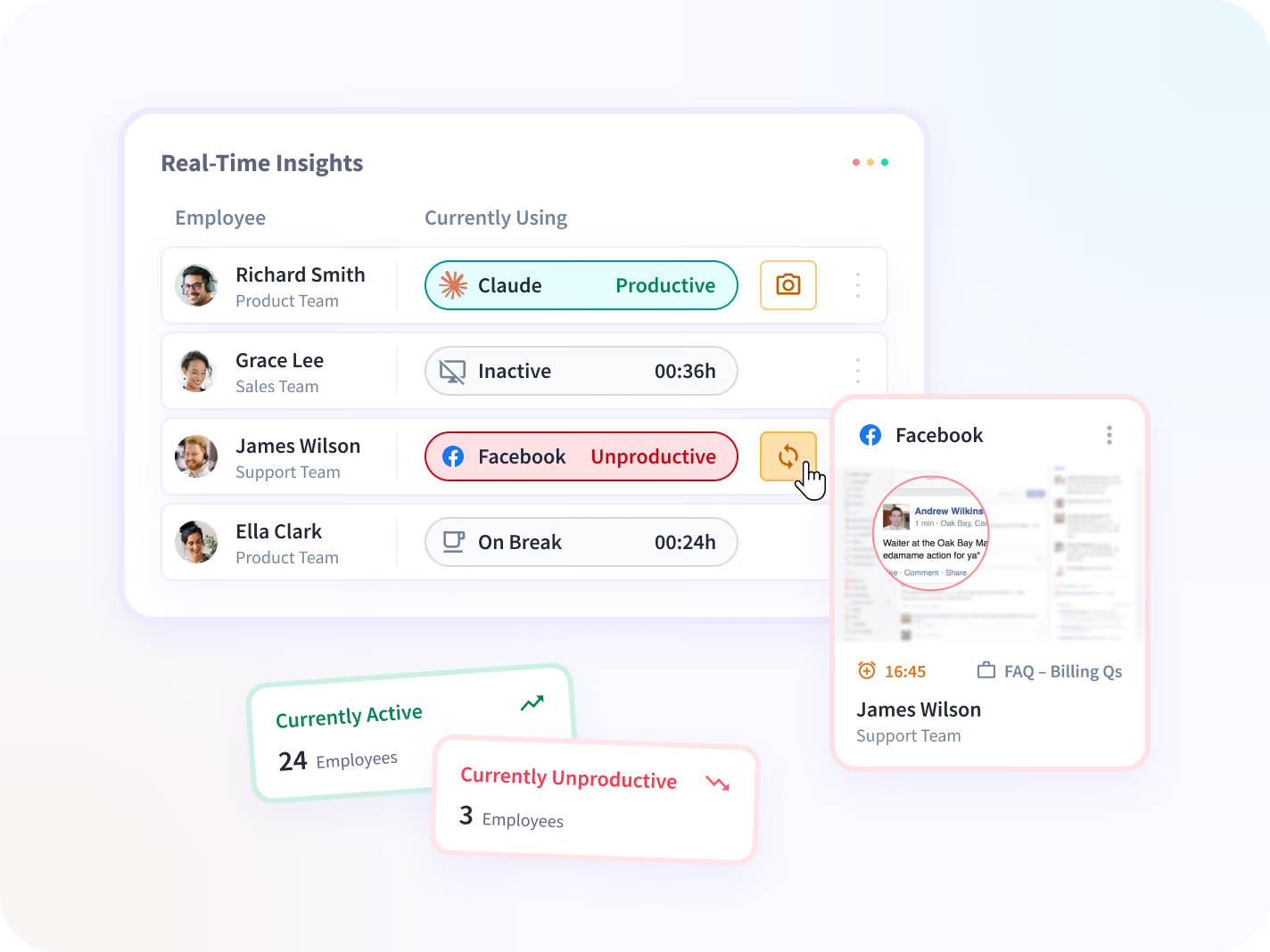
Most time trackers log hours. Insightful goes deeper: productivity trends, capacity planning, and app/website usage in the same view.
Enterprise-grade security by default
SOC 2 Type II report, plus HIPAA, GDPR, and CCPA compliance built in.
Time data connected to payroll, billing, and capacity
Reduce non-billable time, bill from recorded hours, and plan capacity on real hours before the next hire.


See where the workday went, without anyone filling in a timesheet
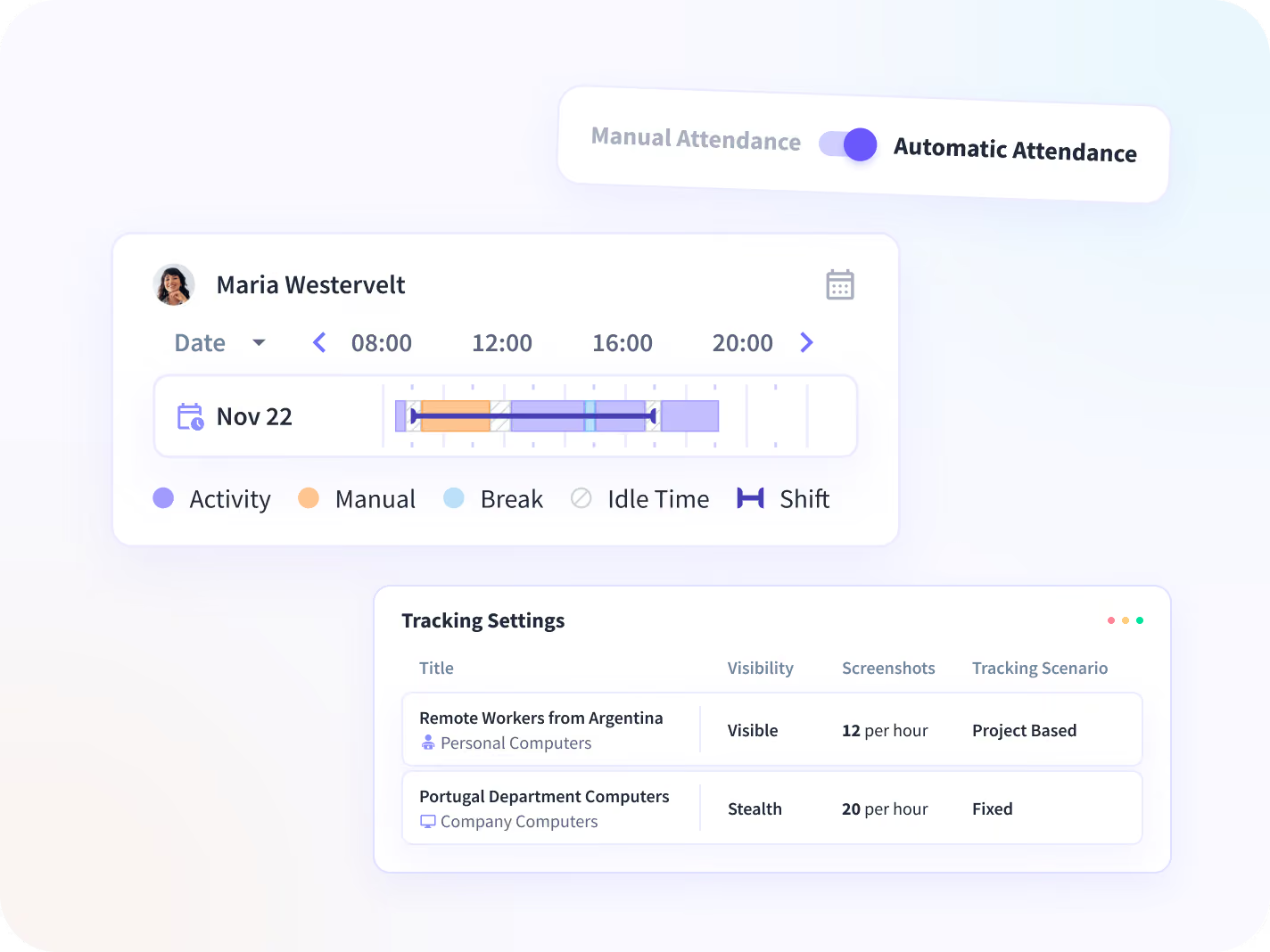
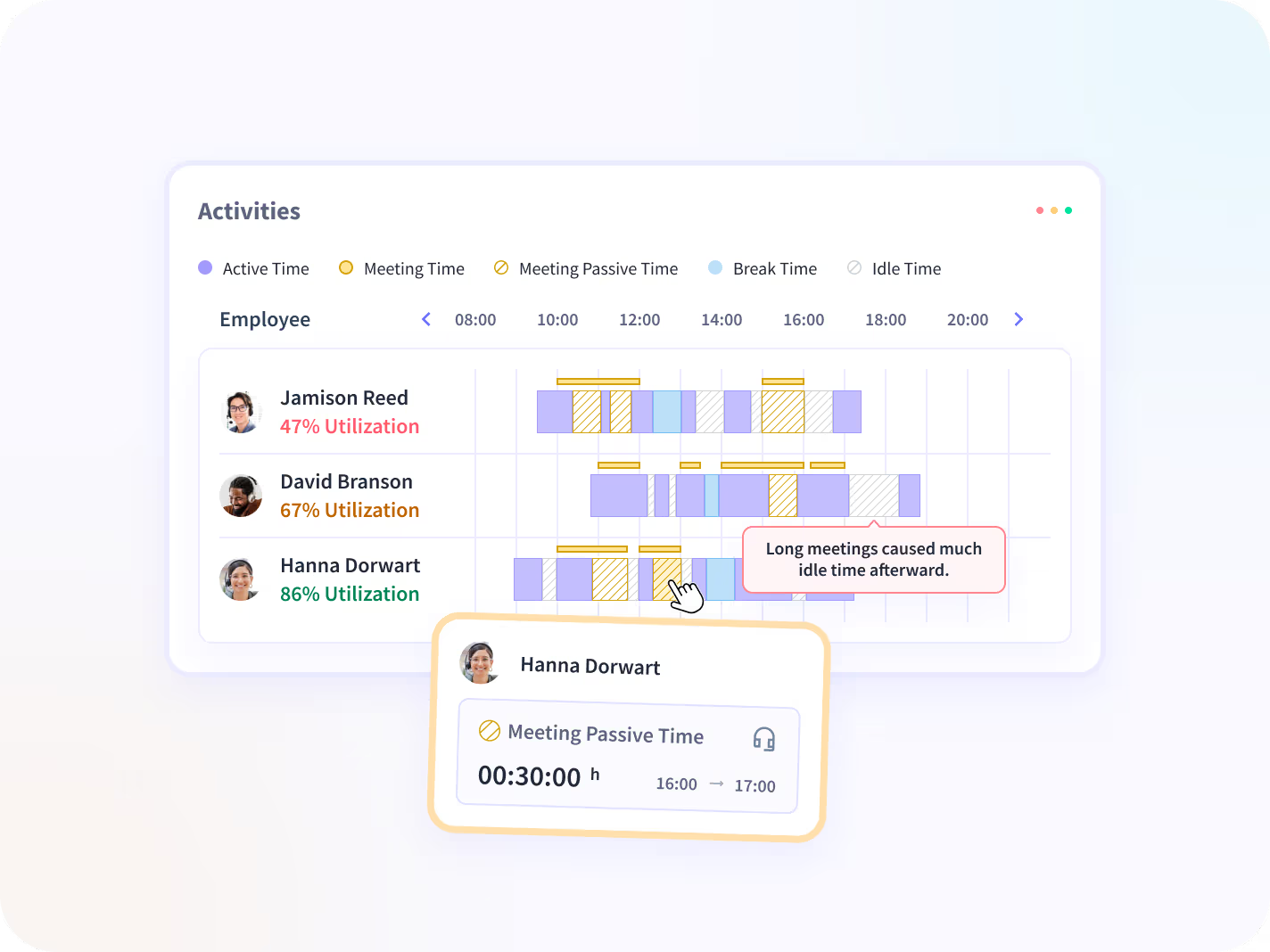
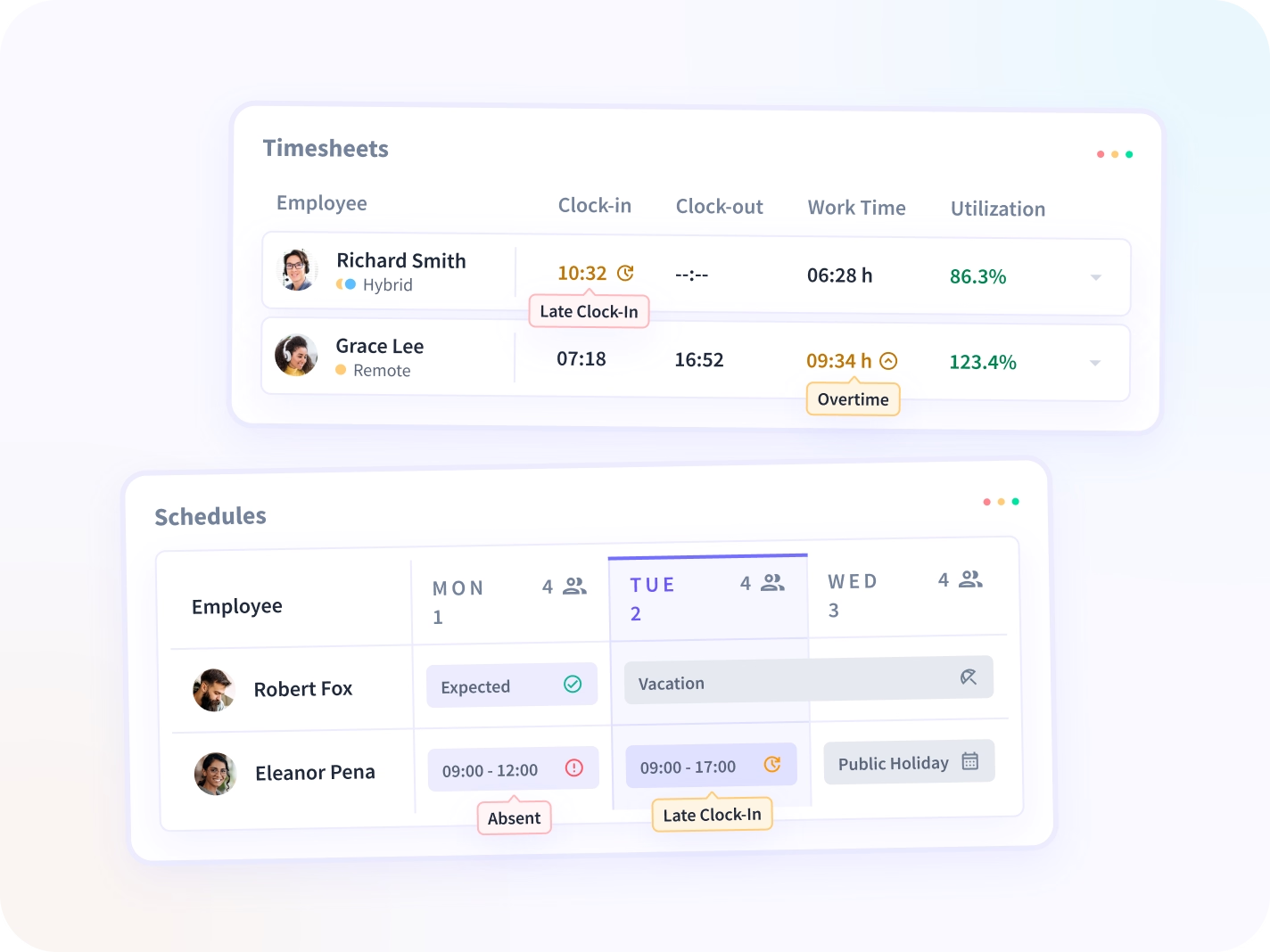
Clock-in, clock-out, and work time capture themselves. Active, idle, meeting, and manual time land on one timeline, and the timesheet is accurate enough to bill from.
An employee time tracker that catches lost time early

Automatic time tracking
Record work time against the app, project, and task it belongs to. No manual entry needed.

Time tracking with privacy
Customizable settings, role-based views, configurable access control. Insightful doesn’t log content or capture keystrokes, messages, or documents.

Flexible real-time reporting
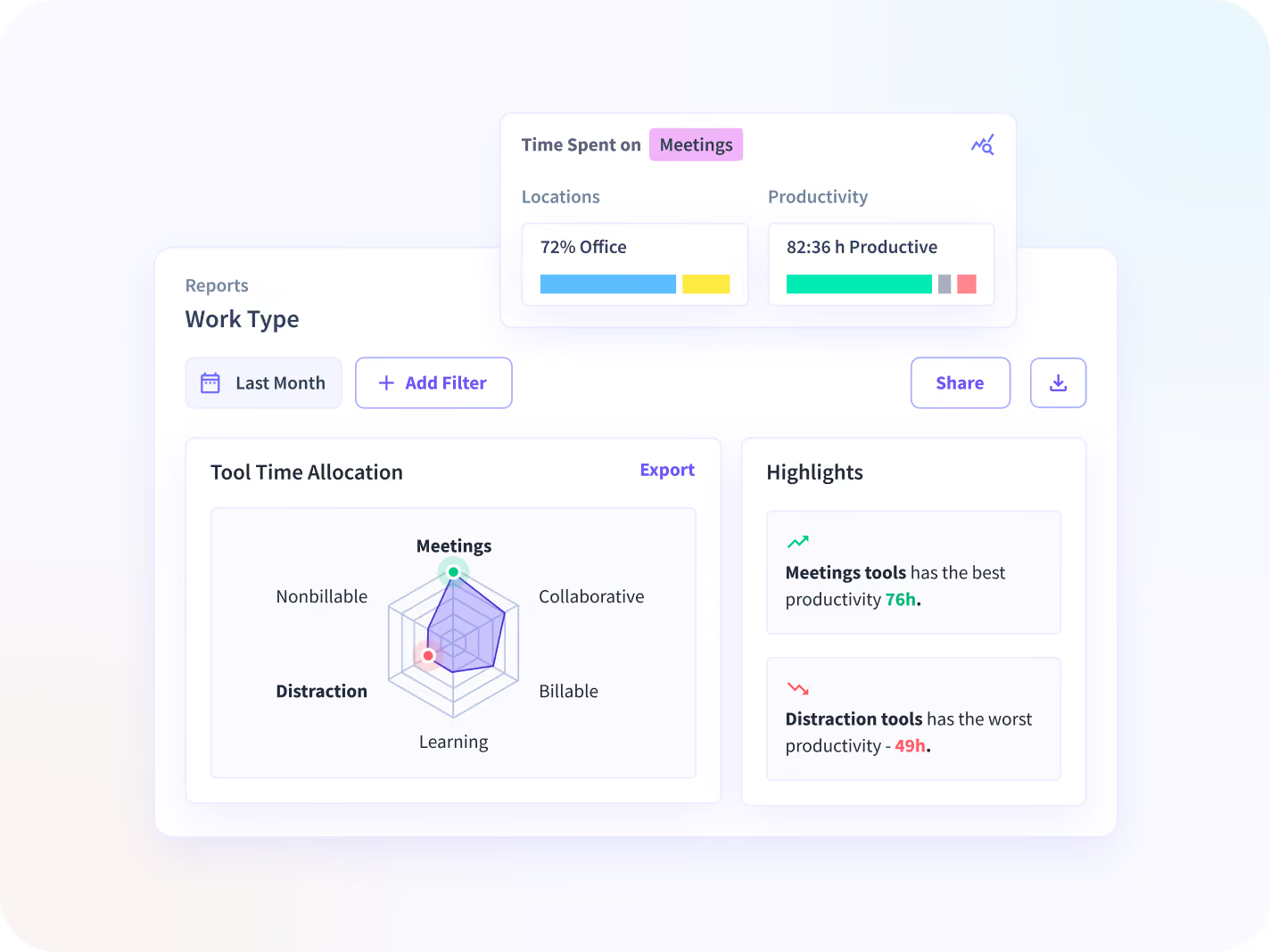
Track by project, task, role, work-type, location, department, billable hours.
How automatic time tracking works
Get real-time work data without the heavy setup. But the depth of the data lets you go even further.


Don’t leave time tracking up to your team’s best guess at the end of the week. Capture it as the work happens.
Insightful’s automatic time tracking still permits manual time entries and timesheets for teams needing flexibility, with manual entries flagged for approval.
Reallocate work, reduce non-billable time, cut wasted effort, and recover capacity. That’s the difference with built-in Workforce Analytics.
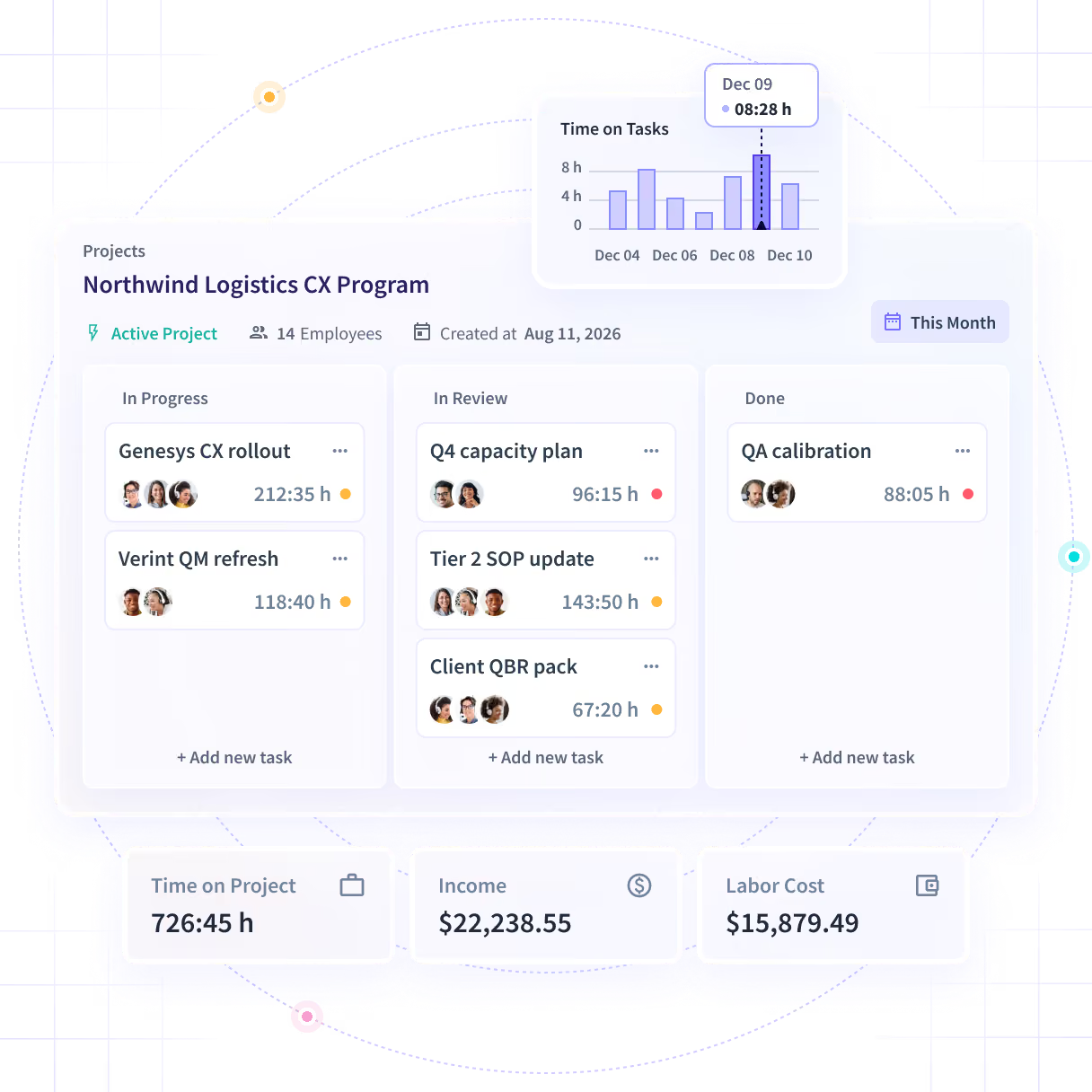
See time on every project and task, and which projects are running over before deadlines slip.
Try Insightful for Free Today
An employee time tracker that fits the tools you already use
Insightful syncs people, teams and time off from your HR system, tasks from your project tools, and meetings from your calendar. Every hour lands against the right person and project.
Monthly or quarterly reviews catch issues too late. Detect work imbalances and respond faster, before performance suffers.
Plan coverage and adjust workloads with PTO synced automatically from your HRIS, so disruptions from absences are already accounted for.
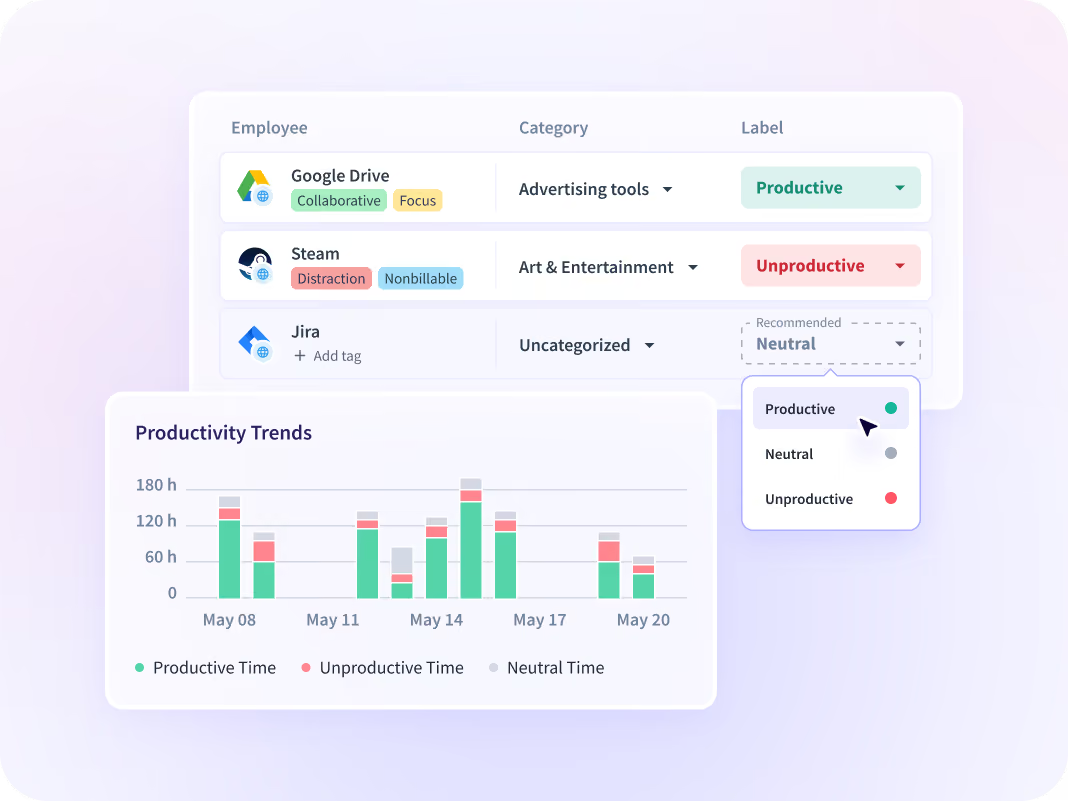
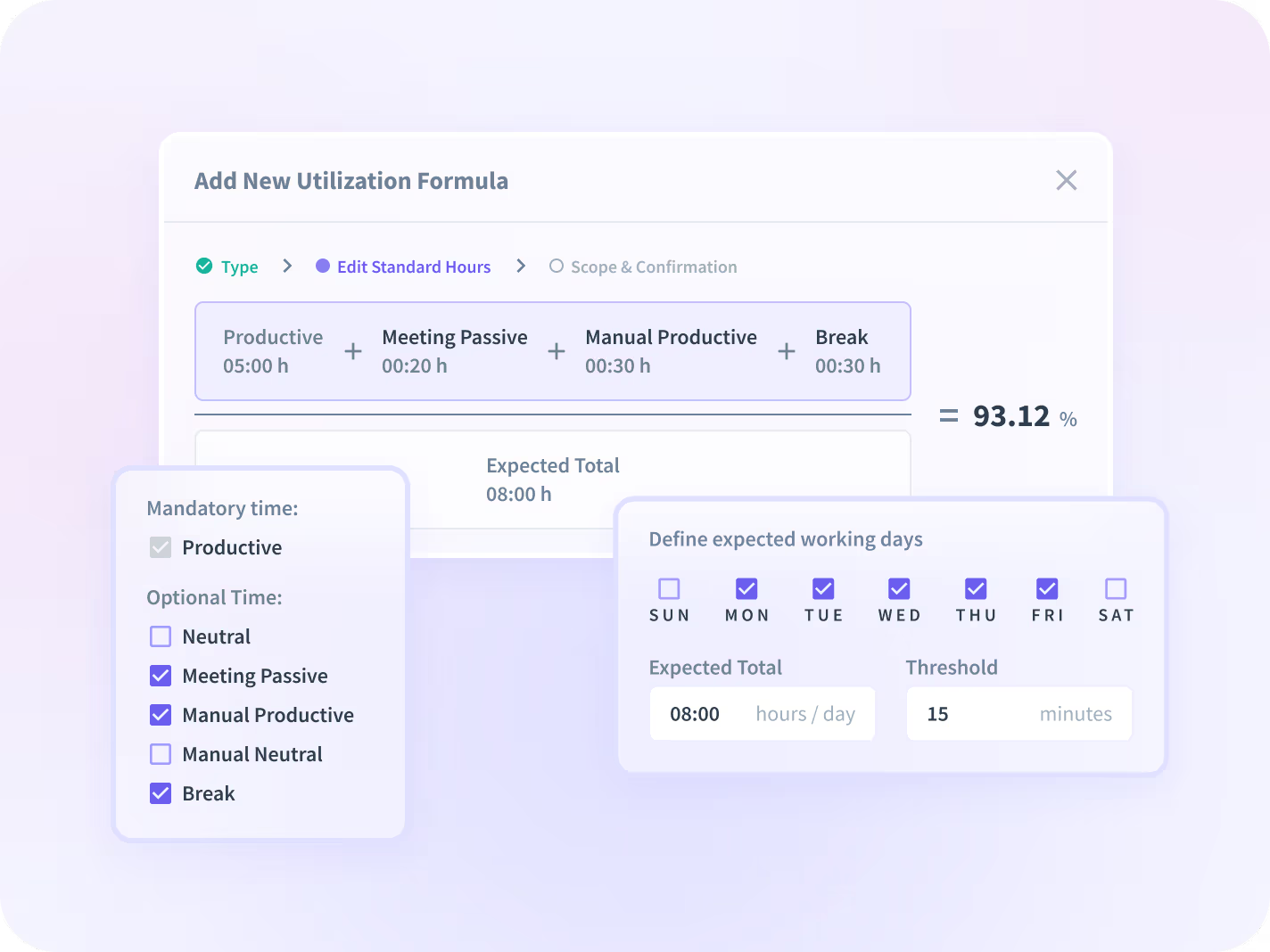
A salesperson’s day looks different than an engineer’s. Customize what counts as productive time by team and role.

Get the Ultimate Guide to Time Tracking for Modern Teams
Our Ultimate Guide walks you through everything you need, from choosing the right tool to rolling it out without resistance.
Get the Ultimate Guide to Time Tracking
- Find Where Hours Disappear Uncover the hidden drains costing your team time every week.
- Roll Out Without Resistance A 7-step plan to get buy-in and avoid stalled adoption.
- Prove the ROI Upfront Quantify billing recovery, payroll savings, and productivity gains.
- Pick the Right Tool, Faster Cut through the noise and know exactly what to look for.

Time tracking: just one part of what Workforce Analytics can do
Time tracking is just the beginning. It comes built into Insightful’s powerful Workforce Analytics plan. Here’s what that makes possible for your team.

Productivity trends
Accurately distinguish active vs. idle time and detect changes in focus to avoid output decline.

Timesheets and approvals
Generate accurate timesheets automatically to review, approve, and export.

Capacity planning
Spot overloaded or underutilized teams to rebalance workloads.

Project and cost center reporting
Budget time by task, project, and department and tie output directly to EBITDA.

Employee monitoring
Need more than time? See how employee monitoring works in Insightful.

Website and app usage tracking
Track utilization and productivity by work type, style, and role to optimize tool usage.
Comprehensive Data Security
Encrypted data and multi-certificate compliance keep your work data private and secure. HIPAA, SOC 2, ISO 27001. GDPR, CSA and more.





Sync time tracking with your project, HR, and calendar tools
Frictionless API pipeline access gives you actionable datasets that feed directly into your infrastructure. Add any tool without rebuilding, with full HRIS sync and authentication scoping.


Award-Winning Software.
Loved by Customers.
Insightful employees' monitoring software earns top ratings for helping teams work smarter—with clarity, simplicity, and real results.









Time tracking built for billing at massive scale
Mercor turned to Insightful to ensure automatic billing while hyperscaling its contractor network to 30,000+, without losing millions to work fraud.



Artemas Radik
The Head of Platform at Mercor
Time Tracking Guide: ROI, Methods, and Implementation
What is time tracking?
Time tracking is the practice of recording how working hours are spent across tasks, projects, and clients. In modern teams, it goes beyond clocking in and out. It captures which tasks consume the most effort, where bottlenecks form, and how time estimates compare to actuals, giving operations, IT, and HR leaders a reliable record of how work is actually done.
In distributed teams, that record becomes even more important. Without the passive visibility of a shared office, managers need structured data to plan capacity, allocate work fairly, and catch problems before they affect delivery. Time tracking provides that foundation.
How do you know if your business needs time tracking?
If two or more of the signals below apply to your team, missing or manual time data is likely costing you more than you can currently see. Five signs your business needs time tracking:
- Timesheets are still managed in spreadsheets or collected manually
- Deadlines keep slipping with no clear cause visible to leadership
- Clients question invoices or ask where their budget was spent
- There is no real-time or historical data to identify bottlenecks or capacity gaps
- Workload is unevenly distributed, and no one can see it clearly
Where does the workday actually go?
A significant share of every workday is consumed by activity that is never tracked, never billed, and never reviewed. The purpose of time tracking is not to watch employees more closely. It is to make invisible work visible so teams and leaders can address what is slowing them down.
- Email and messaging: Knowledge workers spend about 28% of their workweek on email, per McKinsey Global Institute.
- Meetings: A 2024 Atlassian survey found 77% of knowledge workers are often stuck in meetings that end only in scheduling another one. Microsoft WorkLab's 2025 report adds that 57% of meetings are ad hoc.
- Unrecorded microtasks: Small, unlogged tasks at 15 minutes a day add up to over 60 hours a year of untracked work (illustrative estimate).
- File searches and admin: An APQC survey found knowledge workers get only 30 productive hours out of a 40-hour week, the rest lost to internal communication, information searches, and unnecessary meetings.
- Tool sprawl: A Talker Research survey for Slack found small business owners lose 96 minutes a day to distractions and app-switching, and Gartner puts the average worker at 11 apps per day.
- Inefficient processes: Time, attendance, and expense errors occur 1,139 times a year per 1,000 employees, per an EY analysis for Paycom.
- Hybrid and remote visibility gap: Owl Labs found 21% of managers cite reduced visibility into their remote team’s work as a top concern, compared to 15% for in-office teams, a symptom of distance removing the cues that make performance visible.
Time tracking makes losses measurable, and measurable losses can be reduced.
What are the different time tracking methods?
Time tracking methods range from manual paper logs to automated software that captures activity without any employee input. The right choice depends on team size, work type, and whether you need task-level data or just attendance.
What should you look for in time tracking software?
The right time tracking software does more than log hours. It connects time data to projects, teams, and business outcomes. When evaluating options, focus on six capabilities that actually change how decisions get made:
- Automatic time capture rather than manual timers, which reduces friction and improves data accuracy
- Real-time visibility across office, remote, and hybrid workers in a single view
- Billable vs. non-billable separation, critical for professional services, agencies, and BPO teams
- Payroll and HRIS integrations to eliminate manual reconciliation between systems
- Compliance and privacy controls, including role-based access and configurable anonymization
- Project and budget reporting that shows time against budget by task, project, and department, so overruns are visible before they affect delivery
How do you calculate the ROI of time tracking?
The return on time tracking comes from four measurable levers. Run the calculation on your own workforce numbers to get a figure that reflects your actual cost structure.
- Billing accuracy: Calculate the gap between hours worked and hours invoiced across your last quarter. Then compare that gap to the annual cost of the software.
- Payroll error reduction: Manual timesheet errors add up quickly. Automated capture replaces end-of-week recall with recorded hours, and with Insightful's Time Tracking & Auditing, every manual entry needs a named approver and is logged in an audit trail.
- Productivity recovery: Using the APQC benchmark of 10 lost hours per 40-hour week, estimate what recovering even 20% of that time would mean for your team's output. H&CO, for example, reclaimed over 200,000 hours a year with automatic time tracking.
- Project overrun prevention: Track your last five projects and calculate average overrun as a percentage of budget. With time logged against each project’s budget as work happens, an overrun shows up mid-project rather than at invoice time.
More productive hours = higher returns
FAQs
Yes. Insightful holds a SOC 2 Type II report, audited annually, and supports HIPAA, GDPR, and CCPA compliance. Its ISMS is aligned with ISO 27001 (see security). Customer data is encrypted in transit via SSL/TLS 1.2 and at rest with AES-256, with keys managed through Google Cloud KMS.
Insightful offers 50+ integrations across project management, help desk, employee directory, and BI tools including Jira, Trello, Asana, Azure DevOps, GitHub, GitLab, Linear, Wrike, and Basecamp, and BigQuery.
Insightful keeps customer data while the account remains active. Screenshots and screen recordings are stored for up to 2 months, activity logs for up to 3 months, and other data for up to 24 months. Some information may be retained longer where needed for legal obligations, disputes, fraud prevention, or enforcement purposes.
Employee time tracking software records how employees spend work hours, automatically or manually, across tasks, projects, and applications. It replaces manual timesheets with time recorded as the work happens, which supports payroll, billing, and productivity analysis.
Insightful fits both ends of that range. Small teams get automatic tracking and simple reporting out of the box, while enterprise teams get capacity planning, security compliance, and API access for deeper integration.
Yes. Insightful automatically generates timesheets from tracked activity, which you can review, approve, and export for client billing or payroll. See how billable hours tracking works.
Insightful runs as a lightweight desktop agent for Windows, macOS, and Linux. See our system and network requirements and Linux installation guide (Beta) for OS-specific setup details.
No. Time tracking records how long tasks and projects take, giving teams and leaders a picture of where work time goes. Employee monitoring is a broader category that can include real-time apps and website usage, productivity reporting, screenshots, or advanced analytics like a communication report that breaks down meeting time vs. deep focus time. Time tracking is one component a monitoring platform may include, but the two are not interchangeable.
Timesheets are a method of recording time, typically completed manually at the end of a day or week. Time tracking is the broader practice, which can be done through timesheets, but also through automated software that captures activity in real time without employee input. Manual timesheets introduce delay and error; the longer the gap between doing the work and logging it, the more the record depends on memory rather than what actually happened.
Automatic time tracking, timesheets, and attendance are included in every Insightful plan, starting at $8 per seat per month on the Analytics plan. You can try it free for 7 days with full access to Workforce Analytics and no credit card required. See all plans and pricing.
Yes, when managers enable Employee Login. Team members can see their own time and activity data, so they can check their hours before timesheets are approved.


