.svg)


Workspace security your legal reviewer can sign off on
Your DLP watches files leave, not the AI tools nobody approved. Workspace Security shows every app and site in use, logs no keystrokes, and lets your reviewer set what it collects before deployment.
















Nothing left the building, so nothing fired
DLP fires when data leaves a secure environment. It has no event for client work pasted into an AI tool nobody approved, because nothing left anywhere it was watching.


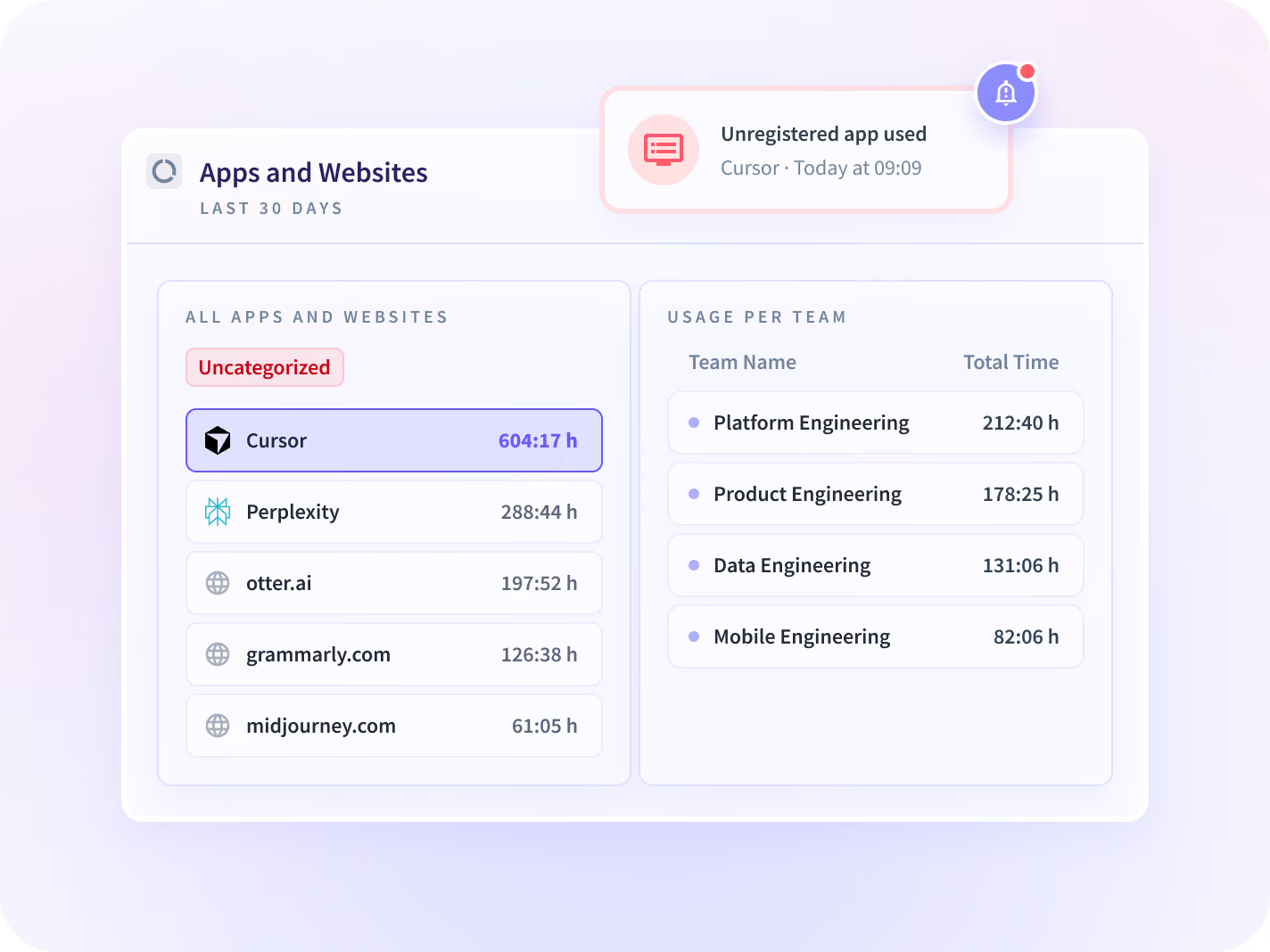
Apps & Website Usage shows every AI tool opened, by team and by hours, so you find the tool nobody approved before an incident does.


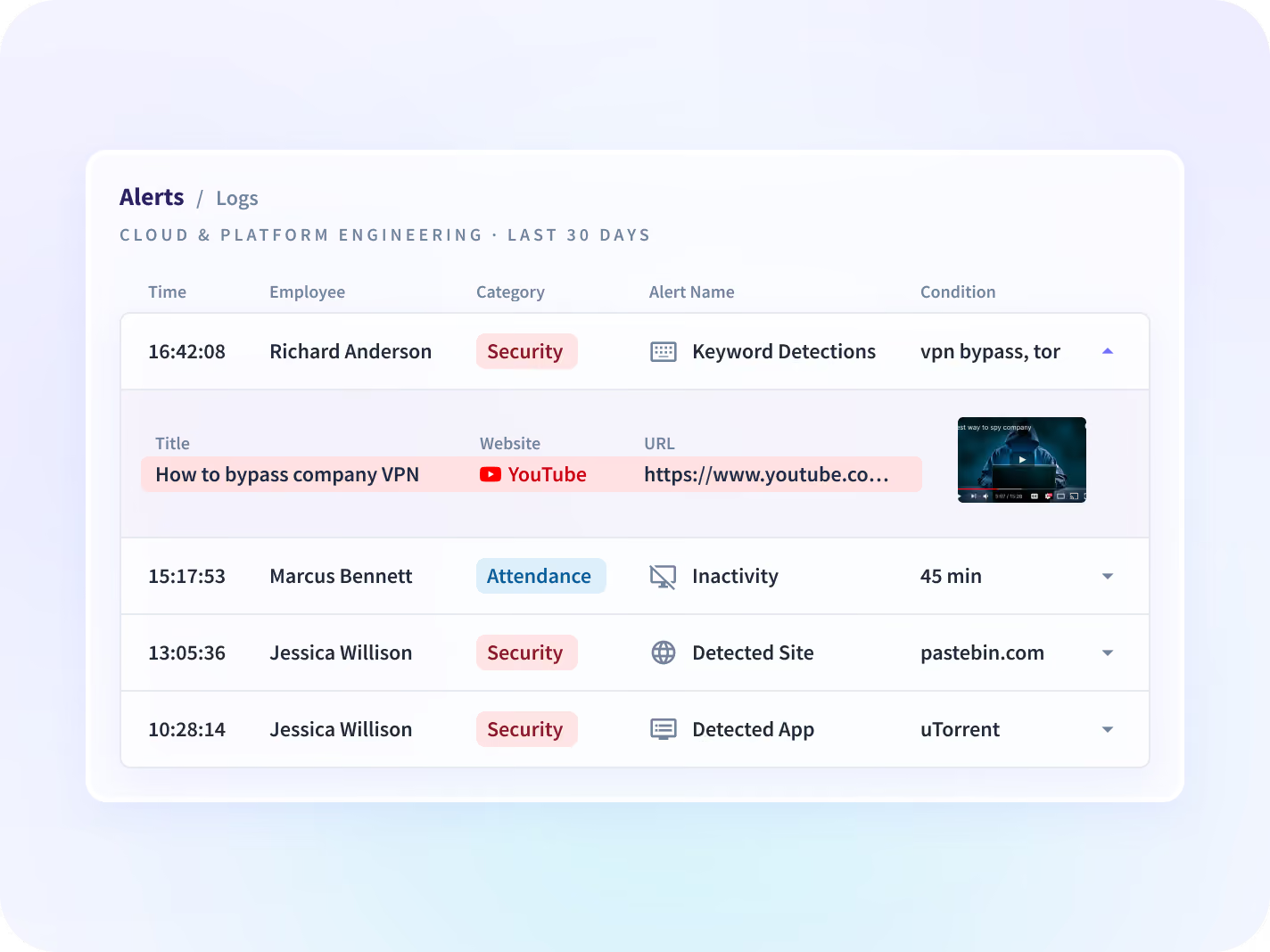
Insider Threat Detection alerts on the apps, sites and keywords you set, with a screenshot at the trigger, so a tip becomes an investigation the same day.


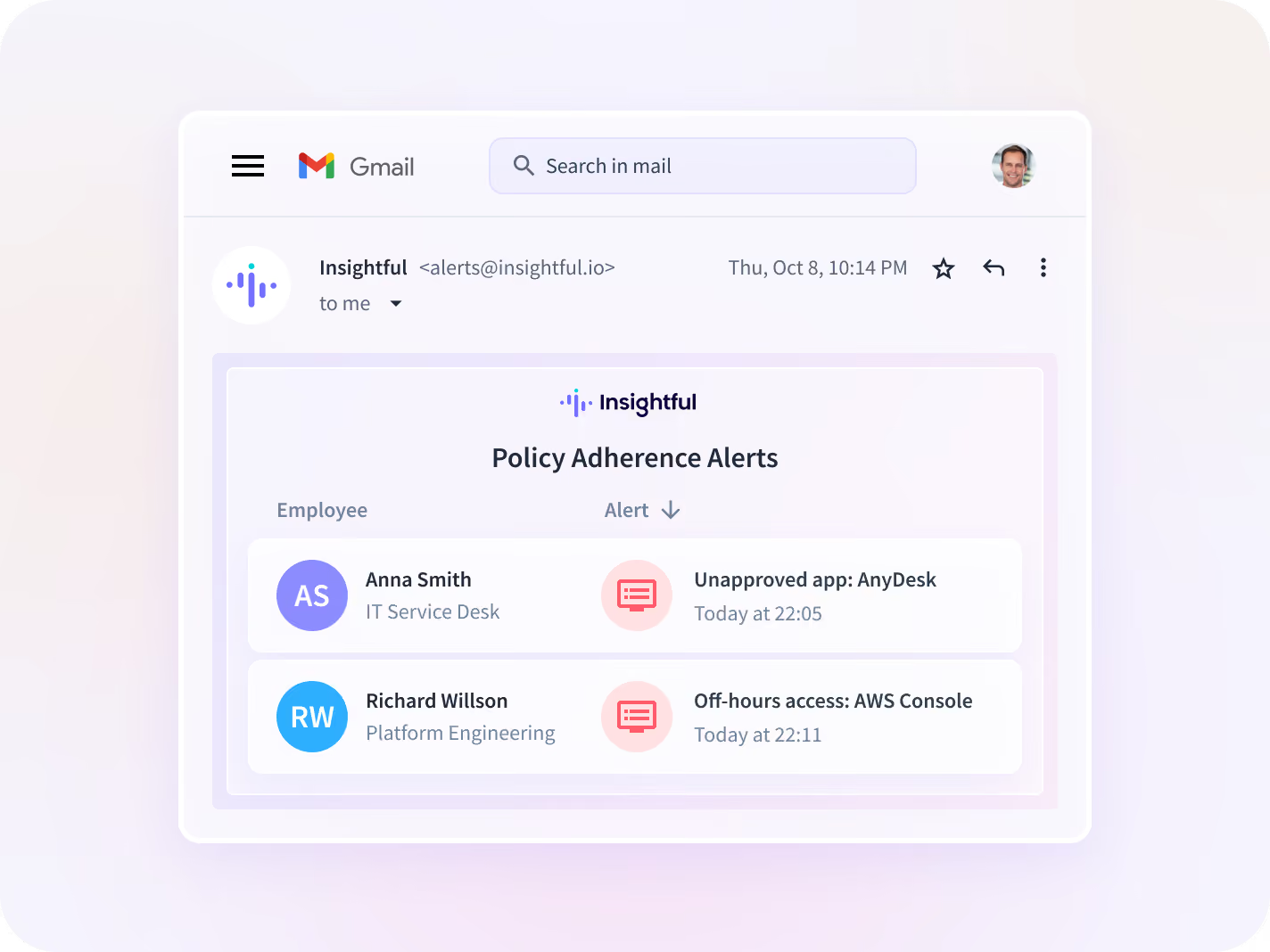
Policy Adherence Alerts flag activity that crosses a line you drew, such as an unapproved app or access outside working hours, so the exception reaches you the day it happens.


Activity Logs keep a timestamped record of the apps and pages each session touched, so an audit request is answered from the record.
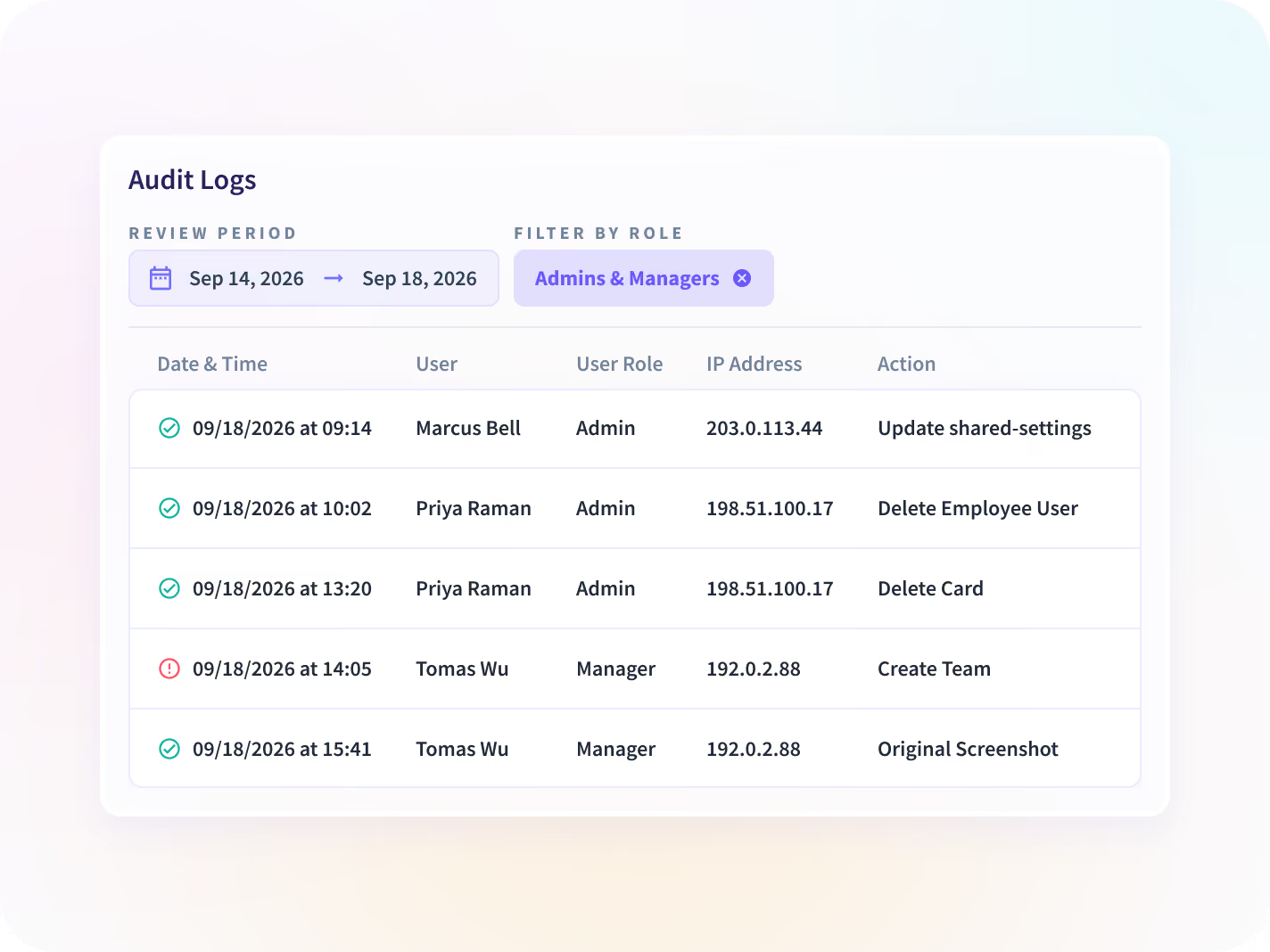
Test the audit trail yourself, with Audit Logs
Ask for an export on the demo and check that it arrived unaltered. No user can edit or delete a record, an admin included, and every manual entry names its approver.


An audit export checked against the record it came from.
Set the scope first, then alert only on what it covers
Your reviewers approve what is collected before deployment, and alerts run only on the groups you choose. Every alert rests on a record no user can alter.

Scope
Capture set per team or person, before deployment

Detect
The apps, sites and keywords you choose to flag

Alert
A flag with a screenshot at the trigger

Prove
A record no user can alter, tested on the demo
No keystrokes, no webcam or mic, and screen recording is never on by default.
The controls your security review will ask to see
Workspace Security runs on the desktop app already deployed for Workforce Analytics, so adding it is a settings change rather than a second agent.

Insider Threat Detection
Alerts on the apps, sites and keywords you set, with a screenshot at the trigger, scoped to the groups an investigation needs.

Policy Adherence Alerts
Flags activity the day it crosses a policy line you define, such as an unapproved app or off-hours access.

Activity Logs
Keeps a timestamped, page-level record of each session, so an alert arrives with the context behind it.

Audit Logs
Records every account action with the values that changed, in a log no user can alter, so you can test it on the demo.

Compliance Monitoring
Shows policy adherence and control coverage in one view, with SOC 2 Type II and ISO 27001 documentation under NDA.

Risk Management
Holds insider risk, shadow IT and AI, and policy exceptions in one place, under the roles and permissions you set.

Apps & Website Usage
Ranks every application and site by real use, which is how a tool nobody approved shows up at all.

Screen Monitoring
Takes periodic screenshots with passwords, banking details and private messages blurred by default, set per team.

Tracking Settings
Sets what is collected once for the company, then narrows it per team or person before deployment.
Follow one alert from trigger to audit record
Walk through an alert, the session behind it and the audit record, with sample data.
One scope, signed by security, IT, legal and HR
Each reviewer approves the part they answer for, from the same written scope.


Alert scope follows the identity groups you already run
Workday, BambooHR, HiBob, SAP SuccessFactors and more sync every 15 minutes, so new hires land in the right team, leavers stop being tracked, and approved PTO never reads as idle time.


Evidence that holds up when someone checks it






Close the gap your DLP was never watching
What Workforce Analytics buyers ask us most
Workspace security software shows which apps and AI tools work runs through, alerts on policies you set, and keeps an audit record. Insightful's Workspace Security does this from the same desktop app as Workforce Analytics, covering insider risk, shadow IT and AI, and policy exceptions in one place.
DLP asks whether data left a secure environment. Workspace Security asks where the work is happening, including in tools nobody approved, which is why a private AI account produces no DLP event at all. Keep the DLP: the two cover different gaps.
It never logs keystrokes, at any tier, and records sessions only if you buy the separate Screen Recording add-on and switch it on. It never uses the webcam or microphone. Screenshots blur passwords, banking details and private messages by default, and can be narrowed per team or switched off.
It captures which apps and sites are in use and for how long, a page-level session record, and screenshots with sensitive data blurred. It never captures keystrokes, audio or video. Work setting is inferred from the network a device is on, so it cannot tell you a home address.
Yes. Ask for an export on the demo and check that it arrived unaltered. No user can edit or delete a record, an admin included, and every manual entry carries a named approver.
Yes. Alerts run on the apps, sites, keywords and groups you choose, and capture can be narrowed per team or person before deployment. Billing still covers every seat on your base plan.
Data is encrypted with AES-256 at rest and TLS 1.2 in transit, and stored in the US, the EU or Saudi Arabia, or on-premise. Insightful is certified to SOC 2 Type II and ISO 27001 and complies with HIPAA, GDPR and CCPA, with documentation under NDA.
It is a standalone add-on to a Workforce Analytics plan, billed per seat. You can test it on the free trial, and current pricing is on the pricing page.
That depends on your jurisdiction and your disclosure practice, so it is a question for your counsel. We walk your reviewer through what is collected and what is refused, signal by signal, before anything is deployed.


