.svg)


Tell the hours a person worked from the hours a script produced
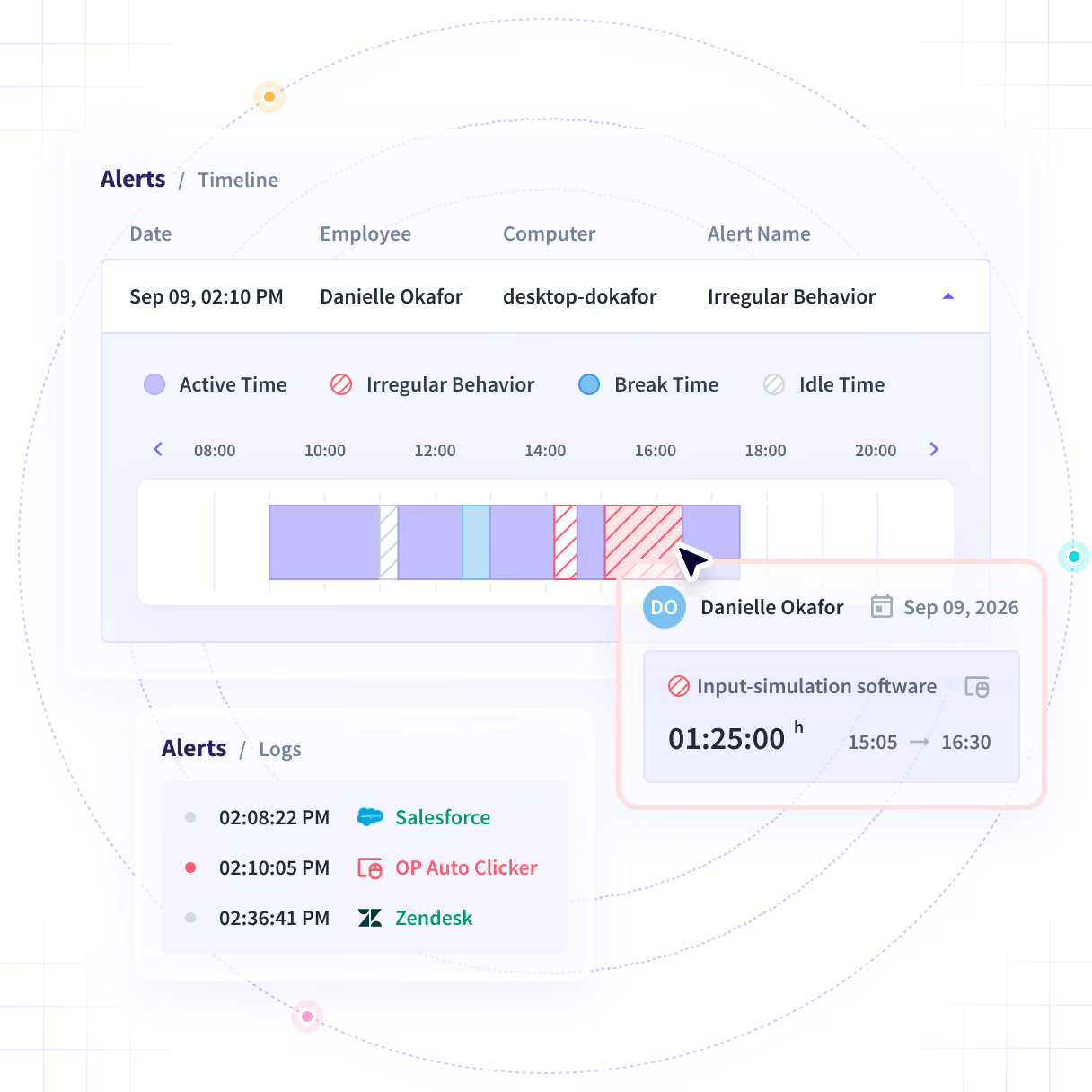
An activity percentage reads the same whether a person worked the shift or a jiggler did. Insightful reads the applications behind the hours and flags the sessions a person did not produce.












Turn an activity percentage into a record

Without Insightful

It reads the same whether a person worked the shift or a script did.
A manager samples a few seats and the answer is stale by the time it lands.
Hours added after the fact reach the client with nobody reviewing them.
It sits outside payroll, outside your systems and outside every report.
A jiggler or an auto-clicker produces a week no dashboard questions.

With Insightful

Captured hours, the applications opened inside them, and anything flagged.
One record holds it, with contract seats beside the staff ones.
It lands in a record no user can alter, with the values either side.
Hours and applications come off the desktop application on the device.
Jigglers, auto-clickers and workspace emulators, on the seats you chose.
See what the hours you delivered actually hold
Simulated activity is inventory you paid a contractor for and never received. It costs you twice, once in the payout and again when the client comes back on the hours.
- A leading US bank found $2.5M of contractor inefficiencies in three months
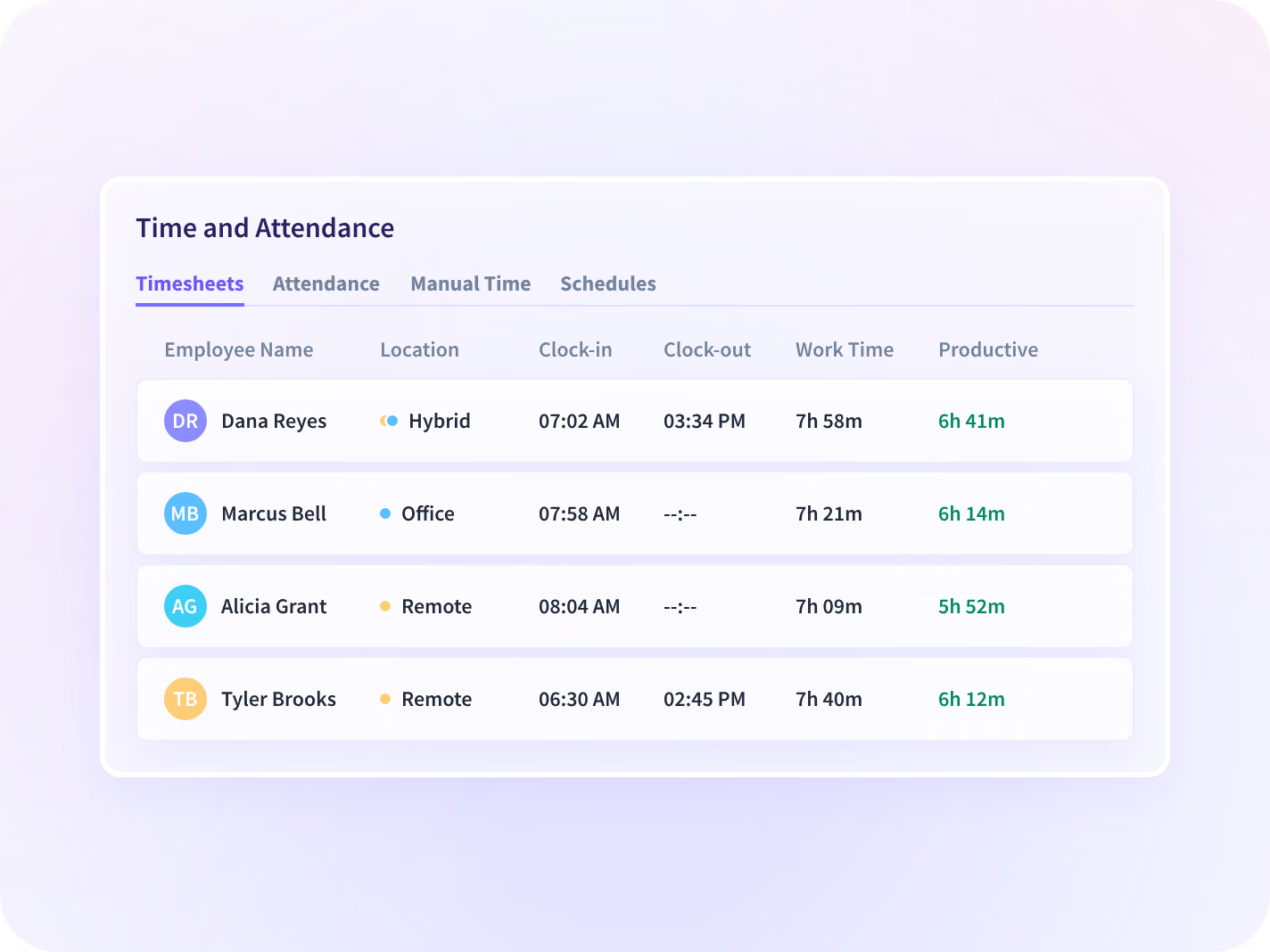
- Contract and staff hours land on one record, captured the same way
Settle a disputed shift without an argument
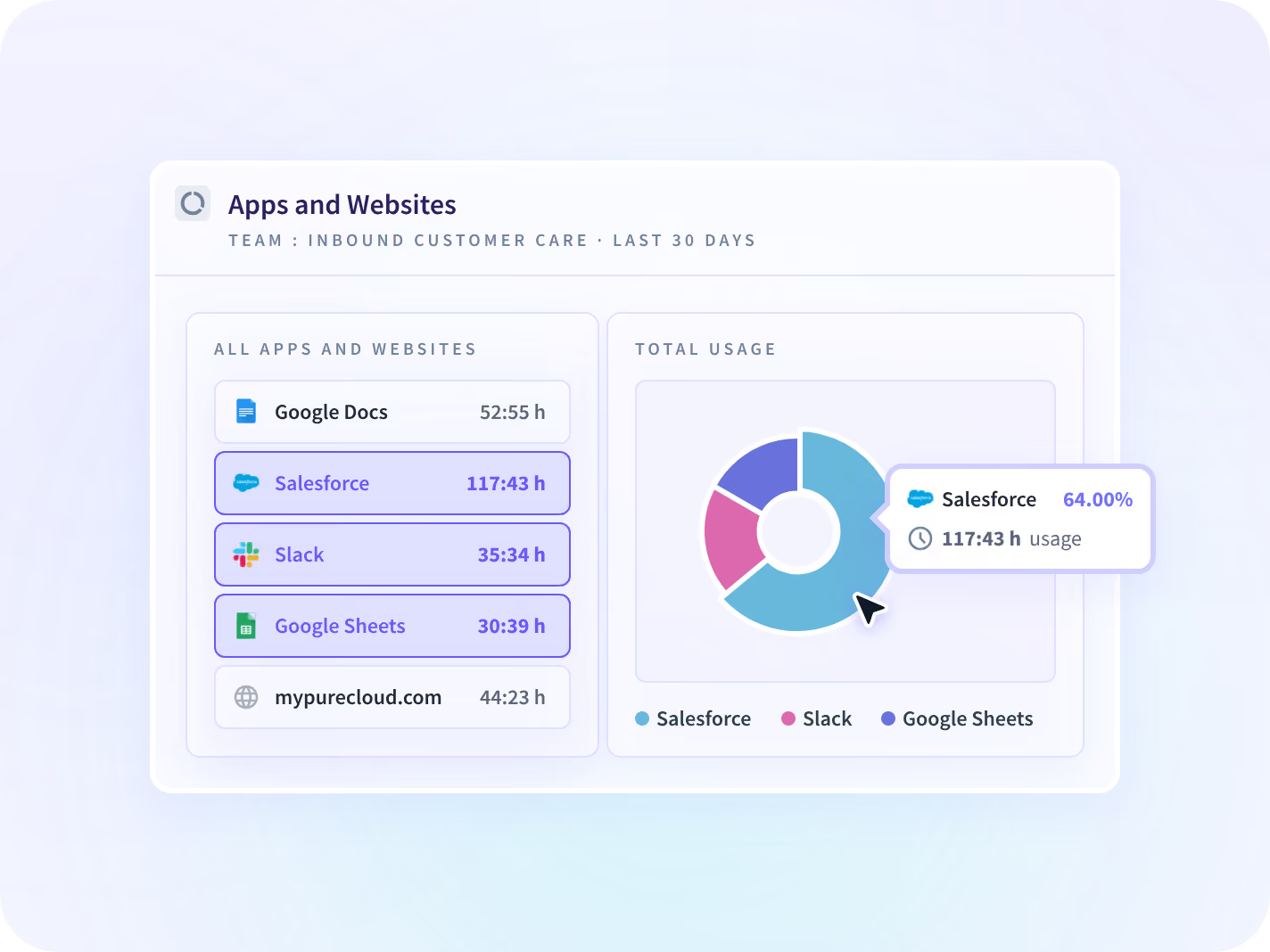
A record clears a contractor as often as it flags one. What the seat had open during the hours in question answers it, rather than a manager's memory of a quiet afternoon.
- Every application and site ranked by time spent, for the hours in dispute
- The application and the time spent in it. What was inside it stays unread
See what a percentage cannot show you
Flag a shift for review before you pay it
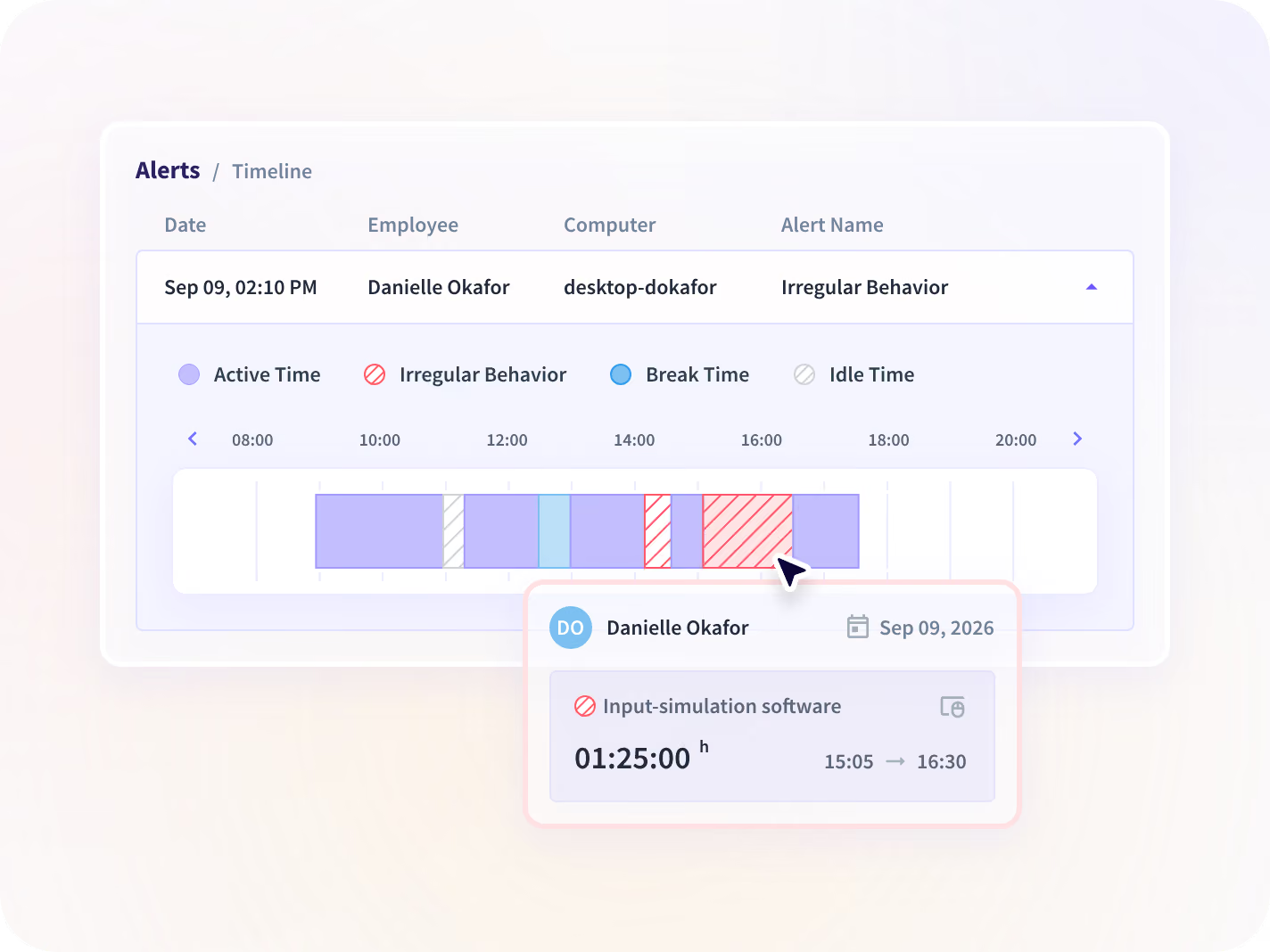
Mouse jigglers, auto-clickers and workspace emulators are detected as patterns. A flagged session opens into a timeline of what was detected and when, so somebody can look before anyone is accused.
- Flags arrive as one daily digest, not a stream, so the queue stays readable
- Scope it to the seats a case needs rather than to the whole company
Notice the week that stopped matching
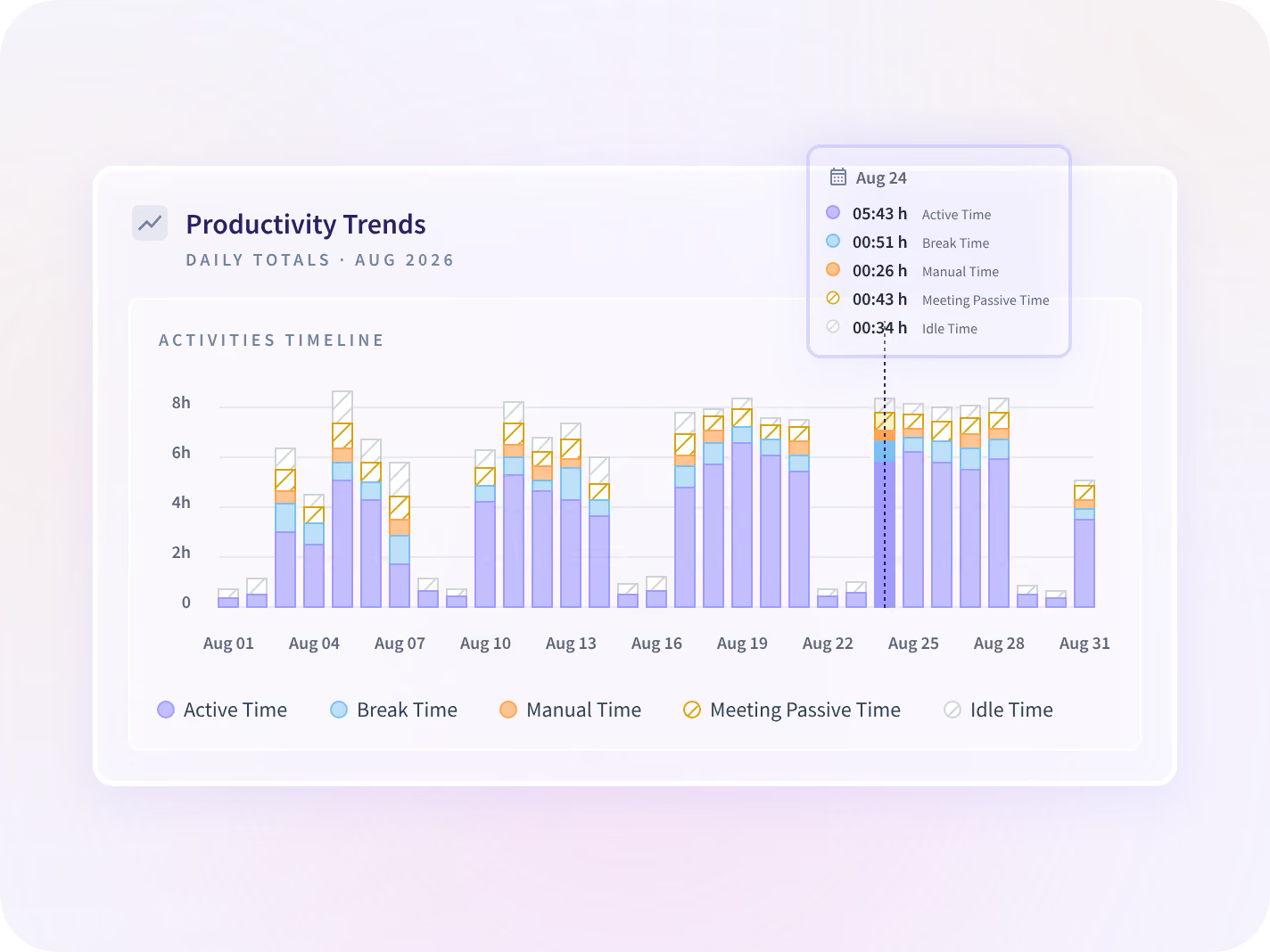
Each measure on a contract team is reported against the period before it. A seat whose week stops looking like its own previous weeks is visible before a flag ever fires.
- Team level by default. Nothing here scores or ranks one person
- You get a team and a week to go and ask about. The cause is yours to find
What your reviewer reads before anything installs
What gets collected is agreed per team before anything is installed, and that list is published, versioned and dated. Insightful reads which application was open and for how long, never what is in it.





What all three answer that one cannot
Each report answers part of it. Read together they tell you which hours hold up and which ones to go and ask about.

Can somebody read the session back?
Which applications and pages were open, in order and timestamped. A Workspace Security add-on.

What does the client actually receive?
The hours behind a billed line, and what a client gets when they ask to see them.

What if it is not about the hours?
Access that was misused rather than hours that were not worked. A different page answers that.
Teams that scaled a contract workforce safely
One contract workforce at scale, read off the weeks the work happened in rather than the reports that arrived after them.







Every system a contract hour runs through
Your vendor management system, your payroll run and your invoicing stack read the same hours, and 50+ integrations cover the rest. You can talk to your work data with MCP connectors.



The week a percentage could not vouch for
What delivery and ops leaders ask us most
No. Insightful is a work insights platform: it collects hours, application use and meeting load from desk-based teams and reports them by team, each measure against the period before. On this page that record sits beside the hours you delivered rather than beside a person: which hours were captured, which were added by hand and who approved them, which applications a seat opened, and whether a pattern turned up that a person does not produce. What gets collected is agreed per team before anyone installs anything, which is the collection scope. It does not read message content, document content or file contents, and there is no keystroke logging at any tier. There is a desktop application on the device, which is why we say to put it in the contract rather than raise it after a session has been flagged.
Mouse jigglers, auto-clickers and workspace emulators, detected as patterns rather than caught in the act. Flags arrive as one daily digest rather than a stream, and each one opens into a timeline of what was detected and when. Pattern detection flags rather than proves, so a flag is where a look starts. Alert granularity is coarse today and is being improved, so expect to tune a condition once or twice before the digest reads clean.
No. Detection is deployed and licensed to the seats you choose, and one security lead scoped his own evaluation to 10 licenses across a 675-person organization. Seats are the unit, so widening a case later means widening the deployment, and it pays to scope the seats you expect to need rather than the ones you have today. Hours and application ranking carry no gate. Activity Logs is the one thing routed from this page that does, as a Workspace Security add-on on Enterprise plans.
No. Insightful reports what happened on a session, not who was at the keyboard. Account sharing and location spoofing are outside what it detects today, and there is no keystroke logging at any tier to lean on instead. Detection reads behavior and stops short of intent: it can show you that a week of input repeats with a precision a person does not produce, and what that means is a human call. If identity is the requirement, that is a roadmap conversation rather than a reason to buy this.
Insider risk management is about someone with legitimate access misusing it, meaning where the work went rather than whether it happened. It has its own page and its own program: named seats, a capture depth set per group, and an approval path HR and legal both sign. This page is about whether the hours you delivered contain the work they were billed for. Different question, different evidence, and usually a different person reading the report.
