.svg)


Software and AI usage data that clears your security review
Your renewals and AI rollout rest on license counts, which can't show who works in each tool. Insightful installs silently from your MDM and shows working time in every app and AI tool.













For an 85-person IT team at OK Heart Hospital, down from 80 hours

At TRG after its apps were ranked by working time, per its case study
Turn license counts into usage you can defend

Without Insightful

You promised security a sign-off, and the vendor's documents arrive after the questions.
Screen recording by default puts patient and customer data in front of a reviewer.
It knows who holds a license and who logged in, but not who worked in the tool.
The invoice arrives before anyone can say which seats were opened this quarter.
Teams try approved and unapproved AI tools, and you only see the licenses you bought.

With Insightful

SOC 2 Type II and compliance documentation are shared under NDA in the first conversation.
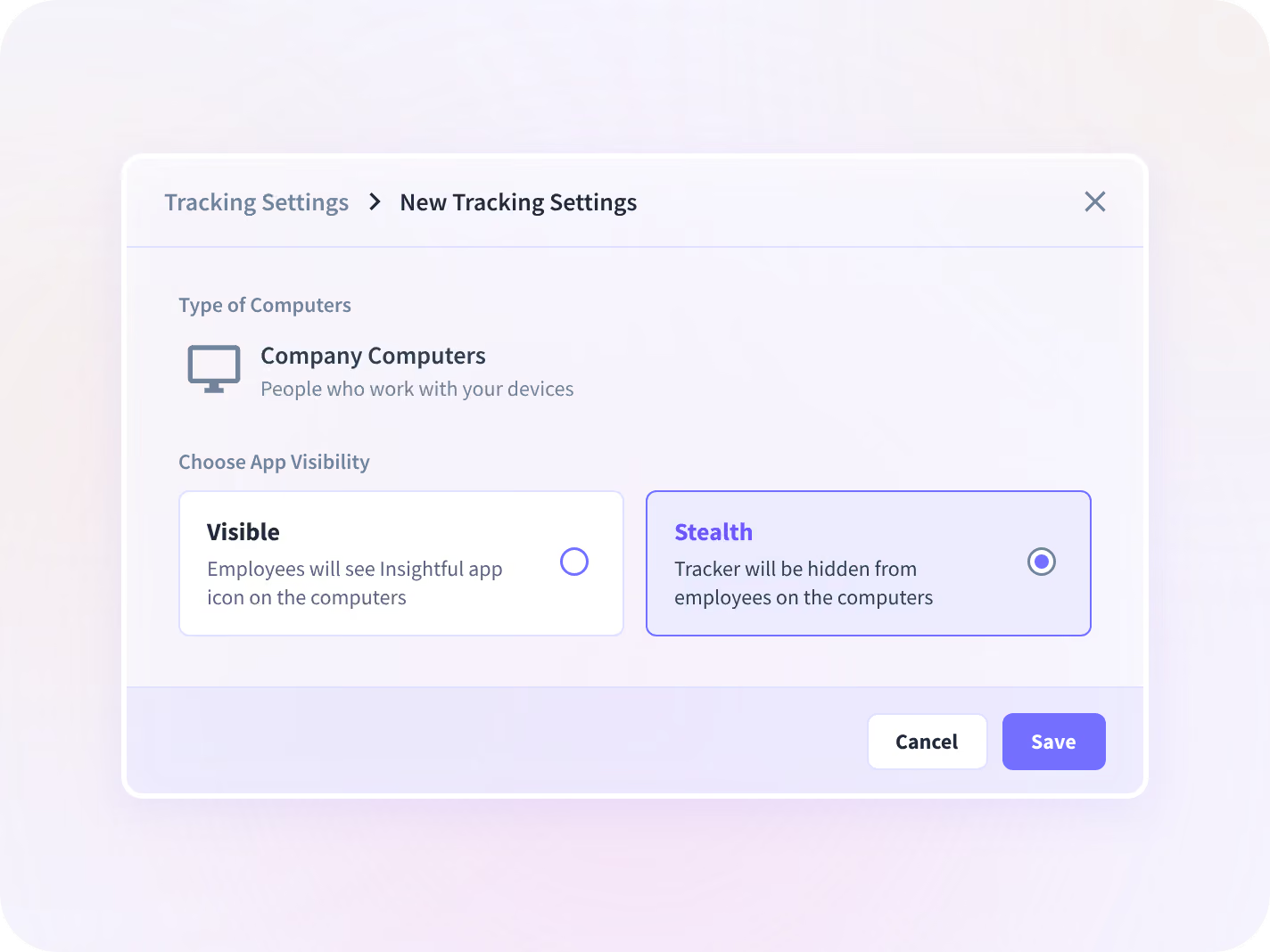
Screenshots stay off unless an admin turns them on, and nothing records keystrokes.
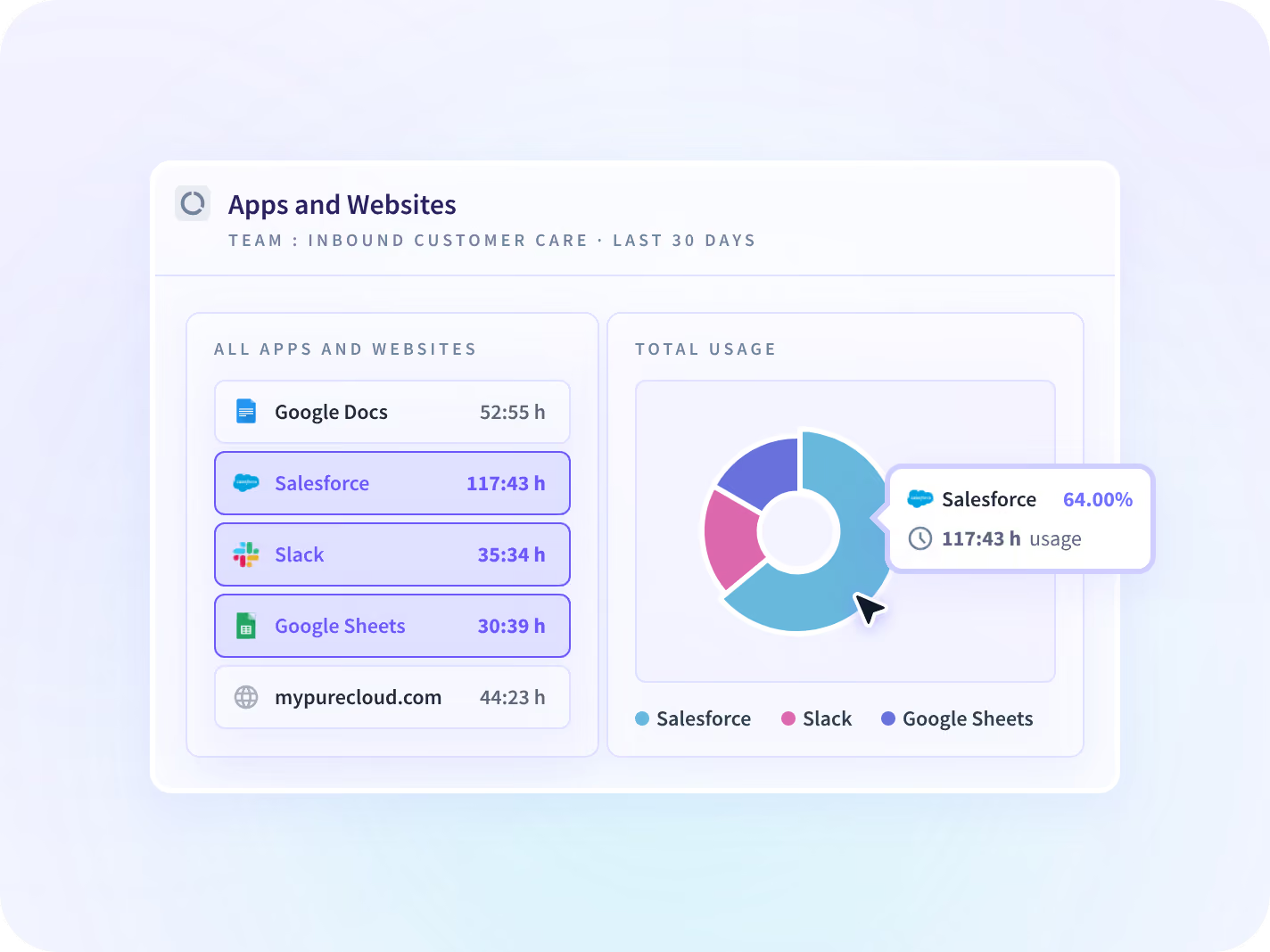
Apps & Website Usage ranks each app by hours worked, with a last-opened date per seat.
You keep, cut or consolidate each line with a quarter of working time behind it.
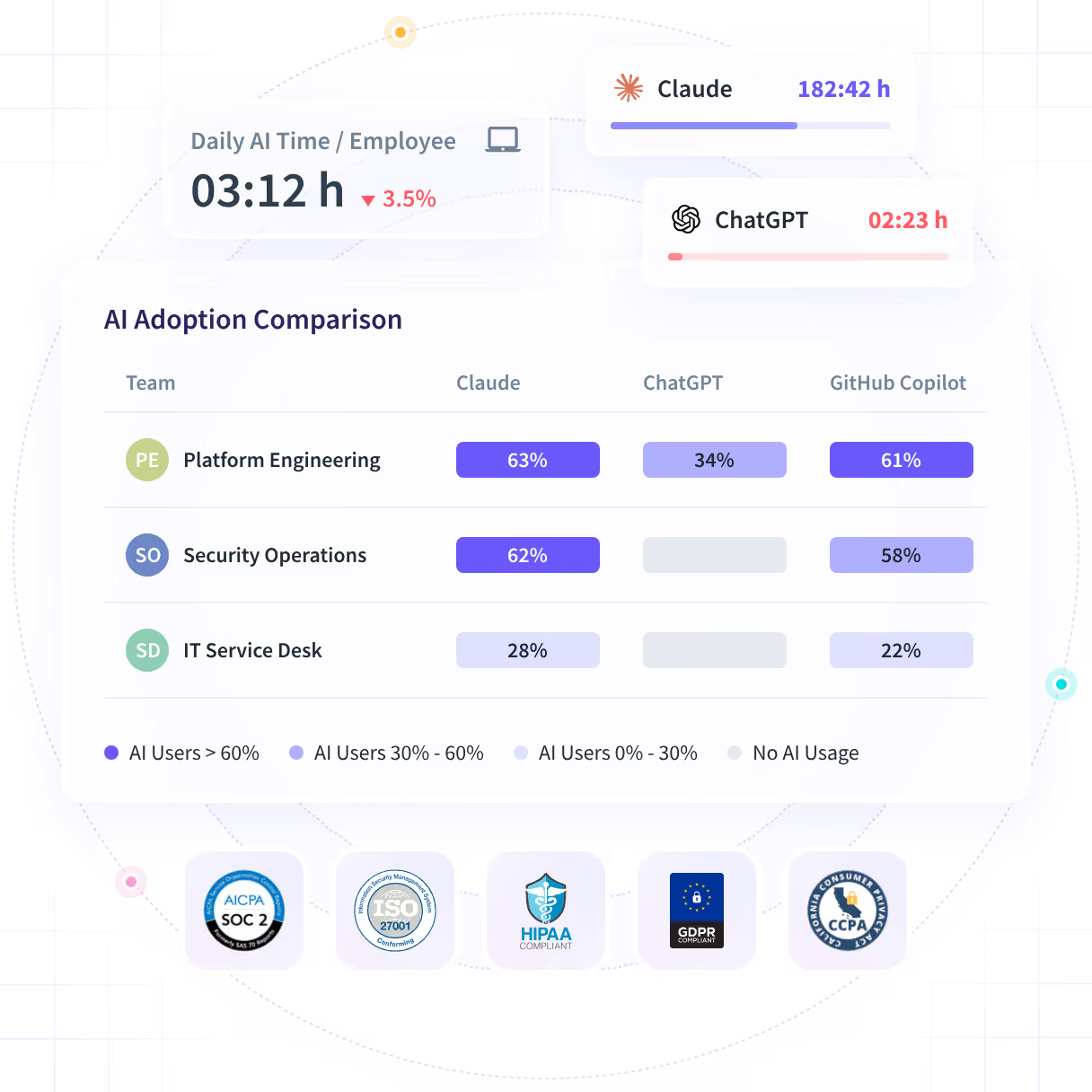
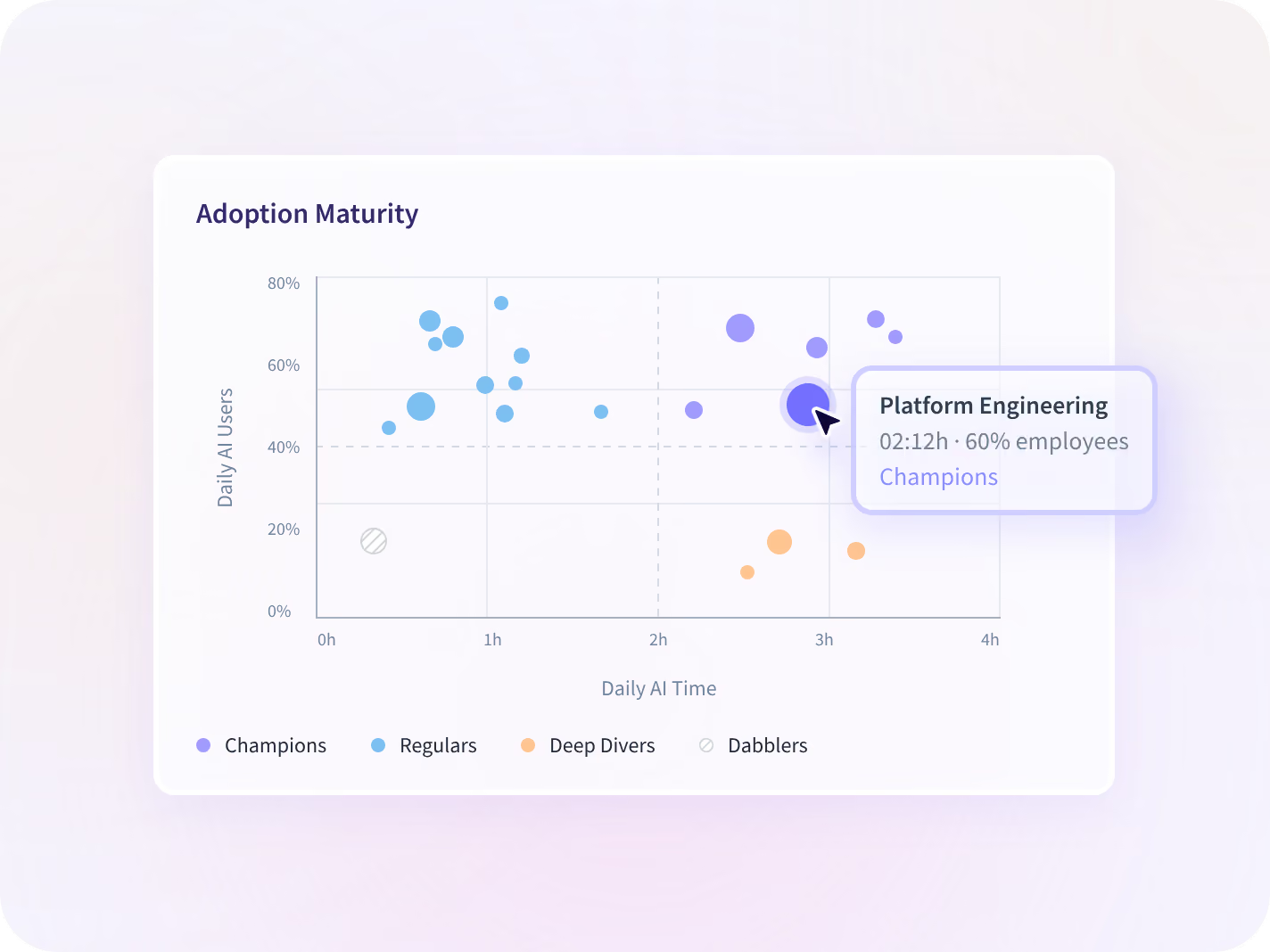
AI Adoption shows daily AI users, AI time and every AI tool opened, by team.
Roll out silently from the endpoint tools you run
Insightful installs silently through Microsoft Intune, Active Directory, RMM or MDM on Windows, macOS and Linux. You scope admins and collection settings per group before the first device reports in.
- Start with a narrow group: one security lead scoped detection to 10 of 675 staff
- Whether employees are told is your call; we recommend telling them
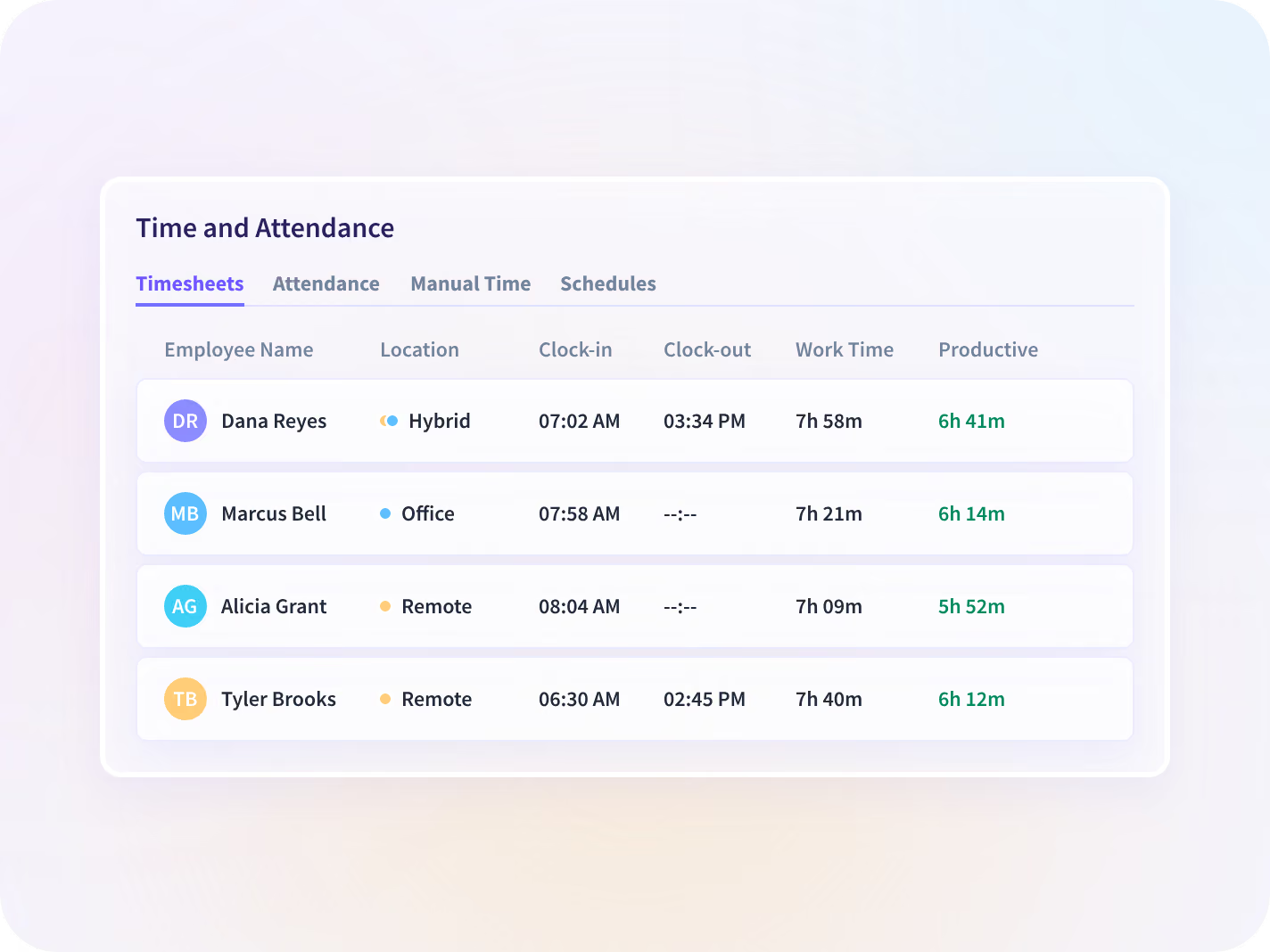
Keep records legal can trust with Time and Attendance
Time and Attendance captures hours as work happens. Anything added by hand routes to a named approver first, and every entry is saved in a record no one can quietly edit later.
- Export hours, edits and approvals with the name and timestamp on each
- Audit Logs, an add-on, also record each settings change's old and new value
See what's used before the renewal is due
Keep or cut every license with Apps & Website Usage
Apps & Website Usage ranks every app and site by hours worked, by team. Every seat comes back with the last date somebody opened it, which is the number a renewal argument has never had.
- Angarita D., IT Head, on G2: two paid tools nobody opened in 90 days
- Collects usage on the desktop, so no SaaS connector is needed
Prove which AI tools earn their seat with AI Adoption
AI Adoption shows daily AI users, AI time and adoption rate for every team. Each team is plotted as Champions, Regulars, Deep Divers or Dabblers, which is the difference a license console cannot show you.
- See which AI tools each team opens and for how long, never the prompts
- Activity by individual AI agent is a custom build today, not a default report
Give IT managers and the CIO the same usage data
IT managers use Insightful to clear deployment and security questions. CIOs use the same data to keep, cut or consolidate software and AI spend.

Clear the security review before rollout
When security asks what's collected and where it's stored, the answers are ready: silent MDM install, scoping per group and no keystrokes.

Defend each software line at budget time
When the budget cycle opens, bring working time for each app and AI tool. Keep, cut or consolidate each line with usage behind it.
Everything your security review asks for, in one place
Your review will ask what is collected, where it's stored and who can see it. SOC 2 Type II documentation is shared under NDA, and collection is set per group before you deploy.






Three questions IT leaders ask before a renewal
Each question has its own page with the details. Together, they cover unused paid tools, unapproved AI tools, and what security needs to sign.

Which paid tools did nobody open?
See every paid seat with its last-opened date before the renewal invoice arrives.

Which AI tools did nobody approve?
See which AI tools each team uses and how long, without reading a single prompt.

What will security need to sign off?
See the scope, documents and controls a security leader asks for before a rollout.
What IT teams changed with Insightful







Every system your IT team manages, connected
Insightful installs through Active Directory, RMM or MDM, and connects to your identity and HR systems. You can also query your usage data with MCP connectors.



Stop renewing software nobody can prove is used
What IT leaders ask us most
No. Insightful never records keystrokes, passwords, message or document content, audio or video. It collects application and website activity, active and idle time, and hours worked. Screenshots stay off unless an admin turns them on for a group.
Working time in each tool. Insightful is a work insights platform. It collects hours, application use and meeting load from desk-based teams and reports them by team, each measure against the period before. A SAM tool sees licenses, installs and logins. Use the two together: SAM for what you own, Insightful for what gets used.
Yes. Insightful installs silently through Active Directory, RMM or MDM on Windows, macOS and Linux. Whether employees are told is your decision. We recommend telling them, because a rollout people know about gets better adoption. In a visible rollout, each person can open their own record.
In the US, the EU or Saudi Arabia, or on your own servers with on-premise deployment. Data is encrypted with AES-256 at rest and TLS 1.2 in transit, and keys are held in Google Cloud KMS. If you need a region not listed here, confirm it with us before you deploy.
Not as a standard report today. AI Adoption shows which AI tools each team opens, how often and for how long, without reading prompts. Activity by individual AI agent is built per customer, so ask for it during scoping rather than expecting it in the default console. For unapproved AI tools in more detail, see Shadow AI.
