


Give each team longer stretches for focused work
Workdays fill up with meetings and messages. We show how each person spends the workday, and suggest ways to improve focus and execution.


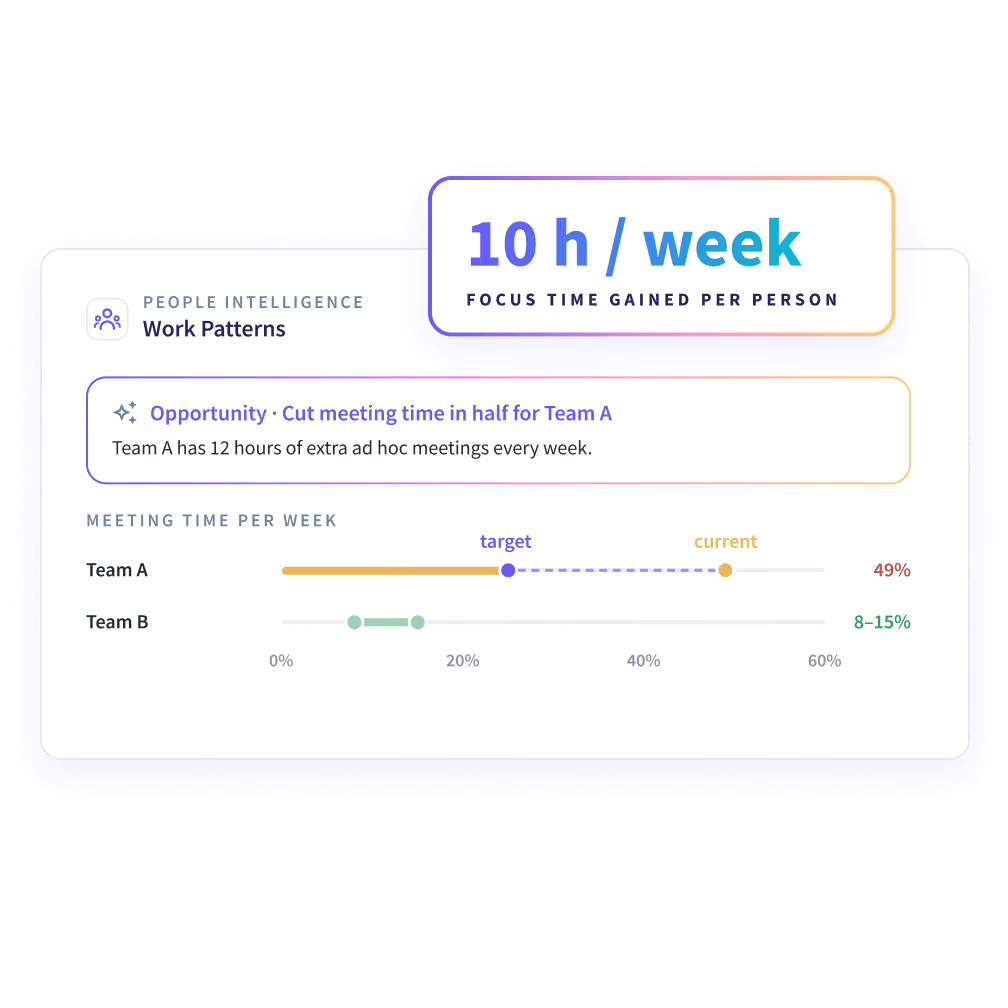


Long hours don't show if anyone had time to focus
Hours show how long people worked. They don't show how often the work was broken up.


Calendar full? Know what breaks up each team's day
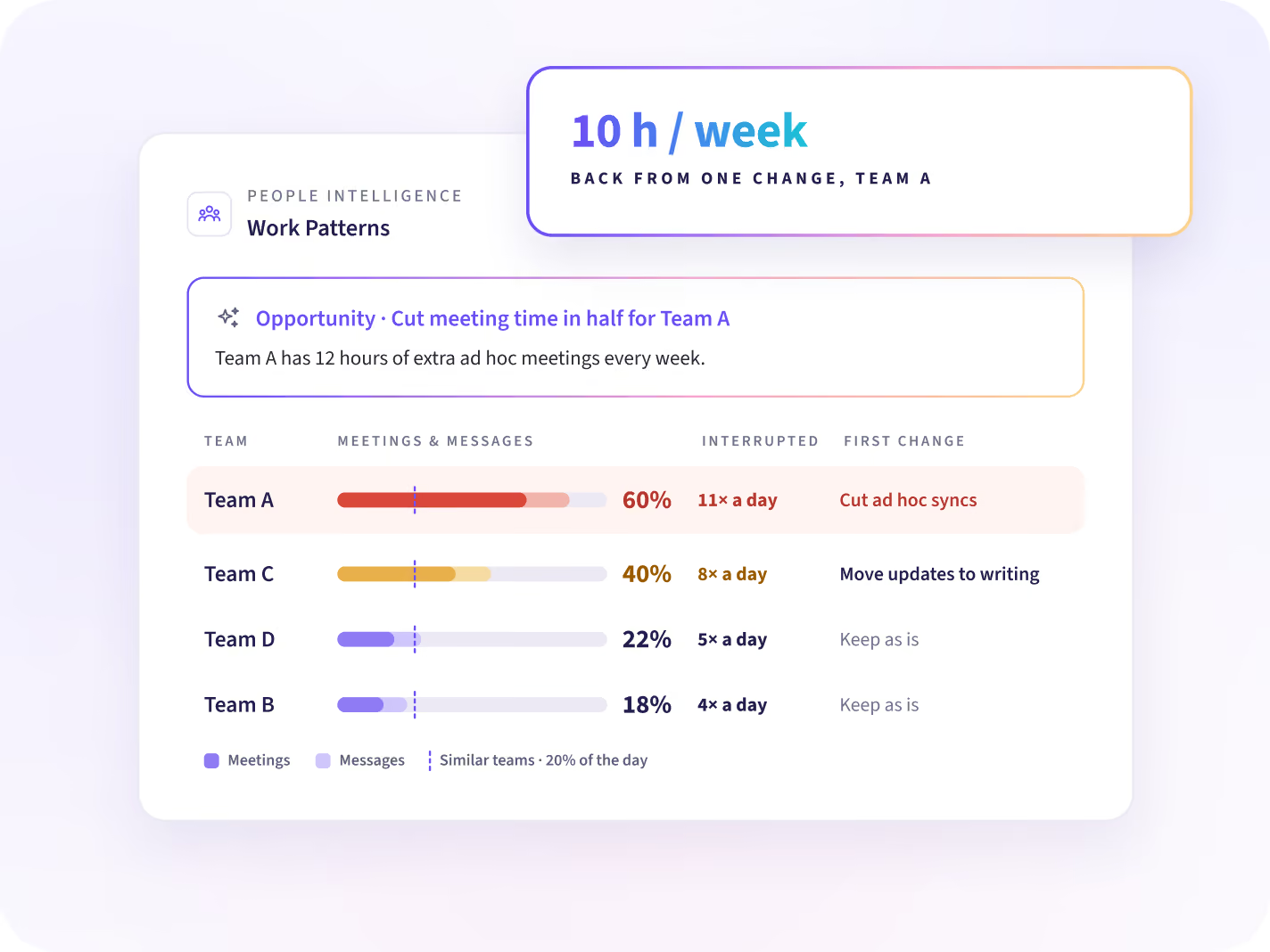
See how each team's day splits between meetings, messages and the work itself, against teams doing the same work. Each team gets one change to make first. Your next team plan starts there.
- Time in meetings and messages
- How often the work is interrupted
- The one change that gives back the most time
Move evening work back into the working day
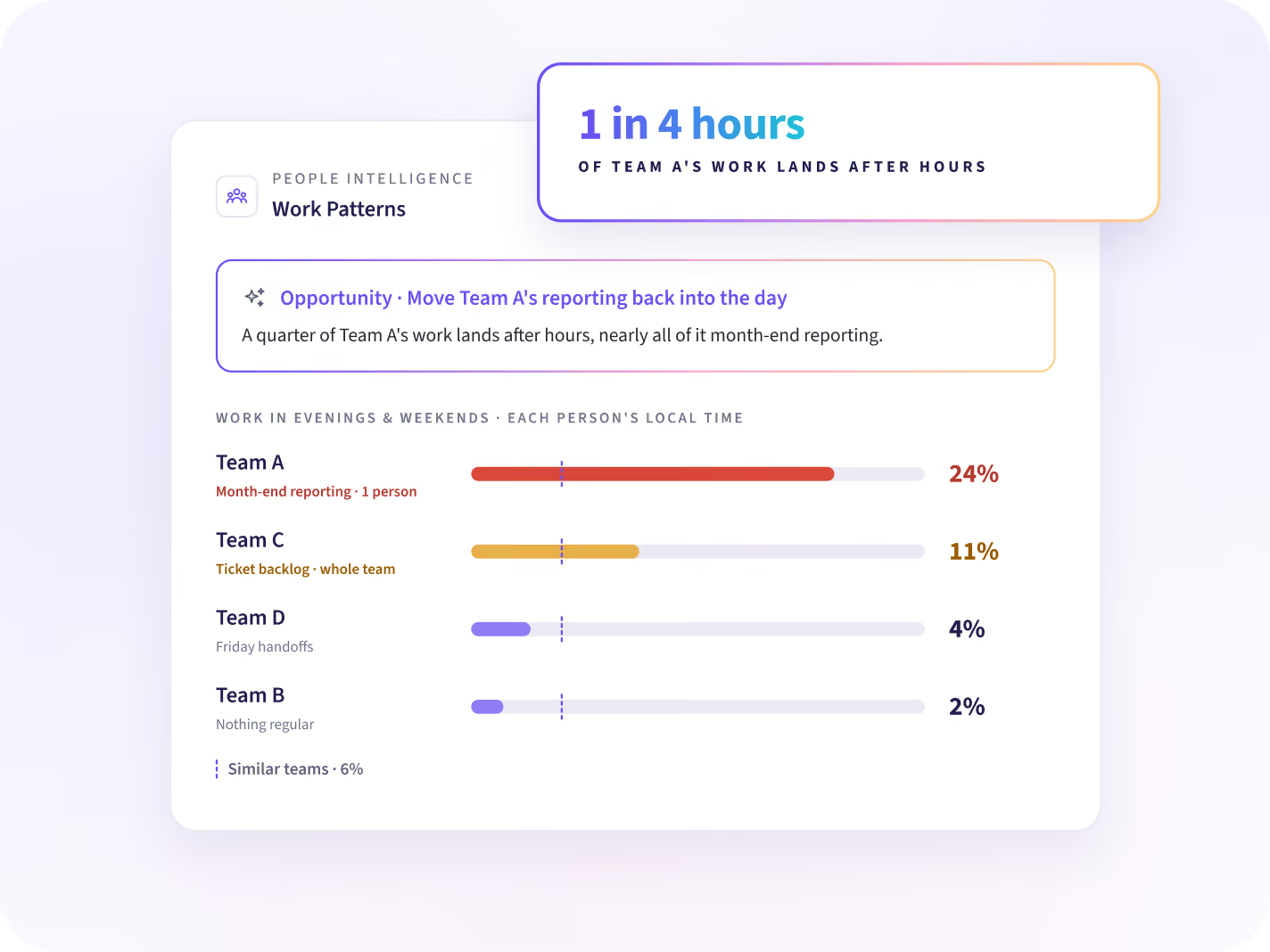
See how much of each team's work lands in the evening or on weekends, in each person's local time, and which work it is. Fix the cause in next week's plan.
- Evening and weekend share, per team
- The kind of work that spills into the evening
- Whether it's the whole team or one person
Where does each team's day go?
Change one thing in each team's day, with a target
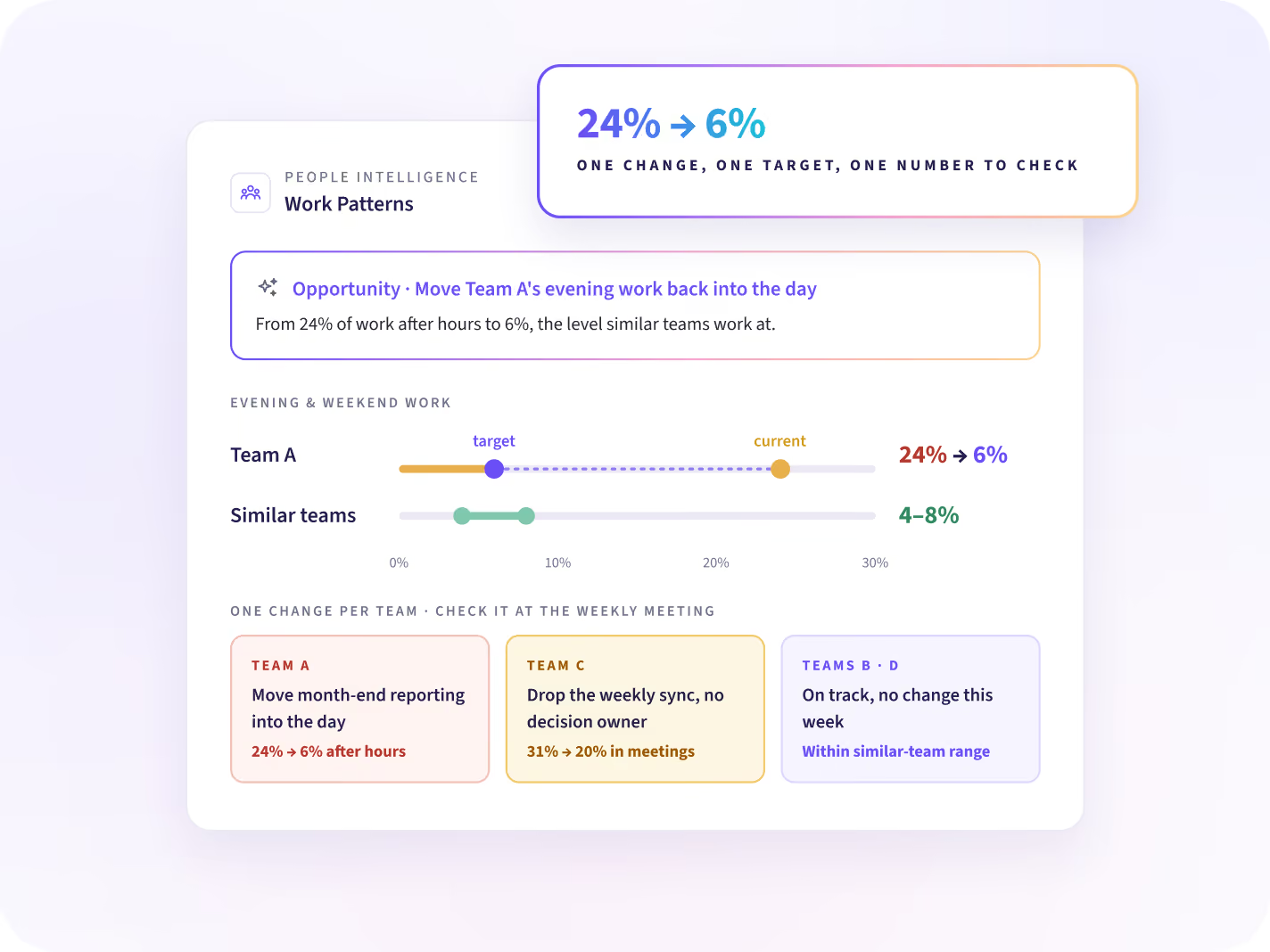
Each team gets one change to how its day is set up, such as moving evening work back into the day. A target comes with it. Your weekly team meeting has a number to check.
- Example: evening and weekend work, from 24% to 6%
- Recurring meetings with no decision owner
- How the share moves toward the target
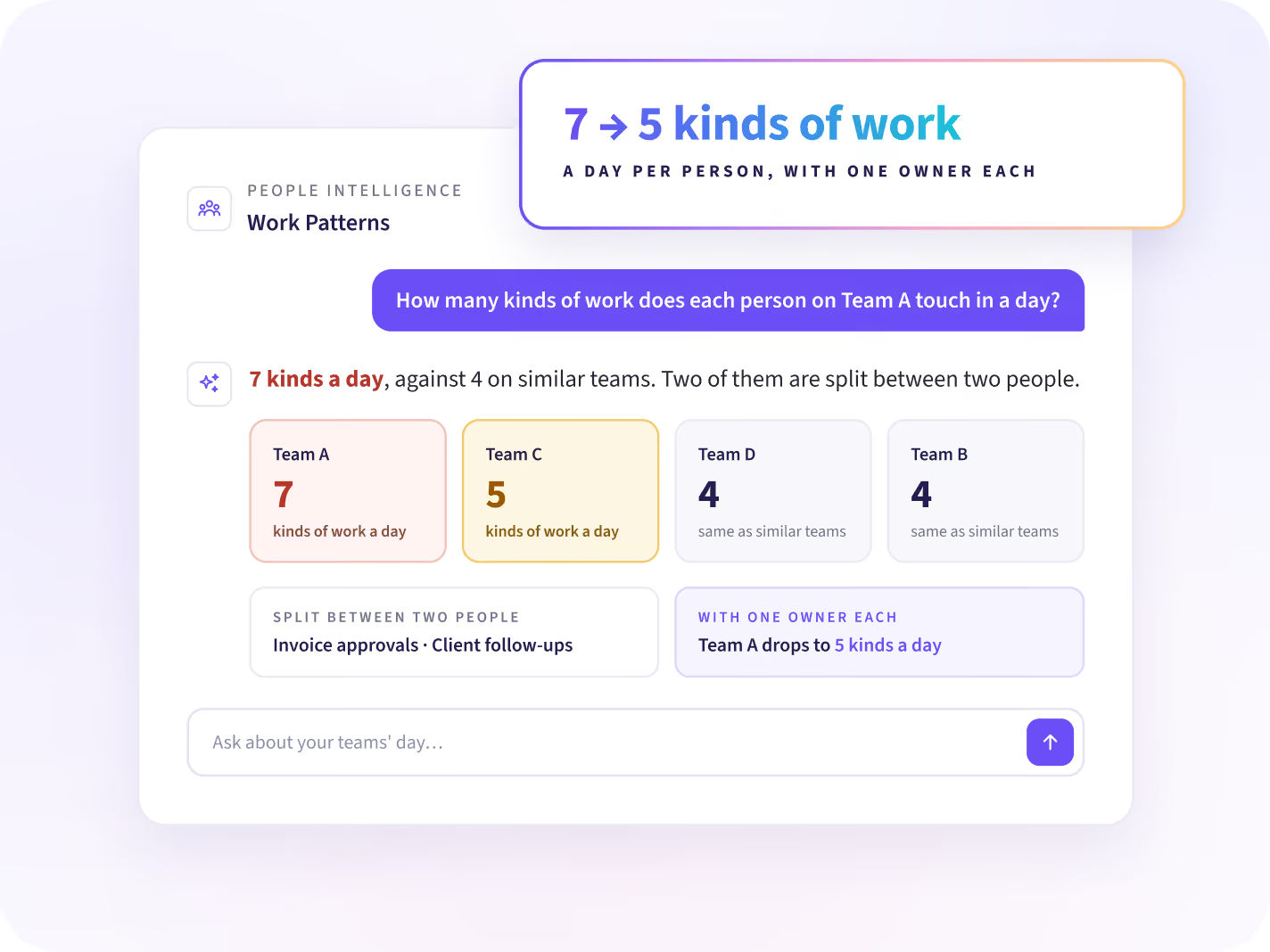
Know how many kinds of work each person juggles
Ask how many kinds of work each person touches in a day, against teams doing similar work. Some teams split one job between two people. Give each kind of work one owner.
- Kinds of work per person per day
- Work two people split between them
- Where one owner would cut the switching
What we see, and what we never collect
Insightful sees the apps, sites and AI tools your people use, and how they use them. It does not log content or capture keystrokes, messages, and documents.





Once each team's day has longer stretches
Three questions follow, and each has its own answer: who carries too much, where the week goes, and where AI goes next.

Who is carrying too much?
Find who is stretched, who has room, and what to share out first.

How much of the week is core work?
A team doing the same work with less overhead shows each team what to change first.

Where would AI give the team time back?
Each person's AI use shows in the work they do, with a next step for each team.
Count after-hours in each person's own time zone
Connect Workday, Entra ID, Zoho or another HR system, and each person's work is matched to their role, team and location, so after-hours is counted in local time. People Intelligence starts from data the desktop app already collects.


Find the meetings and evening hours your teams can win back
Questions about focus time at work
How Work Patterns reads the workday, how teams are compared, and what stays out of it.
Focus time at work means stretches of the day long enough to get work done with no meeting or message breaking in. Since meetings, chat and switching cut the day into short pieces, the longest open stretch matters more than total hours. People Intelligence shows each team's meeting share, switches per hour and longest open stretch, against similar teams.
Change the structure of the day, not how much people work. Common changes are protecting a block of time, batching email into set windows, cutting a recurring meeting, or moving evening work back into the day. People Intelligence suggests one change per team, with a starting point and a target.
Workforce Analytics shows how time splits between meetings, messages and focused work for each team. People Intelligence shows how each person spends the workday, from interruptions and meetings to evening work, and suggests one change to improve focus and execution. It runs on the data Workforce Analytics already collects.
Start with the recurring meetings that have no decision owner, and compare your meeting share with teams that do the same work. People Intelligence shows each team's share of time in meetings against those teams, and suggests which to cut or shorten, with a target for the new share.
There is no single line. People Intelligence compares a team's meeting share with teams in your company that do the same work. When one team spends far more of its time in meetings than its peers, that gap is the overload, and the suggestion is to bring it closer to theirs.
No. People Intelligence doesn't judge focus, stress or productivity, and it says nothing about a person's state of mind. It shows how the day is structured, such as meeting share, switches per hour and evening work, and suggests one change to that structure.
After-hours work is activity in the evening or on weekends, in each person's local time. People Intelligence shows the share for each team and whether it is spread across the team or sits with one person. Time zones come from your HR system or directory, so check they are complete first.


