.svg)


Task time tracking that reports hours, not estimates
Insightful runs on each person's computer and reads which applications and files they work in. Those hours map to your tickets, ready to read as duration, as workload and as cost.


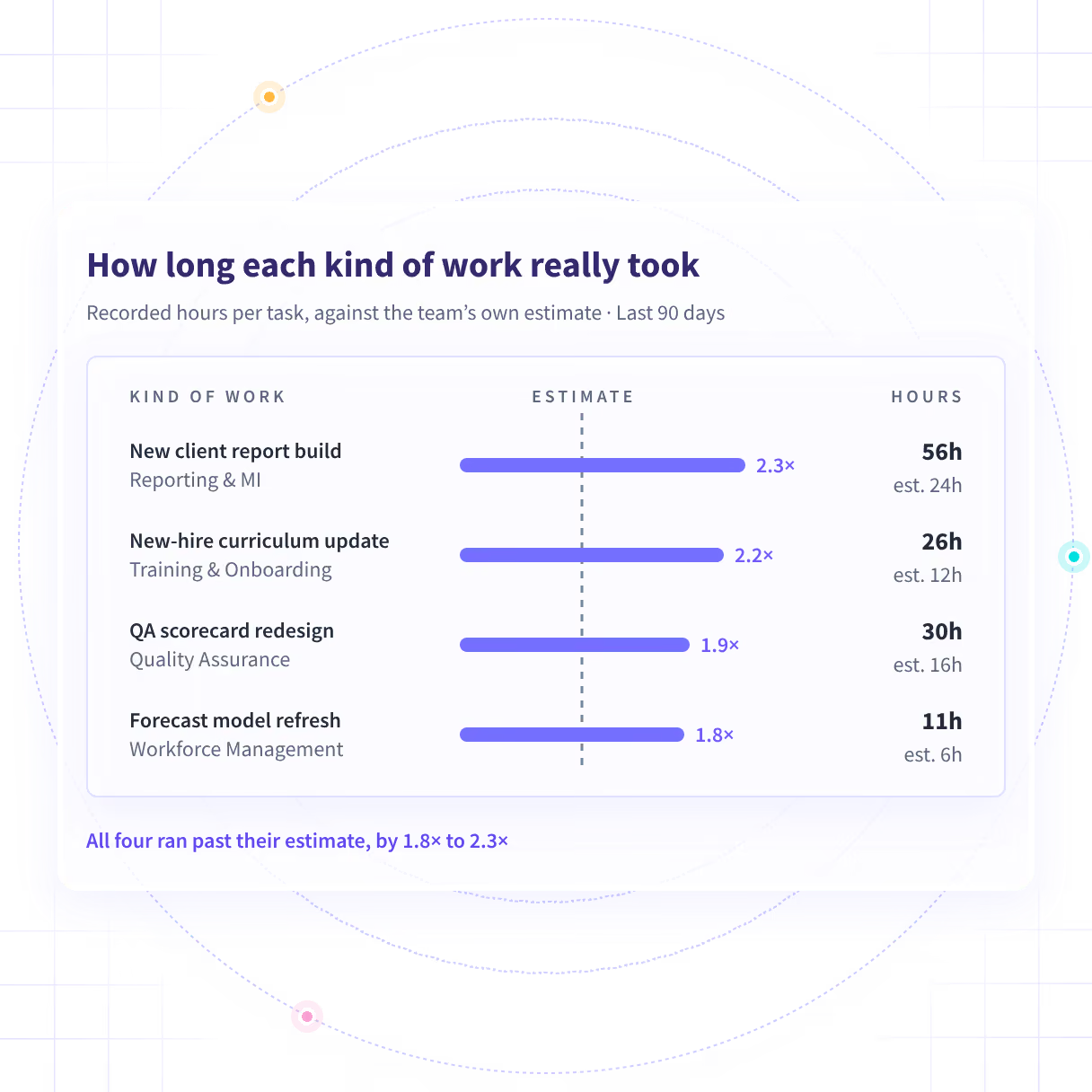










Plan from what the work took last time

Without Insightful

The ticket moved, the estimate held on paper, and the seven days went unrecorded.
Nobody goes back to correct an estimate once the work is finished.
A manual study takes days and is out of date the morning you finish it.
Activity says the work happened. It never says why it took seven days.
A number per person turns a planning fix into a performance review.

With Insightful

Recorded hours sit beside the estimate whether or not the date was met.
Hours come from the applications and files people worked in, not the ticket.
A range per task type you can put in front of the planning session.
Meetings, chasing and handovers count toward the hours on the task too.
Reported by task type across a team, which is the version safe to plan from.
Walk into planning with a range instead of a guess
Insightful reads which applications and files each person is in and maps them to the tickets in your own tool. The same work across a team and a quarter then reads as a range rather than one number.
- H&CO put over 200,000 hours a year back into delivery once hours stopped being typed in
- The range is only as good as the task structure underneath it, and this page says so
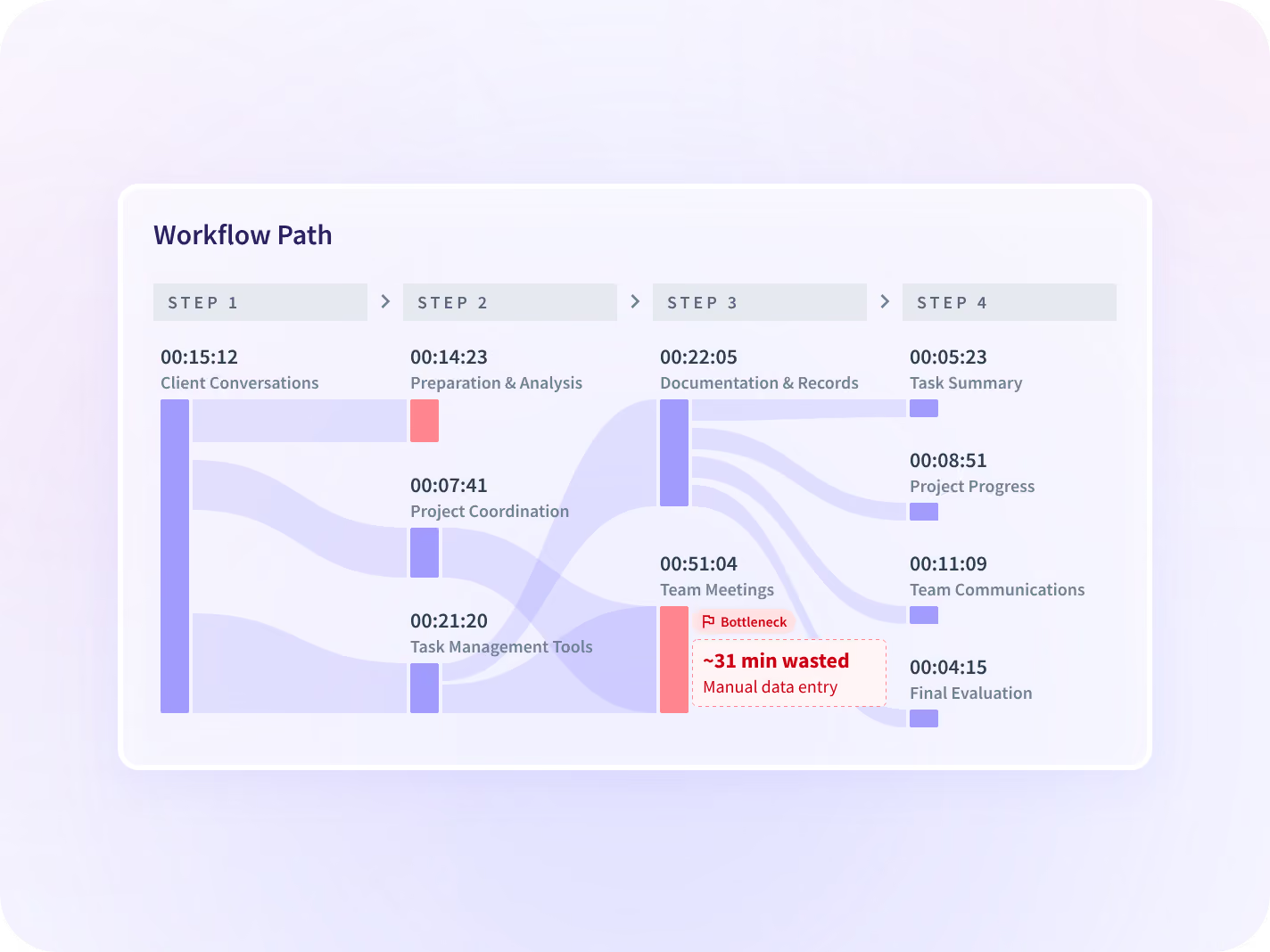
Catch the work that quietly started taking longer
Every number carries its percent change against the same-length period before it, so a kind of work creeping upward shows as a trend. You see the quarter it turned, not a total at the end of the year.
- The same task type this quarter, set beside what it took a year ago
- You get a team and a quarter to go and ask about, never a cause
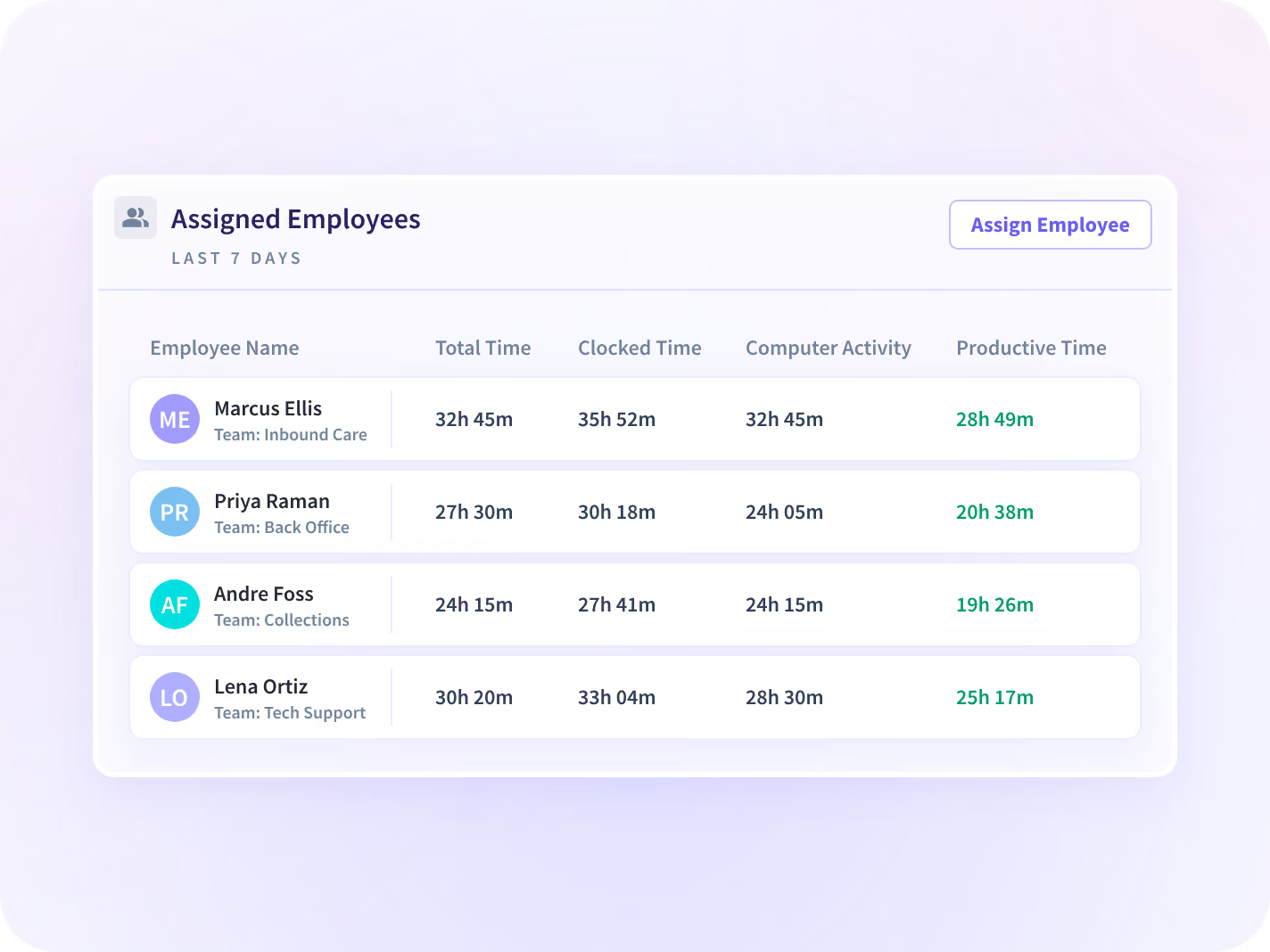
Put a real range against the next quarter
Give the person who keeps saying it something to show
Meetings, calls and message threads count toward the task too, whether or not anyone booked them. They are part of the gap between the estimate and the figure the work came in at.
- The standing review call, its length and how many weeks the task ran
- It counts which application was open and for how long, never what was typed in it
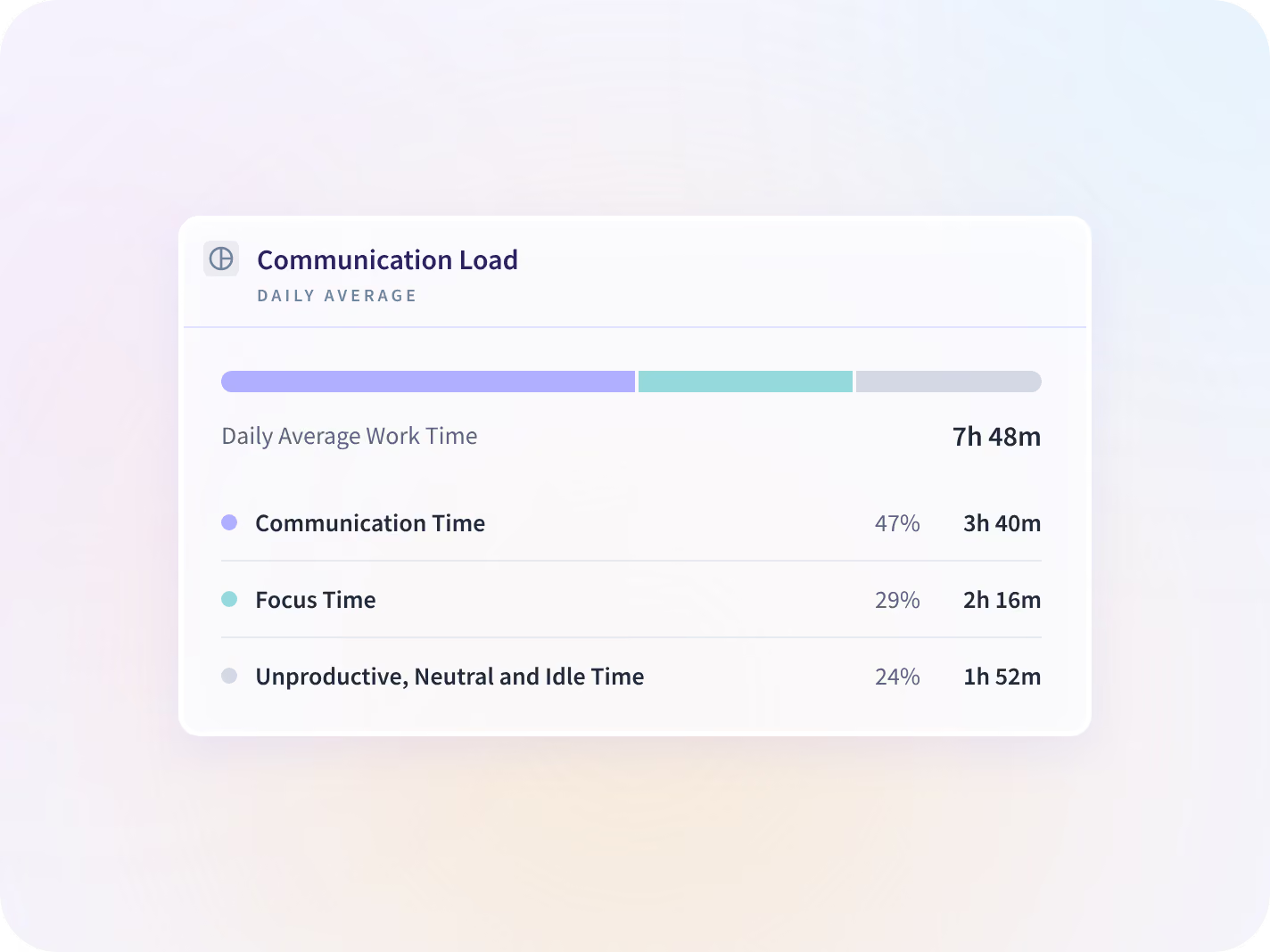
See which task is already running long today
Today's hours on each task sit beside what that kind of work usually takes. A task heading past its range shows up while there is still a week left to rearrange.
- A task past the hours its own type usually takes, with the sprint still open
- Reported by task type across a team. Nothing here scores or predicts a person
The number is about the task, not the person
What gets collected is set per team before anything is deployed, and the list is published, versioned and dated. Insightful records that work happened and in which application, never its content.







How long this kind of work really takes, every time
On its own each report answers half the question. Together they tell you what one kind of work costs each time it comes round, and what it is costing today.

Is this kind of work still priced correctly?
What it costs now at the hours it takes, rather than at the hours it was quoted at.

Is one person absorbing the long ones?
Hours read next to hours worked, at team level rather than person by person.

What did the whole project consume?
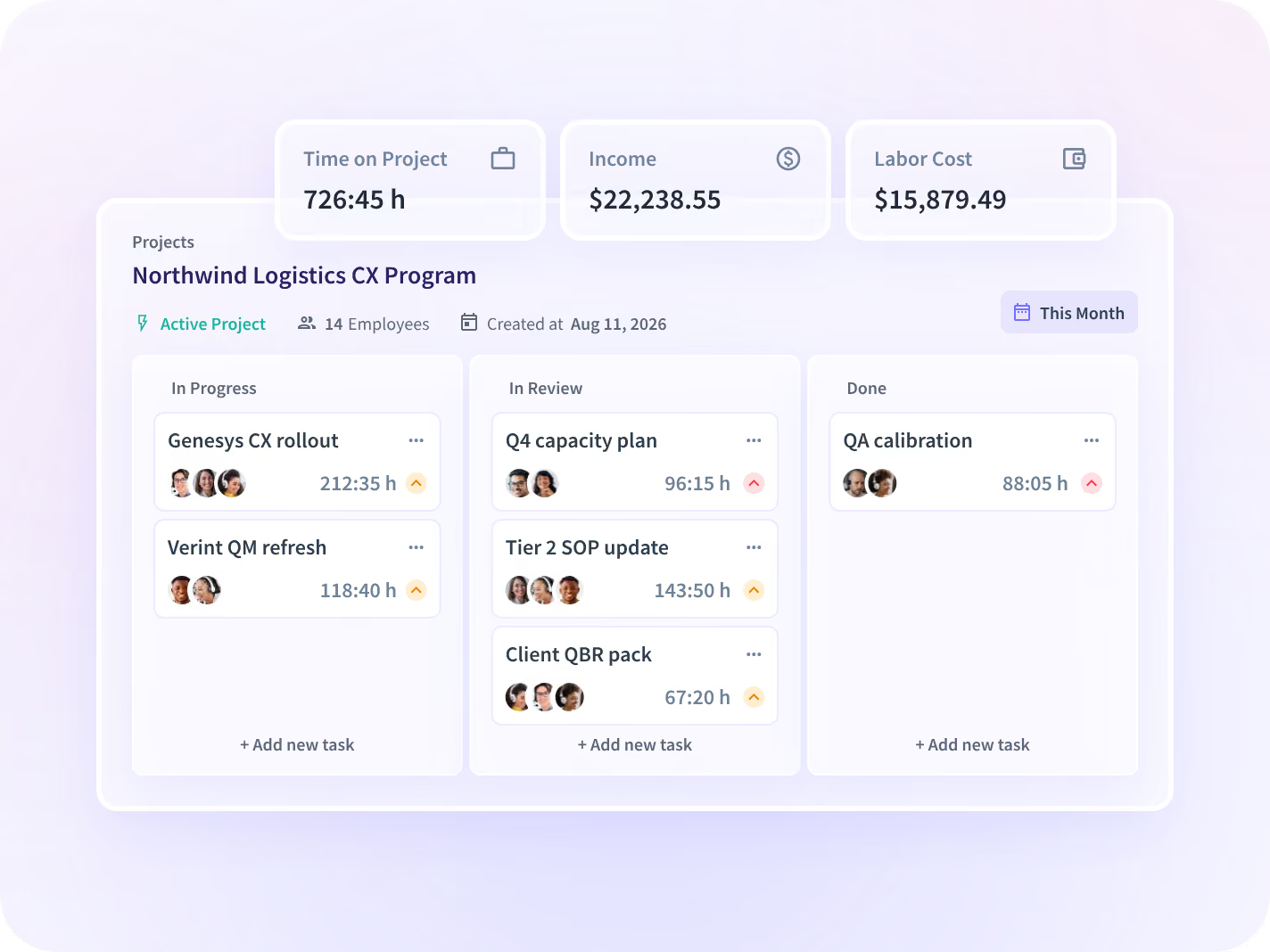
The same hours one level up, on the whole project, with your own rate applied.
The estimate stopped being the only number







Every tool the plan lives in, connected
Jira, Asana and Monday hold the plan, the assignment and the dependencies, and Insightful reports beside them across 50+ integrations. You can talk to your work data with MCP connectors.



Find out what the last one actually took
What delivery leaders ask us most
Task management is planning, assigning and completing units of work, usually in a dedicated tool. Insightful does not replace that tool. It reports how long each task consumed, from work recorded as it happened, set beside what it was planned at. The estimate stays where it is; what changes is that something now disagrees with it.
No, and it is not built to. Those tools hold the plan, the assignment and the dependencies, and Insightful integrates with them. What none of them reports is how long the work took, because the number in the ticket is an estimate nobody goes back to correct once the work is done.
By reading which applications, files and boards each person is working in, and mapping them to the tickets that already exist in your own tool. Nobody starts a timer and nobody fills in a field. The meetings and chasing around a ticket count toward it too, which is part of the gap between the estimate and the real figure. The mapping is only as good as the task structure underneath it, so a ticket nobody scoped properly will collect hours in the wrong place.
Team level by default. How long a kind of work takes across a team is the number that improves the next plan. The same number against one person answers a different question, and it is a much harder one to use well, which is why the default sits where it does. In a visible rollout each person can open their own record.
Then start with Project Time Tracking instead. It maps hours to the project without needing a task structure underneath it, which is the version of this that works when the plan lives in somebody's head and a shared doc.
