.svg)


La guía del gerente sobre Visibilidad del personal

Dónde El trabajo ocurre
Cómo saber si los empleados remotos están trabajando es una gran preocupación para los gerentes. Usa la plataforma de inteligencia laboral de Insightful para saber con claridad cuándo y cómo trabaja tu equipo. Revela las tendencias de productividad, el desequilibrio de la carga de trabajo y más en tiempo real, de modo que puedas intervenir desde el principio para apoyar a tu equipo.
Sin visibilidad, te quedas atrapado jugando al detective cuando las cosas salen mal. Según el informe sobre la anatomía del trabajo remoto de Asana, El 58% del día se pierde buscando actualizaciones y rastreando el trabajo. Tiempo que podría dedicarse mejor a tareas más significativas y de mayor valor.
Vea cómo los líderes de Impac utilizaron el software de monitoreo de empleados que trabajan desde casa de Insightful para validar el rendimiento remoto, detecta los problemas de forma temprana e incluso reduce los costos de oficina.
Usa un software de monitoreo remoto de pantalla como Insightful para ver la actividad real de la pantalla a medida que ocurre, de modo que no dependas de informes de estado o suposiciones. Deja de adivinar qué es lo que hace tu equipo y empieza a ver cuándo el trabajo se detiene, las herramientas se convierten en distracciones o las cesiones se interrumpen.
Sin esa visibilidad en tiempo real, estás volando a ciegas. Cuando detecta el problema, ya le está costando tiempo y credibilidad. De hecho, los estudios muestran El 85% de los líderes dicen que tienen problemas para confiar en la productividad de su equipo remoto—destacando esa brecha de visibilidad.
La plataforma de Insightful te muestra capturas de pantalla en directo, el uso de aplicaciones y sitios web y los patrones de productividad, lo que te permite supervisar la actividad informática de los empleados e intervenir antes de que pequeños problemas se conviertan en plazos incumplidos.
Ver cómo monitorear a los empleados que trabajan desde casa utilizando la visibilidad en pantalla en vivo de Insightful.
Usa los de Insightful software de monitoreo remoto de empleados para mostrar automáticamente los patrones de productividad, los desequilibrios de la carga de trabajo y las tendencias de rendimiento entre equipos.
Insightful facilita la escalabilidad al mostrar cómo se lleva a cabo el trabajo en todas las ubicaciones para que puedas guiar a los equipos con confianza sin necesidad de microgestionar. Sin ese nivel de visibilidad, los equipos se quedan en silos. Microsoft encontró La colaboración entre grupos se redujo aproximadamente un 25% en condiciones remotas. Esto te deja respondiendo por objetivos incumplidos y traspasos complicados que ni siquiera te imaginabas venir, lo que pone en juego tu credibilidad. Descubra lo rápido que es crecer los equipos remotos pueden evitar el caos usar las herramientas de Insightful o rastrear el trabajo desde casa.
Usa el rastreador de empleados de Insightful con información sobre la ubicación para ver exactamente dónde y cuándo trabajan los equipos, y cómo varía la productividad de una ubicación a otra.
Sin estos conocimientos, no hay forma de saber si su política está funcionando por tú o en contra tú. Con el tiempo, los hábitos cambian, la asistencia se vuelve inconsistente y los equipos híbridos crean sus propias reglas, lo que genera desajustes, resentimiento y expectativas incumplidas.
Según CBRE, la asistencia real a la oficina está por debajo de las expectativas de los líderes en casi un día completo a la semana. Es una señal clara de que los objetivos de regreso a la oficina no están alineados con la forma en que las personas trabajan realmente.
Con el software de seguimiento de ordenadores de Insightful, puede confirmar que los resultados realmente coinciden con los objetivos de su política. Descubra cómo funciona el seguimiento basado en la ubicación de Insightful mantiene las políticas híbridas por buen camino a medida que los equipos crecen y cambian.
Implemente la plataforma de monitoreo del lugar de trabajo de Insightful para obtener una visión clara de los patrones de trabajo y las tendencias de productividad, sin necesidad de pasar el ratón por encima de sus empleados.
No hay nada más frustrante que darse cuenta de que los equipos visibles siguen perdiendo tiempo debido a distracciones, retrasos o tareas sin salida. Perspicaz muestra dónde se pierde tiempo y dónde el trabajo duro no genera resultados. Con esta claridad, puede orientar y optimizar los flujos de trabajo de manera mucho más eficaz.
Sin esa claridad, el rendimiento se detiene ante tus narices. Una encuesta del Grupo Stepstone realizada a 5.800 trabajadores a tiempo completo reveló que gastan una media de 8,7 horas a la semana en tareas improductivas como el trabajo repetitivo y las reuniones innecesarias.
Vea cómo trabajar sobre el trabajo agota la productividad y cómo Insightful ayuda a los equipos a recuperarlo.
Obtenga datos basados en la ubicación del software de monitoreo remoto de los empleados, como Insightful, que mide todo, desde el tiempo dedicado a las tareas hasta los niveles de concentración y los patrones de productividad. Puedes comparar cómo se lleva a cabo el trabajo en diferentes ubicaciones, quién está realmente concentrado y quién está atrasado.
Sin una visibilidad unificada, los trabajadores de oficina suelen recibir crédito por ser vistos, mientras que los empleados remotos son juzgados solo por los resultados. Esto lo deja atrapado en la toma de decisiones que no puede defender y corre el riesgo de tener prejuicios que quizás ni siquiera note.
Según HBR, El 42% de los gerentes dicen que a veces se olvidan de los trabajadores remotos al asignar tareas, que refleja cómo se puede pasar por alto a los empleados remotos cuando no están físicamente presentes.
Insightful resuelve el problema de cómo rastrear a los empleados remotos de manera justa. Descubre cómo Insightful elimina suposiciones o sesgos ocultos.
Usa un software de monitoreo para empleados como Insightful para ver cómo dedica el tiempo cada equipo, qué herramientas utilizan y qué tan centrado está su trabajo. De esta forma, puedes ver cuándo los equipos comienzan a tomar diferentes direcciones, intervenir desde el principio y asegurarte de que todos trabajan para lograr el mismo objetivo.
Cada equipo trabaja de forma un poco diferente, con diferentes herramientas, ritmos y prioridades. Cuando nadie ve el panorama completo, los proyectos pueden desviarse de su curso. No te das cuenta de que el plan se está desviando hasta que te quedas atrapado explicando los plazos incumplidos o clasificando el trabajo duplicado que no sabías que estaba sucediendo.
Cuando los equipos no comparten una visión unificada, las exigencias de coordinación aumentan. Un estudio de Microsoft descubrió que los equipos distribuidos suelen gastar 7 horas y 45 minutos en reuniones programadas (más casi 9 horas no programadas) solo para mantenernos alineados.
Con Insightful, no tiene que preocuparse por cómo hacer un seguimiento de los empleados que trabajan desde casa y mantenerlos alineados. Descubre cómo es Insightful mantiene la alineación entre equipos claro, incluso en todas las zonas horarias.
Usa un software de monitoreo del trabajo como Insightful para compensar la pérdida de señales presenciales. Insight rastrea cómo se dedica el tiempo, qué herramientas se utilizan y cómo se realiza el trabajo en todas las ubicaciones. Puede ver dónde se desvía el trabajo, intervenir desde el principio y hacer que todas las oficinas trabajen con el mismo nivel.
Cada ubicación hace las cosas de manera un poco diferente y, por lo general, no te enteras hasta que los resultados arrojan resultados y alguien pregunta qué salió mal. Según un estudio de 2024 realizado por SQLI, El 74% de las empresas con varias oficinas afirman que los sistemas en silos dificultan el funcionamiento eficiente y planifique de manera confiable en todas las ubicaciones. Esa falta de visibilidad hace que sea más difícil detectar los problemas a tiempo y explicarlos cuando se agravan.
Vea cómo Fields Group usa Insightful para estandarizar los flujos de trabajo y el seguimiento del rendimiento en varias ubicaciones de oficinas.
El software de monitoreo remoto de equipos de Insightful lo ayuda a administrar mejor su equipo remoto con más responsabilidad y visibilidad. Las funciones incluyen el tiempo y la asistencia remotos, la gestión de la productividad, el seguimiento remoto del tiempo y la supervisión remota de la actividad.


Funciona en todos los lugares donde esté su equipo
Fomente el bienestar en Windows, macOS y Linux.

Cuándo El trabajo ocurre
Usa el software de monitoreo de la productividad de Insightful para ver dónde se ralentiza el progreso, dónde se interrumpe la comunicación asíncrona y quién espera qué. De esta forma, puedes reequilibrar las cargas de trabajo y desbloquear los retrasos sin tener que buscar actualizaciones constantemente.
Cuando los equipos trabajan en distintas zonas horarias o fuera del horario habitual, la visibilidad evita que la colaboración se estanque. Sin ella, la asincronía se convierte en un juego de adivinanzas. Según Alludo's Estado de la colaboración en 2022 encuesta, El 64% de los empleados afirma que una colaboración deficiente les cuesta al menos tres horas de productividad a la semana.
Descubra cómo el software de monitoreo de empleados para Mac de Insightful puede ayudarlo gestione los horarios flexibles de forma eficaz sin perder de vista la productividad y la colaboración.
Usa los de Insightful software de monitoreo de asistencia para realizar un seguimiento del tiempo, la actividad y el progreso en cronogramas que no se superponen. De esta forma, puedes detectar a tiempo los obstáculos, reequilibrar las cargas de trabajo y mantener el ritmo sin tener que buscar respuestas.
Según Microsoft, el trabajo remoto conduce a un cambio hacia la comunicación asincrónica, pero ese cambio dificulta la transmisión y el procesamiento de información compleja. Cuando los equipos no comparten las horas de trabajo, la visibilidad aclara el trabajo y evita que el progreso se retrase. Sin esa visión, el trabajo asincrónico puede provocar retrasos constantes.
Explore estos consejos prácticos para gestionar equipos asincrónicos con Insightful para que el trabajo fluya sin demoras.
Usa la plataforma de inteligencia de la fuerza laboral de Insightful para hacer un seguimiento del tiempo que consumen las reuniones en comparación con el trabajo profundo y centrado. Gracias a la visibilidad del uso del tiempo y los patrones de concentración, puedes detectar la sobrecarga, proteger el tiempo que dedicas y programar la colaboración cuando realmente ayuda, no solo cuando la gente está libre.
Sin la visibilidad adecuada, las reuniones pueden acumularse solo para mantenerse sincronizadas. Según los datos respaldados por Microsoft, El 68% de los empleados dicen que no tienen suficiente tiempo de concentración ininterrumpido durante la jornada laboral, y hasta un es probable que un tercio de las reuniones sean innecesarias. Las reuniones pueden parecer productivas, pero a menudo agotan el impulso, lo que hace que tengas que explicar por qué no se ha hecho el trabajo.
Vea cómo Village Gourmet usó Insightful para reducir la sobrecarga de reuniones y aumentar la productividad del 70% a más del 90% rediseñando los días de trabajo en función del tiempo de concentración.
Utilice una plataforma de inteligencia laboral como Insightful para comparar los turnos planificados con la actividad en tiempo real. Verás quién trabaja realmente, cómo se utiliza el tiempo y si la cobertura se ajusta a la demanda. Puedes detectar las brechas de forma temprana, reasignar el trabajo y mantener los turnos ajustados.
Sin esa visibilidad, las personas llegan tarde, se van temprano o se quedan fuera del horario, y no lo ves hasta que no se cumple una fecha límite o un cliente está en espera. En un estudio de HBR sobre más de 28 millones de turnos en el comercio minorista, El 37% tenía una programación inconsistente, lo que lleva a una mayor latencia y absentismo, resultados relacionados con la reducción de los niveles de servicio.
Vea cómo Caduceus Health cobertura de turnos mejorada y reducir el abandono de llamadas del 14% al 3% con visibilidad en tiempo real de la plantilla y la actividad.
Necesitas un basado en actividades herramienta de seguimiento del tiempo como Insightful para registrar las horas reales de inicio y finalización en función de lo que sucede en el dispositivo, no solo cuando alguien se conecta. Puedes detectar arranques en falso, horas exageradas y tiempos que no se traducen en resultados.
Sin esa precisión, el seguimiento del tiempo se convierte en conjeturas. Según la Asociación Estadounidense de Nómina, El 75% de las empresas pierden dinero a causa del robo de tiempo, principalmente debido a tiempos exagerados o inexactos. Si el día se queda sin actividad o se llena de tiempo improductivo, aún tienes que responder por qué no se alcanzaron los objetivos.
Aprenda cómo detecte y detenga el robo de tiempo de los empleados con Insightful, yendo más allá de los cronometrados con un seguimiento del tiempo basado en la actividad.
Usa una herramienta de monitoreo de empleados como Insightful para capturar tanto los descansos manuales como los pasivos, de modo que puedas ver quién se retira, cuánto tiempo están ausentes y si los descansos ayudan o perjudican la concentración. Detectas los riesgos de agotamiento a tiempo y demuestras que estás gestionando el bienestar, no solo mirando el reloj.
Algunos empleados no registran descansos. Otros los toman sin pausar el reloj o los omiten por completo. En el Gallup de 2024 «El estado del lugar de trabajo mundial» resumen, El 41% de los empleados de todo el mundo informaron haber experimentado «mucho estrés» el día anterior. Esto te obliga a tener que explicar el agotamiento o las brechas de cumplimiento sin tener una visión clara de lo que está sucediendo.
Descubre por qué son importantes los descansos regulares y cómo Insightful puede ayudarle a mantener a sus empleados sanos y felices.
No confíe solo en la plantilla. Usa un software de monitoreo de la actividad de los empleados, como Insightful, para comparar las horas de trabajo reales, el tiempo de concentración y la disponibilidad en todo tu equipo. Muestra quién está sobrecargado, quién está infrautilizado y si tu equipo tiene el ancho de banda necesario para trabajar antes de que el trabajo pase desapercibido.
Sin esta claridad, los proyectos se arrastran y los presupuestos se rompen. El informe de planificación de recursos y talento de 2024 del CIPD reveló que muchas organizaciones se enfrentan desafíos para alinear la oferta de mano de obra (habilidades/tiempo) con la demanda, lo que provoca demoras y sobrecostos.
Sobre el papel, la cobertura es válida. Pero las personas se ven obligadas a asistir a las reuniones, se reparten entre los equipos o trabajan en horarios impares. Luego, las cosas se ralentizan y tienes que explicar por qué el trabajo se atrasa. Vea cómo las señales de capacidad incumplidas agotan los presupuestos y cómo Insightful evita los costosos sobrecostos.
Usa el software de seguimiento remoto del tiempo de los empleados de Insightful para realizar un seguimiento del total de horas trabajadas (incluidas las horas fuera del horario laboral, los fines de semana y los descansos omitidos), de modo que puedas detectar el exceso de trabajo desde el principio, no después de que se haya producido el daño.
Pasar tarde por la noche no parece gran cosa. Pero unas horas extra aquí, un descanso perdido allá, y de repente te agotas, te agotas el presupuesto o ambas cosas. Y no hay ningún aviso antes de que llegue.
Insightful le ayuda a anticiparse al agotamiento y a controlar los costos laborales. Sin esa visibilidad, las horas extras se acumulan rápidamente. Según ADP, 1 de cada 5 empleados realiza horas extras no remuneradas cada semana, a menudo sin que su gerente lo sepa.
Descubre cómo Insightful descubre horas extras ocultas y reduce el desperdicio de mano de obra.
Usa el seguimiento de asistencia en tiempo real de Insightful para comparar los turnos planificados con la actividad real, como los inicios de sesión, los descansos y el tiempo de concentración, de modo que puedas darte cuenta pronto de lo que necesitas y corregir las brechas rápidamente.
Sin datos en tiempo real, se pierden los inicios de sesión, las pausas prolongadas y los inicios tardíos. Según Dayforce, muchos gerentes de primera línea dicen que no tienen los datos correctos para tomar decisiones de programación informadas, especialmente en lo que respecta al absentismo y la dotación de personal en tiempo real. Es brutal intentar defender los acuerdos de nivel de servicio incumplidos cuando, sobre el papel, todo parecía estar bien.
Insight te muestra dónde las personas llegan tarde, están desconectadas o se saltan el tiempo sin depender de la autoinformación. Con esa visibilidad, puedes tapar las lagunas antes de que lleguen a los niveles de servicio y demostrar que no es culpa de tu planificación. Descubre cómo Insightful puede ayudarte detecta qué es lo que falta en el seguimiento del tiempo básico.
Usa la plataforma de inteligencia laboral de Insightful para comparar los eventos del calendario con la actividad real, de modo que puedas ver cuándo las reuniones se prolongan, los bloques de enfoque se convierten en trabajo pesado y los planes fracasan.
Es doloroso tratar de explicar por qué el trabajo no avanzó cuando los calendarios dicen que todo iba por buen camino. Espectáculos reveladores verdadero patrones de trabajo, como cuando las personas estaban concentradas y cuando pasaba el tiempo, sin depender de las actualizaciones manuales.
Con esa claridad, puede detectar las horas desperdiciadas, ajustar los flujos de trabajo y recuperar el tiempo de concentración antes de que los proyectos se retrasen. Sin ella, no tienes más remedio que adivinar. El índice de tendencias laborales de Microsoft muestra los empleados dedican el 57% de su tiempo a reuniones, correos electrónicos y chats, lo que deja poco espacio para la ejecución real.
Aprenda cómo la sobrecarga de reuniones hace perder tiempo y dinero, y cómo Insightful puede ayudar a recuperar la concentración.
Empieza por medirlos. Usa el seguimiento de la productividad de Insightful para saber en qué momento los empleados se centran realmente. Para ello, analiza el uso del tiempo, el comportamiento de las aplicaciones y las tendencias de compromiso a lo largo del tiempo.
Los gerentes suelen asumir que todos están concentrados a las 9 de la mañana y, luego, acumulan las reuniones durante el período más productivo del día. Eso hace que tengas que explicar el bajo rendimiento cuando el cronograma en sí mismo va en tu contra.
Insightful te muestra cuándo las personas realmente terminan su trabajo, por lo que puedes crear cronogramas en función de la producción real, no en suposiciones anticuadas. Sin esos datos, las horas de máxima audiencia se desperdician. Según RescueTime, los trabajadores del conocimiento tienen un promedio de solo 2 horas y 48 minutos de tiempo productivo por día, a menudo desalineados con sus calendarios de reuniones.
Aprenda a alinear el trabajo con picos naturales de productividad usando Insightful.
Usa la plataforma de seguimiento de empleados entre zonas horarias de Insightful para ver cuándo trabajan las personas, dónde se abren brechas y cómo programar la superposición para que las cosas sigan avanzando.
Cuando las horas no coinciden, lo que debería tardar unos minutos puede prolongarse durante días. Lo único que tienes que hacer es buscar actualizaciones y explicar retrasos que no puedes controlar. Insightful muestra patrones de trabajo reales para que puedas planificar los traspasos y las reuniones que realmente funcionen para todos.
Con esa claridad, dejas de perder días por la pérdida de conexiones y mantienes los proyectos en marcha. Sin ella, el progreso se estanca. Según una encuesta de Remote.co de 2024, El 48% de los trabajadores remotos afirma que coordinar el trabajo en diferentes zonas horarias es uno de los principales obstáculos.
Descubre cómo te ayuda Insightful gestionar el trabajo en distintas zonas horarias y supere las barreras de colaboración.
Cree equipos remotos resilientes
Mantenga a los equipos remotos fuertes, equilibrados y diseñados para durar.
Cómo El trabajo ocurre
Usa la herramienta de seguimiento del tiempo de Insightful para capturar automáticamente el tiempo en función de la actividad real, no de los informes personales, de modo que puedas ver cómo fluyen realmente las horas entre aplicaciones y proyectos.
El trabajo digital no es lineal. Los empleados dividen el enfoque en pestañas, alternan entre tareas y combinan las reuniones con el trabajo profundo. Los horarios pueden mostrar ocho horas, pero eso no dice nada sobre el destino real del tiempo.
Insightful mapea los flujos de trabajo reales y revela lo que realmente lleva tiempo frente a lo que simplemente se registra. Con esa claridad, puede detectar las ineficiencias ocultas y recuperar las horas perdidas por la deriva.
Sin él, los equipos queman horas a la deriva. Según Asana, los trabajadores del conocimiento dedican el 58% de su día a «trabajar sobre el trabajo» como la coordinación, la búsqueda, la conmutación, dejando solo una fracción para la ejecución.
Descubre cómo funciona la herramienta de uso de aplicaciones de Insightful revela el tiempo real de trabajo e ineficiencias ocultas.
Usa la herramienta de seguimiento de asistencia de Insightful para registrar las horas de inicio reales en función de la actividad del dispositivo, no solo de los relojes, de modo que puedas ver cuándo comienza la concentración y detectar el absentismo a tiempo.
Estar en línea no es lo mismo que trabajar. Un empleado puede iniciar sesión, abrir Slack y, después, estar inactivo durante media hora o empezar desde el dispositivo sin dejar rastro. Insight muestra cuándo las personas comienzan a trabajar de verdad, cuánto tiempo permanecen activas y dónde se detiene el día.
Con esa claridad, puede hacer cumplir las expectativas de manera justa, detectar los problemas a tiempo y hacer que las personas adecuadas rindan cuentas. Sin ella, las horas de inicio se convierten en conjeturas. Según una investigación de Headway, El 19% de los trabajadores remotos dicen que «rara vez o nunca cumplen con las horas contratadas», una brecha que distorsiona la rendición de cuentas y los resultados.
Descubre cómo Insightful puede ayudarte convierta la asistencia en visibilidad real del trabajo.
Usa la aplicación de seguimiento de empleados de Insightful para ver exactamente cuánto tiempo dedica tu equipo a cada tarea y si ese esfuerzo se alinea con el plan, de modo que puedas detectar los retrasos con antelación y reequilibrar las cargas de trabajo.
Las herramientas de tareas típicas solo muestran lo que está asignado, no lo que realmente está sucediendo. Los proyectos pueden permanecer «en progreso» durante días sin que se haya realizado ningún trabajo, o pueden pasar horas dedicándose a tareas incorrectas, lo que hace imposible medir el progreso real.
Insightful conecta la actividad real con las tareas, revelando si el trabajo realmente se está moviendo o está estancado. Con esa claridad, puede detectar los cuellos de botella a tiempo, mantener el flujo de los proyectos y proteger las fechas de entrega.
Sin esa claridad, las demoras pasan desapercibidas. Según el PMI, El 37% de los proyectos fracasan debido a objetivos poco claros, un seguimiento deficiente o una falta de visibilidad de la ejecución.
Descubre cómo Insightful puede ayudarte realizar un seguimiento del progreso real del proyecto.
Utilice el seguimiento automático del tiempo de Insightful para capturar la actividad laboral real en tiempo real y, al mismo tiempo, permitir entradas manuales con aprobaciones y registros de auditoría, de modo que obtenga flexibilidad sin perder precisión.
La entrada manual del tiempo depende de la memoria. Los empleados redondean las horas, olvidan detalles o registran el tiempo donde mejor lo ven, no dónde realmente lo gastaron. Esto distorsiona los datos del proyecto, la facturación y las revisiones de rendimiento, lo que deja cifras poco fiables.
Sin un seguimiento preciso, los errores se acumulan. Según la Asociación Estadounidense de Nómina (APA), las empresas pierden una media de 4,5 horas por empleado a la semana debido al robo de tiempo y a errores de cronometraje manual.
Insightful garantiza que cada hora registrada esté respaldada por una actividad real, lo que le brinda datos de proyectos confiables y evaluaciones justas. Descubre cómo Insightful puede ayudarte evitar que el seguimiento inexacto del tiempo haga descarrilar los proyectos.
Usa la aplicación de monitoreo de computadoras de Insightful para ver cuándo se detiene el trabajo, cuánto dura y qué lo desencadena, de modo que puedas detectar los cuellos de botella, las fricciones o los primeros signos de agotamiento.
El tiempo de inactividad no siempre parece ocioso. Los empleados pueden quedarse atascados esperando recibir comentarios, accesos o aprobaciones, o pueden estar desconectados pero permanecer en sus escritorios. Si no haces un seguimiento de las brechas entre las tareas, pierdes la señal.
Insightful destaca las pausas en tiempo real, lo que te ayuda a combatir los obstáculos y a mantener a los equipos en movimiento. Con esa claridad, puede recuperar las horas perdidas y evitar que el tiempo perdido agote la producción.
Sin él, las horas pasan desapercibidas. Según el índice de anatomía del trabajo de Asana, los empleados desperdician «6 semanas de trabajo cada año» en una combinación de trabajo duplicado y reuniones innecesarias. Descubre cómo te ayuda Insightful detecte anticipadamente el tiempo de inactividad.
Usa los de Insightful software de monitoreo remoto de la productividad de los empleados para ver quién está activo, qué herramientas utilizan y cuánto tiempo dedica, de forma que puedas detectar los obstáculos, la deriva o la desconexión a medida que ocurren.
La mayoría de las herramientas informan después de los hechos. Cuando se envían las actualizaciones o se revisan las hojas de horas, ya no existe la oportunidad de corregir el rumbo. Insightful le brinda visibilidad en tiempo real, lo que le ayuda a intervenir desde el principio en lugar de hacerlo en retrospectiva.
Con esa inmediatez, puedes detectar los problemas antes de que crezcan y mantener a los equipos en el buen camino. Sin ella, los problemas pasan desapercibidos. De hecho, una encuesta del Consejo de Tecnología de Forbes encontró que El 63% de los empleados afirma que sus líderes no obtienen la información con la rapidez suficiente para abordar los problemas de la organización—una clara brecha de visibilidad que la monitorización en tiempo real puede colmar.
Descubre cómo Insightful puede ayudarte vea en qué están trabajando los equipos en tiempo real.
Usa la herramienta de monitoreo de la productividad de Insightful para etiquetar aplicaciones, sitios web y actividades como productivas o improductivas (personalizadas según el rol de cada empleado) para que puedas concentrarte en el trabajo real, no solo en el movimiento.
La actividad no siempre significa progreso. Una herramienta puede estar abierta pero sin usar, o un sitio web puede parecer una distracción pero en realidad es una investigación. Si no se comprende el contexto de cada función, las métricas de productividad se vuelven poco fiables.
Informes del índice de anatomía del trabajo de Asana los trabajadores del conocimiento dedican hasta el 58% de su día a «trabajar sobre el trabajo», como reuniones, cambiar de herramienta y buscar información. Sin visibilidad, solo se mide el movimiento.
Insightful le brinda claridad basada en los roles, lo que hace que la medición de la productividad sea justa y práctica. Descubra cómo Insightful puede ayudarle mida la productividad con precisión en el trabajo digital.
Usa el mejor software de monitoreo de empleados de Insightful para hacer un seguimiento de los cambios de herramientas, los períodos de concentración y las interrupciones de atención, de modo que puedas detectar las interrupciones del flujo de trabajo a tiempo, antes de que provoquen el incumplimiento de los objetivos o la insatisfacción de las partes interesadas.
A primera vista, todo parece estar bien. Sin embargo, el cambio constante de aplicaciones y las interrupciones agotan la concentración y ralentizan el progreso, y nadie se da cuenta hasta que los plazos se retrasan y la calidad se ve afectada. Insightful te muestra cuándo el flujo se está interrumpiendo para que puedas intervenir antes de que el rendimiento disminuya.
Con esa claridad, solucionas los problemas antes de que se agraven y mantienes a los equipos concentrados. Sin ella, tendrás que esforzarte por explicar los retrasos y el bajo rendimiento. Según el Project Management Institute, El 70% de los proyectos fracasan debido a fallas en el flujo de trabajo y la comunicación.
Descubre cómo te ayudan los análisis de uso de aplicaciones de Insightful evite las costosas interpretaciones erróneas y convierta los datos en decisiones más inteligentes.
Usa el software de monitoreo del trabajo de los empleados de Insightful para ver cómo fluye realmente el trabajo entre las aplicaciones y el tiempo, no solo lo que informan las herramientas de tareas.
Las herramientas de tareas solo muestran los pasos asignados, no los atajos, las aplicaciones secundarias o el trabajo fuera del sistema que los empleados utilizan para hacer las cosas. Esto hace que gran parte del proceso real sea invisible e imposible de mejorar. Insightful revela todo el proceso desde el principio hasta el final, lo que le brinda visibilidad sobre cómo se lleva a cabo realmente el trabajo.
Con esa visión, puede eliminar las ineficiencias y optimizar la forma en que se realiza el trabajo. Sin él, las brechas y las ralentizaciones permanecen ocultas. Según IDC, las empresas pierden entre un 20 y un 30% de sus ingresos al año debido a procesos ineficientes, gran parte oculta en flujos de trabajo indocumentados.
Descubre cómo Insightful puede ayudarte descubra el proceso real detrás de la forma en que se realiza el trabajo.
Usa el seguimiento del tiempo facturable de Insightful para capturar la actividad laboral real en cada herramienta y tarea, de modo que puedas conciliar las horas, encontrar el tiempo perdido y respaldar cada factura con datos confiables.
No todo el trabajo de los clientes ocurre dentro de un sistema que registra el tiempo. Los empleados dedican horas a preparar las entregas, a responder correos electrónicos o a cambiar de una herramienta a otra, y gran parte de ese tiempo no se registra. Perspicaz registra toda la actividad relacionada con el trabajo del cliente, lo que cierra las brechas y garantiza una facturación precisa.
Sin un seguimiento preciso, los ingresos se esfumarán. Según BigTime, El 37% de las empresas afirma que el tiempo facturable no registrado es su mayor fuente de pérdida de ingresos. Sin embargo, con la visibilidad, usted protege los ingresos y refuerza la confianza de los clientes con pruebas de trabajo sólidas.
Descubre cómo Insightful puede ayudarte seguimiento maestro de horas facturables.
Usa un software de monitoreo de pantallas para empleados, como Insightful, para ver si las herramientas abiertas realmente se utilizan para trabajar o si simplemente están inactivas. Insightful rastrea el comportamiento de la pantalla en tiempo real, no solo los inicios de sesión o las aplicaciones abiertas, y te ayuda a ver si el trabajo avanza, se detiene o se interrumpe.
De lo contrario, se queda atrapado cuando los paneles muestran actividad pero no se hace nada. La productividad se ve bien sobre el papel, mientras que el progreso real se estanca. Según el informe «Anatomía del trabajo» de Asana, El 58% del tiempo se dedica a «trabajar sobre el trabajo», no a una ejecución real—lo que hace que los datos superficiales sean peligrosamente engañosos.
Con claridad, puede intervenir desde el principio, redirigir el esfuerzo y evitar que las tareas se estanquen sin necesidad de microgestionar. Descubre cómo te ayuda Insightful analice el uso de la aplicación para realizar un seguimiento del trabajo real y descubra las ralentizaciones con antelación.
Usa el monitoreo de capturas de pantalla de los empleados de Insightful para registrar automáticamente las pruebas visuales relacionadas con la actividad laboral. Insightful realiza capturas de pantalla cronometradas junto con registros de actividad reales para que puedas confirmar que el trabajo correcto se realizó en el momento correcto.
Este tipo de pruebas lo protegen cuando se cuestiona la facturación, se realizan auditorías o las entregas se retrasan y el dedo lo señala con el dedo. Sin ellas, solo tiene que explicar las demoras o defender los resultados sin ninguna evidencia visual.
Según el informe «Future Workforce» de Upwork, 1 de cada 4 clientes ha cuestionado las horas facturadas, lo que demuestra lo importante que es tener una prueba de trabajo sólida y con fecha y hora.
Vea cómo el software de monitoreo de pantalla de Insightful para empleados respalda el seguimiento del tiempo con pruebas visuales y protege a su equipo de las disputas.
Descubra su historia de datos laborales
Obtenga información, no ruido, para empezar con los hechos.
Qué Da forma a la jornada laboral
Usa el software de monitoreo de escritorio de Insightful para rastrear los bloques de trabajo ininterrumpidos en las aplicaciones y tareas, de modo que puedas ver quién se dedica realmente a concentrarse y dónde las distracciones impiden el progreso.
Los calendarios repletos, las reuniones constantes y las notificaciones continuas interrumpen la atención. Los equipos parecen estar ocupados, pero rara vez dedican el tiempo necesario para alcanzar los objetivos, por lo que tú tienes que explicar por qué los resultados no han sido suficientes. Según UC Irvine, se necesitan más de 23 minutos para recuperar la concentración después de una sola interrupción.
Insight revela cuánto tiempo dedican los equipos a concentrarse y dónde lo pierden. Con esa claridad, puede ajustar las cargas de trabajo, proteger el trabajo profundo y ofrecer a los líderes respuestas reales. Sin ella, corre el riesgo de perder horas debido a las interrupciones cuando los resultados son más importantes.
Descubre cómo Insightful puede ayudarte medir y proteger el tiempo de enfoque.
Usa los de Insightful software de seguimiento del trabajo para rastrear qué herramientas y comportamientos interrumpen el enfoque, de modo que puedas identificar a los verdaderos culpables y dejar espacio para un trabajo profundo.
La mayoría de las distracciones parecen trabajo. Las reuniones y los correos electrónicos pueden parecer productivos, pero demasiados eliminan el impulso y erosionan la atención. Insight muestra qué aplicaciones y acciones interrumpen la concentración, para que puedas eliminar las distracciones y mejorar el rendimiento.
Con esos datos, puede proteger el tiempo que importa y evitar que las distracciones se interrumpan durante el día. Sin ellos, se pierden horas valiosas. Un estudio de Lokalise descubrió que El 79% de los empleados afirma que su empresa no ha tomado medidas para reducir la fatiga de las herramientas o consolidar las plataformas.
Descubre cómo Insightful puede ayudarte identificar patrones de distracción.
Usa el análisis de uso de aplicaciones de Insightful para ver qué herramientas se utilizan realmente, cuáles permanecen inactivas y dónde la complejidad reduce la productividad, de modo que puedas simplificar tu oferta tecnológica y reducir el desorden.
Cada nueva herramienta añade más pestañas, inicios de sesión y fricciones. Los equipos pierden tiempo simplemente navegando por su pila, por lo que tú tienes que explicar el esfuerzo desperdiciado y los objetivos incumplidos. Insight muestra dónde las herramientas añaden valor y dónde solo contribuyen al caos.
Con esa claridad, puede optimizar los flujos de trabajo, reducir los costos y liberar tiempo de concentración. Sin ella, la sobrecarga de herramientas mata silenciosamente la eficiencia. Según Productiv, solo el 45% de las aplicaciones SaaS de una empresa típica se utilizan con regularidad, lo que significa que la mayoría de las herramientas añaden desorden, no valor.
Descubre cómo Insightful puede ayudarte reduzca el desorden de herramientas y optimice su oferta tecnológica.
Usa el software de seguimiento de Insightful para trabajadores remotos para rastrear el uso de las aplicaciones por equipo, rol y región. De esta forma, puedes ver dónde el trabajo no está sincronizado y volver a alinearlo.
Los equipos utilizan diferentes herramientas y procesos, lo que hace que los flujos de trabajo se fragmenten. Esto hace que tengas que esforzarte por comparar el rendimiento, alinear los esfuerzos y escalar sin caer en el caos, lo que pone en juego tu credibilidad. Perspicaz destaca los puntos en los que los flujos de trabajo divergen, lo que le ayuda a garantizar la coherencia y a reducir el riesgo de escalar.
Con esa claridad, puede estandarizar las operaciones e impulsar la eficiencia en todas las ubicaciones. Sin ella, los flujos de trabajo dispersos se mantienen lentos y propensos a errores. Según Gartner, El 47% de los trabajadores digitales tienen dificultades para encontrar la información o las herramientas que necesitan en sistemas desconectados.
Descubre cómo Insightful puede ayudarte estandarizar los flujos de trabajo en todos los equipos.
Usa el software de Insightful para monitorear a los empleados y ver cuándo los empleados están más concentrados, dispersos o interrumpidos, de modo que puedas programar el trabajo en función de patrones energéticos reales y proteger la productividad.
El enfoque natural de los empleados fluctúa, pero las reuniones e interrupciones suelen reducir las horas pico. Sin visibilidad, no tiene más remedio que explicar la productividad impredecible y el incumplimiento de los plazos. Insightful revela los patrones de atención, lo que le permite ajustar los horarios y reducir la pérdida de tiempo.
Con esa información, puede planificar el trabajo cuando hay mucha energía y mantener un impulso fuerte. Sin ella, la productividad se estanca. Según el índice de tendencias laborales de Microsoft, los empleados tienen la máxima concentración entre las 10 a.m. y las 3 p.m., pero con frecuencia es cuando las reuniones llenan sus calendarios.
Descubre cómo Insightful puede ayudarte proteja el tiempo y la energía de enfoque.
Usa el software de monitoreo de ordenadores de los empleados de Insightful para rastrear con qué frecuencia los empleados cambian de aplicación, con qué frecuencia aparecen las alertas y dónde las distracciones captan la atención. Con estos datos, puede diseñar flujos de trabajo más silenciosos.
Cada ping o alerta interrumpe la atención, aunque solo sea un vistazo rápido. Los equipos acaban reaccionando sin parar en lugar de trabajar en profundidad, dejando que tú tengas que explicar por qué el progreso es más lento de lo que debería ser. Insightful destaca los patrones de distracción, lo que te ayuda a reducir el caos y a proteger el tiempo de concentración.
Con esa claridad, puede crear flujos de trabajo más tranquilos que permitan un trabajo profundo e ininterrumpido. Sin ella, las distracciones pasan desapercibidas. Según RescueTime, los trabajadores revisan las herramientas de comunicación cada 6 minutos en promedio, lo que deja poco tiempo para centrarse en lo que su equipo necesita.
Descubre cómo Insightful puede ayudarte detecta y elimina los patrones de distracción.
Prueba Insightful gratis hoy mismo
Con Insightful, verás más que números: verás exactamente cómo trabajan tus equipos.
Mantener el trabajo Equilibrado
Usa los de Insightful software de monitoreo del tiempo de los empleados para hacer un seguimiento del tiempo, la participación en las tareas y la concentración. Puedes ver quién se ha esforzado demasiado, quién está infrautilizado y dónde reequilibrar antes del agotamiento o la falta de compromiso.
Los problemas de carga de trabajo no siempre son obvios. Estar ocupado no siempre significa ser productivo, y estar tranquilo no siempre significa que todo vaya bien. Sin datos claros, tienes que adivinar y explicar por qué el trabajo parece desigual.
Insightful le brinda visibilidad de la capacidad real, no solo de las apariencias. Con esa claridad, puede corregir los desequilibrios de forma temprana y mantener un rendimiento estable. Sin esa claridad, los equipos caen en situaciones extremas. Según Deloitte, El 77% de los empleados declaran estar agotados, a menudo debido a cargas de trabajo desiguales.
Descubre cómo te ayuda Insightful equilibre las cargas de trabajo y optimice la capacidad.
Utilice el software de Insightful para supervisar a los empleados remotos y destacar las cargas de trabajo ligeras, el tiempo de inactividad y la baja participación. Con esta información en tiempo real, puede detectar pronto la infrautilización y reasignar el trabajo antes de que se detenga el rendimiento.
La baja actividad puede parecerse al equilibrio. Un empleado puede permanecer conectado, cumplir con el mínimo, pero nunca utilizar al máximo su capacidad, y la mayoría de los sistemas no lo hacen. Insightful muestra el panorama completo de la producción y el compromiso, no solo del tiempo que pasa en línea.
Con esa información, puede abordar la infrautilización antes de que se convierta en facturación o en objetivos incumplidos. Si no se controla, esto lleva a que no se cumplan los plazos y a que los equipos sean inestables, lo que pone en juego su trabajo y su reputación. Según una encuesta realizada en 2021 a más de 1000 trabajadores estadounidenses a tiempo completo El 34% dijo que sus habilidades estaban infrautilizadas en el trabajo.
Descubre cómo te ayuda Insightful detecte la infrautilización y equilibre la carga de trabajo.
Usa las herramientas de visibilidad de la capacidad de Insightful para hacer un seguimiento del tiempo que se dedica realmente a las reuniones, al trabajo intensivo y a la administración. De esta forma, detectarás la sobrecarga oculta y planificarás basándote en la realidad, no solo en el número de empleados.
Los números por sí solos no muestran la imagen completa. Es posible que los empleados se marquen como personas totalmente asignadas, pero las reuniones, los proyectos paralelos y los problemas con las herramientas merman su disponibilidad real. Tienes que esforzarte por explicar por qué los proyectos se retrasan a pesar de tener «suficientes» personas.
Insight revela dónde se pierde la capacidad, lo que le ayuda a corregir las brechas de cobertura antes de que descarrilen la entrega. Con esa claridad, puede contratar personal con mayor precisión y evitar demoras en los proyectos. Sin esa información, los planes de personal fracasan. Un estudio encontró que los trabajadores dedican el 57% de su tiempo a reuniones, correos electrónicos y chats, y solo dedican el 43% de su tiempo al trabajo creativo.
Descubre cómo te ayuda Insightful comprender la capacidad real y la distribución del trabajo.
Usa el software de Insightful para hacer un seguimiento del trabajo de los empleados y mostrar cómo el trabajo se relaciona con las prioridades. Podrá detectar cuándo se desvía la concentración y redirigir el esfuerzo antes de perder un tiempo valioso.
Las tareas urgentes desplazan constantemente a las importantes. Los pings, los simulacros de incendio y las demandas de última hora le quitan tiempo a los objetivos estratégicos, y solo tienes que explicar por qué los proyectos clave se están retrasando. Insightful deja en claro qué es lo que tiene tiempo y si coincide con lo que importa.
Con esa claridad, puede proteger el trabajo estratégico y mantener a los equipos alineados con las principales prioridades. Sin esa visibilidad, la estrategia queda enterrada. De Atlassian Estado de los equipos 2024 informa que los trabajadores del conocimiento dedican tanto tiempo a planificar, hablar y coordinar que «les impide hacer realmente el trabajo que importa».
Descubre cómo Insightful ayuda a los equipos concéntrate en lo que realmente importa.
Usa el software de monitoreo remoto de Insightful para rastrear cómo fluye el tiempo a lo largo del ciclo de trabajo. Con esta información, puede detectar los arranques lentos, los cambios en las prioridades y los obstáculos ocultos antes de que venzan los plazos.
El tiempo tiende a agotarse pronto. Los comienzos desalineados y las demoras silenciosas agotan el cronograma, lo que hace que tengas dificultades para explicar por qué de repente los plazos son imposibles de cumplir. Insightful te avisa con antelación antes de que la urgencia se apodere de ti.
Con esa previsión, puedes reequilibrar los plazos y detener el caos de última hora. Sin esa visibilidad, los retrasos se disfrazan de urgencia. El informe Pulse of the Profession 2020 del PMI encontró que El 11,4% de la inversión se desperdicia debido al bajo rendimiento del proyecto.
Descubre cómo Insightful puede ayudarte evitar que las tareas pasen a ser de última hora.
Usa las herramientas de monitoreo remoto de empleados de Insightful para detectar señales de alerta tempranas, como el aumento de las horas, la reducción de la concentración y la pérdida de descansos. Estas señales le ayudarán a actuar antes de que el agotamiento se convierta en pérdida de personal.
El agotamiento no comienza con largas horas sino con un lento declive. La concentración se desvía, los descansos se desvanecen y el compromiso se desvanece. Sin señales claras, no tendrás más remedio que reaccionar ante las caídas de rendimiento en lugar de evitarlas.
Según Deloitte, casi el 70% de los gerentes dicen que las barreras organizacionales les impiden apoyar el bienestar de los miembros de su equipo, poniendo en riesgo la estabilidad de su equipo y su liderazgo.
Insightful te da la visibilidad necesaria para intervenir desde el principio y apoyar a tu equipo antes de que el agotamiento se convierta en algo duro. Con esa previsión, proteges la estabilidad del equipo y mantienes un rendimiento estable.
Descubre cómo te ayuda Insightful detecta el agotamiento antes de que afecte al rendimiento.
Usa el software de monitoreo de Insightful para trabajadores remotos para ver exactamente dónde se ralentiza el trabajo en los equipos, las tareas y las herramientas. De este modo, podrás solucionar la causa principal en lugar de esforzarte más.
Los retrasos no suelen producirse en las tareas. Están en el propio sistema. Los equipos esperan las aprobaciones, buscan información o se quedan atascados con los atrasos de otros, lo que convierte las tareas sencillas en demoras lentas y frustrantes. Perspicaz muestra dónde se interrumpe el flujo para que puedas agilizar los traspasos.
Con esa claridad, usted acelera la entrega y reduce la fricción diaria. Sin ella, las ralentizaciones se convierten en algo rutinario. Según McKinsey, los empleados dedican alrededor del 61% de su tiempo a coordinar el trabajo, dejando menos del 40% para tareas especializadas.
Descubre cómo te ayuda Insightful eliminar los cuellos de botella en el flujo de trabajo antes de que las tareas sencillas lo ralentizaran todo.
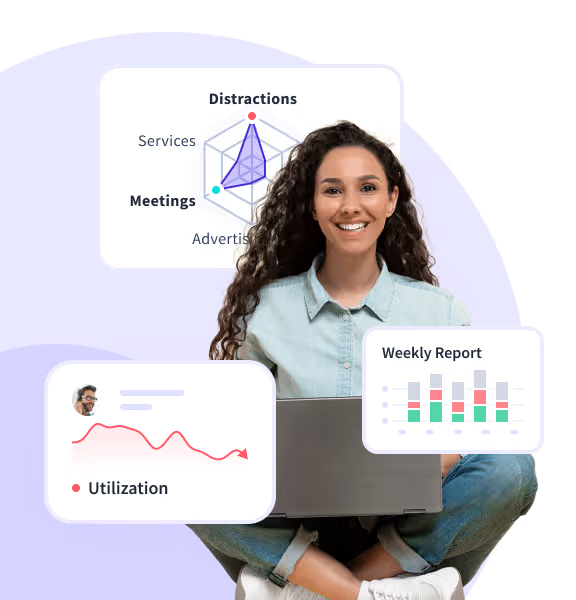
Detenga el agotamiento antes de que comience
Detecta las señales de advertencia antes de que agoten a tu equipo.
Mantener el trabajo Saludable
El software de monitoreo remoto de equipos de Insightful lo ayuda a administrar mejor su equipo remoto con más responsabilidad y visibilidad. Las funciones incluyen el tiempo y la asistencia remotos, la gestión de la productividad, el seguimiento remoto del tiempo y la supervisión remota de la actividad.
El software de monitoreo del trabajo remoto de Insightful revela los cambios en los patrones de trabajo a lo largo del tiempo, como la disminución de la concentración y la falta de descansos, para que puedas intervenir antes de que la fatiga provoque rotación.
El agotamiento no siempre se manifiesta durante tantas horas. A menudo se esconde en la falta de descansos, la multitarea constante y el aumento del tiempo de inactividad. El día parece ajetreado, pero el rendimiento puede caer repentinamente, lo que hace que tengas dificultades para explicar por qué ha bajado la productividad.
Sin las señales de una herramienta como Insightful, el agotamiento permanece invisible. Según Future Forum, El 40% de los trabajadores afirman sentirse agotados, y los que desempeñan funciones digitales son especialmente vulnerables, poniendo en riesgo la estabilidad de su equipo y su función.
Descubre cómo te ayuda Insightful detectar patrones de trabajo poco saludables antes de que llegue el agotamiento.
La herramienta de monitoreo de actividad de Insightful rastrea los cambios en la atención, la participación y el enfoque, lo que te ayuda a detectar los primeros signos de desconexión para que puedas actuar antes de que el rendimiento disminuya.
La desconexión es silenciosa. Los empleados se presentan y responden, pero la creatividad se desvanece, la iniciativa se ralentiza y el esfuerzo disminuye, especialmente cuando no puedes ver las señales en persona. Te sorprende cuando los resultados disminuyen.
Sin visibilidad, la desconexión pasa desapercibida. Según Gallup, El 59% de los empleados afirman sentirse separados psicológicamente de su trabajo, poniendo bajo presión los resultados de su equipo y su liderazgo.
Descubre cómo Insightful puede ayudarte detecta caídas en la interacción rápidamente.
Confíe en el software de monitoreo informático de los empleados, como Insightful. El enfoque de Insightful, que prioriza la privacidad, equilibra el acceso real a los datos con los límites de los empleados, utilizando los permisos, la transparencia y una comunicación clara para proteger la confianza y, al mismo tiempo, brindarle la información que necesita.
En el trabajo remoto, los datos pueden parecer un control si no se manejan con confianza y respeto. Sin enmarcar la visibilidad en torno a la autonomía, los empleados ven la supervisión como una amenaza, no como un apoyo, lo que lleva a una falta de compromiso que hay que gestionar.
Equilibrar la visibilidad con la autonomía es crucial. Según Future Forum, los trabajadores del conocimiento que afirman haberlo hecho poca o ninguna capacidad para establecer sus propios horarios informe 3,4 veces peor estrés y ansiedad relacionados con el trabajo en comparación con los que tienen una flexibilidad horaria moderada.
Descubre cómo Insightful puede ayudarte evitar que los equipos remotos se sientan microgestionados.
Perspicaces software de gestión remota de equipos proporciona análisis de colaboración y participación que rastrean las interacciones del equipo, el aislamiento social y las brechas de actividad, lo que le avisa con anticipación cuando la cultura está decayendo para que pueda actuar antes de que se erosione.
La cultura no son solo reuniones o mensajes. Son las interacciones cotidianas y las señales tácitas las que se desvanecen sin el contacto en persona. Sin esa conexión, los valores de tu equipo se difuminan y el compromiso disminuye, mientras tú te esfuerzas por mantener la moral alta.
Según Gartner, acerca de El 57% de los líderes dicen que mantener la cultura corporativa es su mayor desafío desde que pasaron al trabajo remoto, poniendo en riesgo la cohesión de su equipo y su liderazgo.
Descubre cómo Insightful puede ayudarte preservar la cultura empresarial en entornos remotos.
El sistema de monitoreo de asistencia de los empleados de Insightful muestra los descansos omitidos, acortados o inoportunos, para que puedas intervenir pronto y demostrar que estás gestionando activamente el riesgo de agotamiento. Protege el rendimiento del equipo y tu reputación antes de que el estrés se convierta en objetivos incumplidos.
Alejarse es como holgazanear y, sin normas, las personas se quedan «siempre activas» para demostrar que están trabajando. Eso te hace vulnerable cuando la fatiga reduce la producción y los líderes quieren saber por qué tu equipo tiene un rendimiento inferior.
Sin herramientas de visibilidad como Insightful, el exceso de trabajo pasa desapercibido. Según un estudio sobre las condiciones de trabajo remoto, el cambio al trabajo a domicilio llevó a una disminución del número de descansos porque la ausencia de normas de oficina hacía que no estuviera claro cuándo y cómo retirarse.
Descubre cómo Insightful te ayuda a garantizar que te tomes descansos y detecte señales tempranas de agotamiento.
Usa la herramienta de tiempo y asistencia de Insightful para señalar la falta de uso de la PTO y el aumento del exceso de trabajo, de modo que puedas intervenir pronto y proteger la capacidad de tu equipo. Te ayuda a argumentar a favor del descanso antes de que el agotamiento comience a mermar los resultados.
Alejarse parece arriesgado. Cuando los plazos se acumulan y las normas no están claras, parece que el tiempo libre se está retrasando. Eso hace que tengas que responder a los goles incumplidos con un equipo agotado y con un rendimiento inferior.
Sin visibilidad, la recuperación se sigue aplazando. Según Qualtrics, El 49% de los estadounidenses empleados dicen que trabajan al menos una hora al día mientras están de vacaciones.
Descubre cómo Insightful puede ayudarte asegúrese de que los empleados se tomen el tiempo libre adecuado.
La herramienta de carga de trabajo y capacidad de Insightful muestra cómo se usa el tiempo, no solo cuánto, para que puedas detectar los hábitos insostenibles detrás de los buenos resultados e intervenir antes de que se disparen. Esto le ayuda a proteger a sus empleados de alto rendimiento y tu propia credibilidad.
La productividad tóxica recompensa las horas sin parar y el comportamiento constante, por lo que las personas con mejor desempeño pasan por alto las señales de advertencia hasta que descansan. Eso te deja explicando cómo tu «mejor» miembro del equipo acaba de enfurecerse bajo tu supervisión.
Sin esa visión, el éxito se vuelve autodestructivo. Según el índice de tendencias laborales de Microsoft, El 48% de los empleados y el 53% de los gerentes dicen que ya están agotados en el trabajo.
Descubre cómo te ayuda Insightful proteger a las personas de alto rendimiento del agotamiento mientras cumplen sus objetivos.
Prueba Insightful gratis hoy mismo
Con Insightful, verás más que números: verás exactamente cómo trabajan tus equipos.
Mantener el trabajo Seguro
Perspicaces software de monitoreo de la fuerza laboral ofrece una detección de amenazas internas que detecta anomalías en el uso del tiempo, los patrones de acceso y el comportamiento, lo que le avisa con anticipación incluso en configuraciones remotas o híbridas. Esto le ayuda a actuar con rapidez y a demostrar que está en la cima del riesgo antes de que nadie se lo pida.
Las primeras señales, como las horas impares, los accesos extraños y las descargas silenciosas, no aparecen hasta que es demasiado tarde. Y cuando no las ves, eres tú quien responde por la violación que «debería haber sido detectada».
Sin esas señales, las amenazas se escabullen. Según Ponemon, El 55% de los incidentes con riesgo de información privilegiada se deben a un uso negligente o descuidado, lo que hace que la detección temprana de anomalías sea fundamental para los equipos híbridos o remotos.
Descubre cómo Insightful puede ayudarte detecte las amenazas internas antes de que se produzcan daños.
Use el software de control del trabajo remoto de Insightful para rastrear el uso de los dispositivos, el comportamiento de acceso y el cumplimiento de las políticas en los equipos remotos, híbridos e in situ, de modo que pueda hacer cumplir los estándares de manera consistente. Esto le permite controlar todos los entornos, no solo el que puede ver.
Lo que funciona en la oficina se desmorona cuando los dispositivos, el acceso y la supervisión se extienden por todas las ubicaciones. Eso lo pone en apuros cuando las brechas en la aplicación de la ley se convierten en una infracción costosa.
Sin visibilidad, las políticas van a la deriva. Según IBM, las filtraciones de datos que se producen en entornos en los que el trabajo remoto era un factor tienen un coste medio para las organizaciones USD 1,07 millones más, poniendo bajo presión la seguridad de su equipo y su liderazgo.
Descubre cómo Insightful puede ayudarte aplique políticas de seguridad en equipos remotos e híbridos.
Las herramientas de supervisión informática de los empleados de Insightful capturan automáticamente los registros de actividad, el comportamiento de acceso y los registros de auditoría, y cumplen con estándares como SOC 2, HIPAA y GDPR sin necesidad de levantarlos manualmente. Esto le brinda pruebas defendibles a pedido, no le genera pánico de última hora.
Los equipos híbridos y los sistemas dispersos facilitan perder registros, difuminar el acceso y pasar por alto las señales de alerta. Esto hace que tengas que esforzarte por obtener datos de auditoría cuando los líderes o los reguladores quieren respuestas que no puedes proporcionar con la suficiente rapidez.
Sin herramientas automatizadas de seguimiento del cumplimiento, el cumplimiento se vuelve costoso. Según Deloitte, El 70% de las organizaciones afirma que el cambio al trabajo híbrido ha aumentado sus riesgos de cumplimiento y seguridad de los datos.
Descubre cómo Insightful puede ayudarte demostrar el cumplimiento en entornos de trabajo modernos.
El software de monitoreo de escritorio de los empleados de Insightful captura registros detallados y con fecha y hora de acceso, cambios y comportamiento, para que pueda reconstruir exactamente lo que ocurrió rápidamente. De este modo, puede controlar el momento en que todos exigen respuestas.
Los registros están dispersos, incompletos o faltan cuando más los necesita, lo que convierte su informe posterior al incidente en conjeturas. Esto hace que tengas que esforzarte por responder a los ejecutivos, al departamento legal o a los clientes sin contar con un cronograma fijo.
Sin pruebas reales, los costos de respuesta aumentan. Según IBM, las violaciones de datos vinculadas a sistemas de seguridad complejos o incompletos cuestan casi 1 millón de dólares más en promedio.
Descubre cómo te permite Insightful rastrear lo que ocurrió después de un incidente.
Usa un sistema de seguimiento de empleados como Insightful para monitorear el tiempo, el uso de la aplicación y la actividad sin instalar cualquier cosa localmente. Esto le permite ver cómo se lleva a cabo el trabajo, de modo que puede detectar los comportamientos de riesgo, la falta de protección o las infracciones de las políticas antes de que se agraven.
Sin un software de visibilidad, no hay forma de saber si los datos de la empresa están seguros, si las aplicaciones se utilizan correctamente o si alguien sigue la política. El riesgo es costoso. Según Bitglass, El 30% de las organizaciones que permiten el BYOD informaron que no proteja en absoluto contra el malware para BYOD.
Más información sobre cómo ayuda Insightful equilibre la flexibilidad y el control en BYOD entornos.
Utilice el software de supervisión de empleados virtuales de Insightful para supervisar la actividad de los escritorios virtuales en Citrix y VMware como si fuera una máquina local. Verás el uso de las aplicaciones, el comportamiento del tiempo y los patrones de productividad para que puedas intervenir pronto cuando alguien esté atrapado, distraído o se quede atrás.
Según Riverbed, la supervisión tradicional de la VDI a menudo deja a los departamentos de TI ciegos ante la experiencia del usuario final, lo que dificulta la detección de problemas de productividad en los escritorios virtuales.
Insightful garantiza que las sesiones alojadas no oculten lo que realmente está sucediendo. Sin esa vista, solo descubrirás que hay un problema cuando el trabajo se retrasa, es incorrecto o ha desaparecido por completo. Consulta cómo configurar y supervise los escritorios virtuales sin perder visibilidad.
Utilice un software de inteligencia de la fuerza laboral creado con seguridad de nivel empresarial. Insightful admite el SSO, el acceso basado en roles y los permisos detallados que reflejan su organización, no solo cualquier configuración de TI predeterminada.
Cada nuevo usuario, rol o dispositivo aumenta la exposición. Eso te hace responsable de proteger los datos confidenciales de los equipos que no gestionas y de responder a las brechas cuando el acceso no está bloqueado.
Sin los controles adecuados, la escala se convierte en una carga. Según datos de la industria, El 61% de las infracciones implican credenciales comprometidas o errores de identidady cuando las herramientas de la fuerza laboral se expanden sin controles, se crea esa exposición.
Descubre cómo Insightful puede ayudarte garantizar que las herramientas de la fuerza laboral no se conviertan en riesgos de seguridad a medida que se amplíen.





Respaldado por el estándar de oro en seguridad
Protección de nivel empresarial en la que confían equipos de todo el mundo.
Viendo el Panorama general
Perspicaces software de monitoreo de empleados traduce la actividad en señales claras, como el tiempo de concentración, el equilibrio de la carga de trabajo y las tendencias de participación, para que puedas empezar con hechos. Esto convierte los datos en decisiones que puede defender.
Los datos sin procesar, como los inicios de sesión, las horas, las aplicaciones y los clics, abundan, pero sin contexto, es solo ruido. Eso hace que asistas a las reuniones sin respuestas claras, adivinando los problemas que los líderes esperan que resuelvas con confianza.
Sin claridad, los datos no se utilizan. Según la encuesta «La confianza en los datos empresariales» de Salesforce, menos de la mitad de los líderes empresariales confían en que los datos que utilizan se alinean completamente con sus objetivos empresariales.
Descubre cómo te ayuda Insightful convierta los datos de actividad sin procesar en decisiones que pueda defender.
La plataforma de Insightful para la supervisión de los empleados en el lugar de trabajo rastrea los patrones a largo plazo de productividad, concentración y uso del tiempo, para que puedas medir el progreso real, no solo los cambios superficiales. Esto te da una prueba de que tu estrategia está funcionando o una señal para corregir el rumbo.
Los informes estáticos muestran el presente, no la tendencia. Eso te deja con la duda de si tu equipo realmente está mejorando o simplemente cambiando de marcha, mientras que los ejecutivos esperan una lectura clara del progreso.
Sin visibilidad, las decisiones se mantienen reactivas. Según Deloitte, El 74% de las organizaciones afirma que es importante elegir las métricas de productividad correctas, pero solo el 17% afirma que ha alineado esas métricas con la estrategia.
Descubre cómo te ayuda Insightful medir la mejora real, no solo el cambio.
El mejor software de monitoreo de empleados de Insightful te permite definir qué es productivo por rol, equipo o función, de modo que tus puntos de referencia reflejen cómo trabajan realmente las personas. Esto se traduce en menos comparaciones complicadas y en informes más creíbles.
Lo que se considera «productivo» varía según el rol. La herramienta clave de un equipo es una pérdida de tiempo para otro. Eso lo coloca en el banquillo cuando los líderes quieren hacer comparaciones claras, pero sus paneles de control alisan los matices.
Sin contexto, las métricas engañan. Según Deloitte, El 61% de los gerentes y el 72% de los empleados no confían en el proceso de gestión del desempeño de su organización—hacer que las comparaciones métricas entre equipos sean riesgosas.
Descubre cómo te ayuda Insightful compare las métricas de productividad entre los equipos con puntos de referencia específicos para cada función.
El software de monitoreo empresarial de Insightful ofrece informes personalizados que te permiten desglosar el tiempo por cliente, marcar las caídas de enfoque por equipo o comparar el uso de la aplicación semana tras semana. Todo se genera automáticamente y está listo cuando alguien pregunta. Así es como mantienes la responsabilidad cuando las decisiones se toman con rapidez y la visibilidad es importante.
Las prioridades cambian más rápido de lo que se actualizan los paneles y, cuando obtiene los números correctos, ya no es el momento de actuar. Eso lo deja en las reuniones con datos obsoletos y sin forma de justificar las llamadas que ha realizado.
Sin flexibilidad, los informes se retrasan. Según Deloitte, El 67% de los ejecutivos afirman que necesitan información más rápida y procesable a partir de los datos de la fuerza laboral para tomar decisiones oportunas.
Descubre cómo te ayuda Insightful asegúrese de que los informes proporcionan la información que realmente necesita para gestionar tu equipo.
Los informes programados de Insightful envían métricas específicas de cada función, como los picos de tiempo de inactividad, los objetivos incumplidos o las caídas del uso de las aplicaciones, directamente a las bandejas de entrada correctas. Mantiene a tu equipo informado sin necesidad de iniciar sesión o buscar respuestas.
La información oculta en los cuadros de mando no impulsa la acción, y si los líderes tienen que investigar, no lo hacen. Eso lo deja ciego ante los problemas emergentes y queda expuesto cuando ocurre algo que «debería haber sido obvio».
Sin informes push, la visibilidad se desvanece. Según Forrester, solo el 29% de los responsables de la toma de decisiones afirman que sus paneles e informes les brindan la información que necesitan cuando la necesitan.
Descubre cómo te ayuda Insightful mantenga la visibilidad incluso cuando deje de ver los paneles.
Las alertas personalizadas de Insightful le notifican cuando el trabajo rompe un patrón, como picos repentinos de inactividad, retrasos en el flujo de trabajo o caídas bruscas en la producción. Le proporciona señales en tiempo real para que pueda actuar con rapidez, redirigir los recursos y anticiparse a los problemas antes de que aparezcan en los resultados.
La mayoría de los sistemas registran lo que ocurrió, pero no marcan cuándo está ocurriendo. Eso te permite responder a los objetivos incumplidos con un tablero repleto de información retrospectiva y sin pruebas de que estuvieras al tanto de todo.
Sin esa inmediatez, los problemas se multiplican. Según IDC, las organizaciones que utilizan análisis en tiempo real resuelven los problemas de rendimiento hasta un 60% más rápido en lugar de los que se basan en la presentación manual de informes.
Descubre cómo te ayuda Insightful evitar que los equipos reaccionen demasiado tarde—incluso cuando hay datos disponibles.
InsightAI, de Insightful, señala los cambios en el comportamiento, como caídas repentinas de la producción, una creciente desconexión o picos de carga de trabajo, y recomienda pasos claros para actuar con rapidez. Le ayuda a pasar de la toma de conciencia a la acción antes de que pierda credibilidad.
Ver un problema no es suficiente si nadie sabe qué hacer a continuación. Eso te deja con un informe lleno de señales de alerta mientras los líderes se preguntan por qué no ha mejorado nada, y se espera que tú respondas por el estancamiento.
Sin ese puente, la visión se estanca. Según Gartner, El 87% de las organizaciones tienen una madurez analítica baja, lo que significa que tienen dificultades para convertir los conocimientos en acciones reales.
Vea cómo le ayuda InsightSAI convierta los conocimientos de la fuerza laboral en un cambio real.
Vea la historia detrás de sus datos
Elimine el ruido y vea qué impulsa los resultados.
Uso de Workforce Herramientas de visibilidad
Asegúrese de elegir la opción correcta aplicación de monitoreo de empleados y configuración para su configuración. Insightful admite la implementación en la nube, in situ e híbrida, además de la instalación remota silenciosa, para que pueda realizar el lanzamiento en cualquier ubicación sin demoras en el hardware o el servicio de asistencia. Le ofrece una ruta rápida de implementación, incluso en entornos complejos.
La configuración se atasca en la TI, la implementación se retrasa y la adopción muere incluso antes de que se llegue a los datos. Esto le hace responsable de la visibilidad que prometió, pero que no puede ofrecer porque la tecnología nunca llegó a despegar.
Sin una implementación sencilla, el seguimiento nunca se inicia. «Sin una implementación sencilla, el seguimiento no se inicia nunca. Según Gartner, El 45% de los líderes tecnológicos afirman que los desafíos de implementación e integración deficientes son las principales razones por las que las nuevas herramientas para el lugar de trabajo no ofrecen resultados.
Descubre cómo te ayuda Insightful evitar que las herramientas de monitoreo se detengan durante el despliegue.
Elija un software de monitoreo remoto de computadoras que se integre a la perfección en su oferta tecnológica. Insightful se conecta con más de 50 plataformas, incluidas Jira, Trello, Zendesk, ADP y Workday, y sincroniza los datos de tiempo, actividad y RRHH en toda tu pila. Te ofrece una visión unificada que refleja los verdaderos factores que impulsan el rendimiento del equipo.
Los sistemas de tiempo, proyectos y recursos humanos rara vez se comunican entre sí. Esto hace que los informes sean fragmentados, mientras que los líderes esperan respuestas que abarquen la productividad, las personas y el rendimiento en una sola vista.
Los datos desconectados destruyen la claridad. Según SQLI, El 74% de las organizaciones citan los sistemas en silos como una barrera para la eficiencia operativa—algo que las plataformas unificadas de personal ayudan a resolver.
Descubre cómo te ayuda Insightful unifique su oferta tecnológica y rompa los silos de datos.
El software de monitoreo de escritorio para empleados de Insightful admite una instalación remota y silenciosa, por lo que puede cubrir todos los dispositivos sin depender de la configuración local o las comprobaciones manuales. Le brinda una visibilidad total sin los problemas de implementación.
Las instalaciones se estropean en las configuraciones remotas. El departamento de TI tiene que perseguir a los ordenadores portátiles; algunas máquinas pasan desapercibidas y, de repente, la mitad del equipo es invisible. Esto lo expone a sufrir brechas de rendimiento y seguridad que no puede ver ni explicar.
Sin ese alcance, la supervisión remota se desmorona. Según Forrester, El 75% de las organizaciones afirma que la administración de terminales remotos e híbridos ha aumentado significativamente sus desafíos operativos de TI.
El software de Insightful para monitorear a los empleados en el lugar de trabajo está diseñado para escalar y rastrear miles de dispositivos en equipos y regiones híbridos sin demoras, errores de sincronización o falta de datos. Le brinda una visibilidad confiable sin importar qué tan rápido crezcan las cosas.
La mayoría de las plataformas de seguimiento se crearon para equipos pequeños, no para organizaciones complejas y en crecimiento. Eso te obliga a buscar los datos descartados y las actualizaciones omitidas, mientras que los líderes esperan respuestas claras a escala global.
Si no puede escalar, no puede quedarse. Según Gartner, El 47% de los ejecutivos de TI citan la escalabilidad y la integración como sus principales prioridades al evaluar nuevas plataformas de software empresarial.
Descubre cómo te ayuda Insightful garantizar que las plataformas de seguimiento de la fuerza laboral no se rompan a gran escala.
Usa una herramienta de seguimiento de la productividad como Insightful que antepone la transparencia. Los empleados ven qué se monitorea y por qué, por lo que saben que se trata de una administración más inteligente, no de una vigilancia. Esto genera confianza y hace que los comentarios fluyan antes de que los problemas se conviertan en fallos de rendimiento.
La seguridad psicológica no tiene que ver con la política. Se trata de si las personas confían en que no serán castigadas por ser honestas. Eso te deja en la oscuridad cuando los problemas se agravan y los ejecutivos te preguntan por qué no señalaste las señales de advertencia.
Según el Chartered Institute of Personnel and Development, los empleados en lugares de trabajo psicológicamente seguros tienen muchas más probabilidades de sentirse satisfechos, comprometidos y comprometidos—la seguridad psicológica tiene un «impacto positivo muy claro» en estos resultados.
Descubre cómo Insightful genera confianza con una supervisión que prioriza la transparencia que fomente la comunicación abierta y la seguridad psicológica.
Usa un software de monitoreo de sistemas para empleados, como Insightful, con un diseño que prioriza la privacidad y que anonimiza los datos y ofrece acceso basado en permisos y configuraciones personalizables. De esta manera, puedes monitorear lo que importa sin cruzar la línea. Esto mantiene a su equipo protegido y sus políticas defendibles.
La mayoría de las herramientas recopilan en exceso, se comunican de manera insuficiente y no dan a los empleados ningún control. La confianza se desvanece rápidamente y usted es quien recibe las quejas o las amenazas de cumplimiento. Eso te coloca en un lío legal y cultural al que no te suscribiste.
Sin esos controles, el seguimiento provoca reacciones negativas. «Según un estudio de 2022, El 84% de los empleados de las empresas dicen estar preocupados por la supervisión del lugar de trabajo y creen que se aplica de manera injusta.
Descubre cómo te ayuda Insightful implementar herramientas de monitoreo a la vez que preserva la privacidad y la confianza.
Su paquete tecnológico, totalmente conectado
Todas tus herramientas. Un flujo de trabajo sin interrupciones.
Funciona a la perfección con sus herramientas
Insightful se integra con más de 50 plataformas, como Jira, Asana, Zendesk y los principales sistemas de RRHH, para que puedas empezar a ver resultados sin cambiar tu tecnología.


Nuestros más de 5800 clientes tienen la costumbre de decir cosas buenas sobre nosotros
Insightful monitorea el tiempo de trabajo y la productividad de cada empleado y revela qué aplicaciones o páginas web se visitan, con capturas de pantalla. Todas estas funciones proporcionan suficiente información para gestionar el personal, especialmente los equipos remotos, lo que aumenta la productividad general


¡Hasta ahora, nuestra experiencia con Insightful ha sido excelente! A medida que vayamos creciendo, creo que Insightful será importante para nuestra gama de software. Me gusta la «gamificación» de la puntuación de productividad. Planeamos usar esto internamente para nuestras propias métricas de puntuación de los empleados.
¡Insightful ha sido una delicia! Se lo recomendaría a los fundadores y ejecutivos que gestionan equipos remotos, especialmente a aquellos que confían en su equipo y desean mejorar la productividad de los empleados. Había probado otro software antes de usar Insightful, pero este se ajustaba perfectamente a mis necesidades.
Insight se ha convertido en una parte esencial de la forma en que gestionamos nuestras operaciones y apoyamos a los clientes internos y externos. Usamos Insightful para hacer un seguimiento del tiempo, supervisar la actividad y garantizar la coherencia en las diferentes zonas horarias, y todo esto lo hacemos a la perfección...

Hemos estado usando Insightful para nuestros equipos remotos e híbridos, y ha sido una gran adición. La plataforma es intuitiva, confiable y nos brinda una visibilidad clara de las tendencias de productividad sin ser invasiva. Sus funciones ayudan a garantizar la precisión y la responsabilidad, sin dejar de respetar la autonomía de los empleados.
Insightful ha hecho que el seguimiento de la productividad de los empleados sea fluido y altamente transparente para nuestro equipo remoto. El seguimiento automático del tiempo y los niveles de actividad nos proporcionan datos valiosos sin necesidad de microgestionar...
Insightful se destaca por simplificar el proceso de seguimiento del tiempo para los empleados remotos. La aplicación proporciona una interfaz fácil de usar que permite a los empleados registrar sus horas de trabajo sin esfuerzo. Los usuarios pueden iniciar y detener los temporizadores, cambiar de tarea y registrar pausas con solo unos pocos clics, lo que garantiza un cronometraje preciso y fiable.

En general, estamos muy contentos con Insightful. Me ayuda a monitorear a los empleados remotos para asegurarme de que están trabajando. Insightful es una aplicación sencilla que me permite controlar la cantidad de tiempo trabajado por un miembro del equipo y también me indica su porcentaje de tiempo dedicado a un software productivo.
Insightful es increíblemente práctico para los trabajadores remotos, ya que ofrece un seguimiento preciso de las horas trabajadas y un control de la productividad. Es confiable y garantiza que tengas una visibilidad clara de tus horas de trabajo semanales, lo que es inestimable para mantenerte organizado y eficiente.