


Employee monitoring software that shows where work time goes
Employee monitoring software to boost productivity and make the best use of every hour. See active vs. idle time across apps and websites, and get reports you can act on.













What is employee monitoring software?
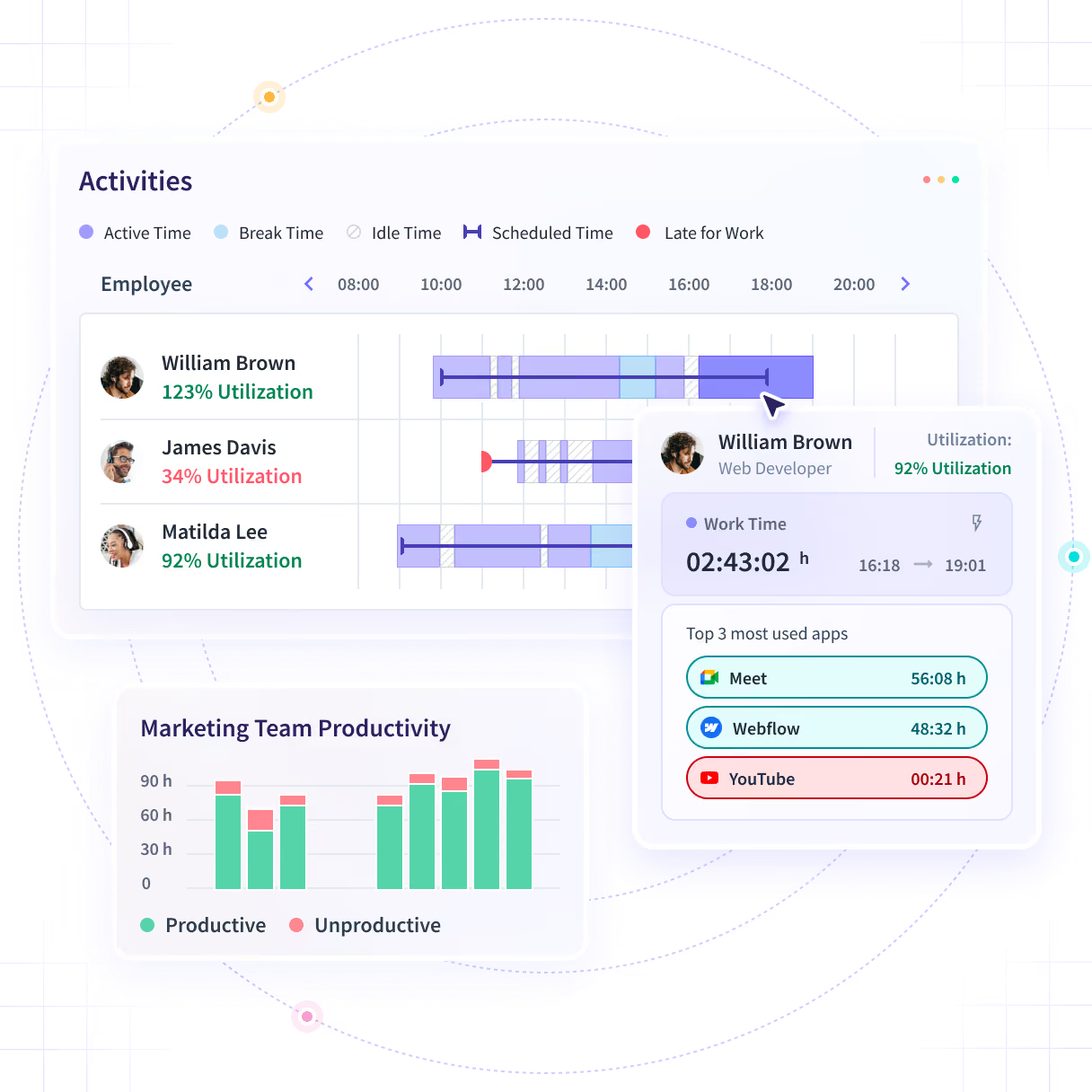
Employee monitoring software shows how employees use work time on work computers, including apps and websites, active and idle time, attendance and project time, and turns that activity into productivity reports for managers.
With Insightful, you can:

Track projects without manual involvement
Automatically capture project and task activity, see which apps and websites the work on each project runs through.


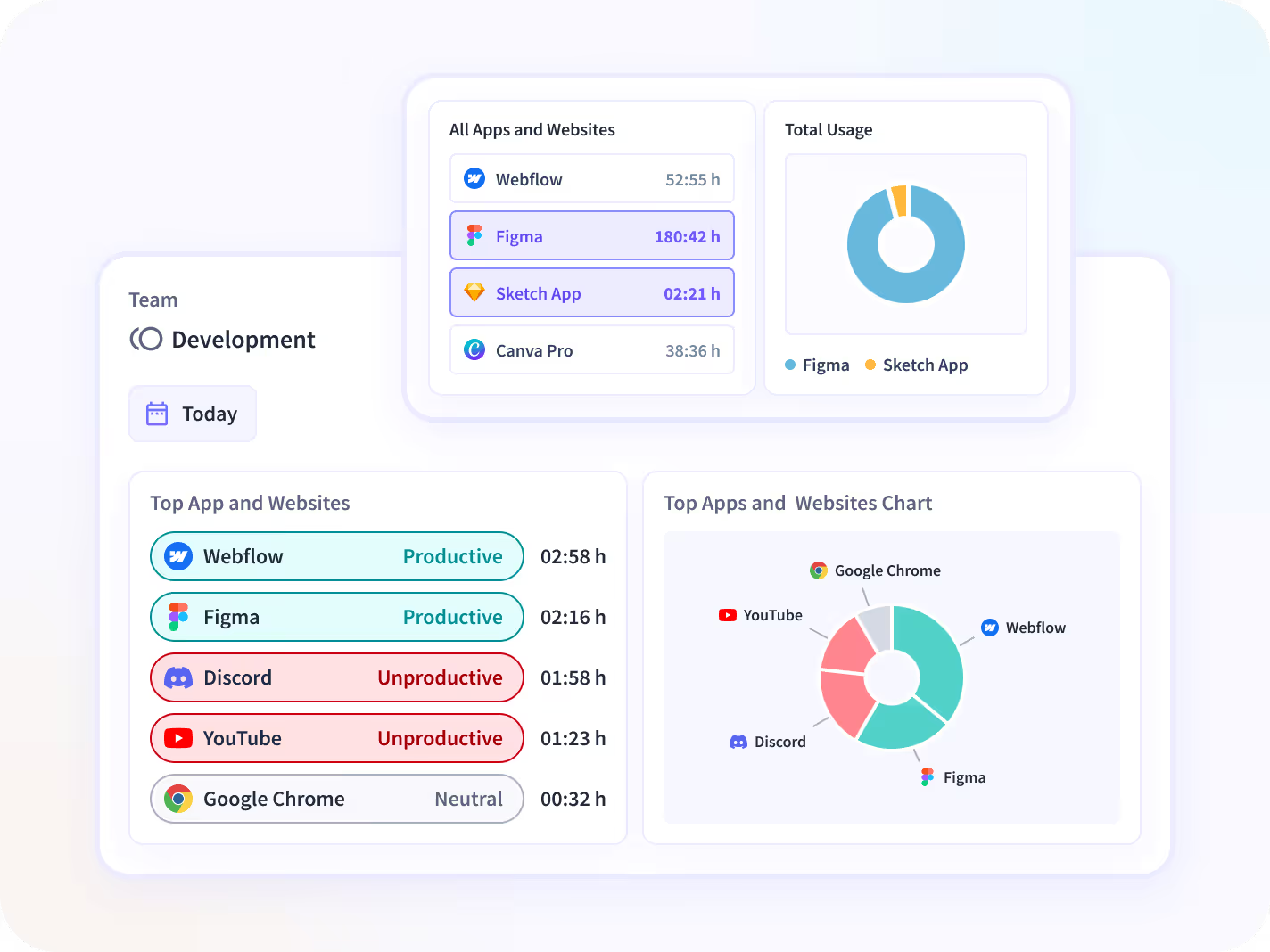
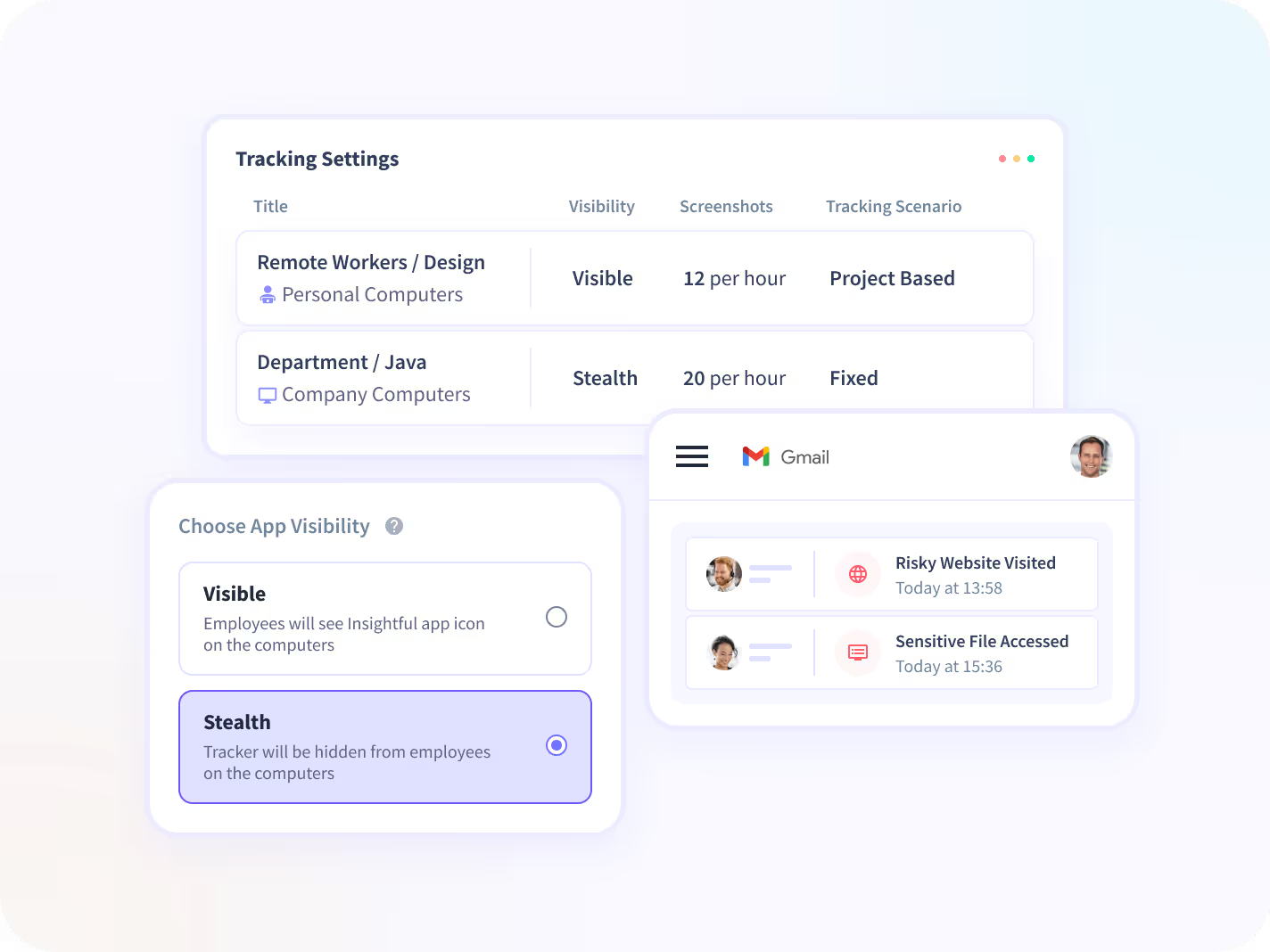
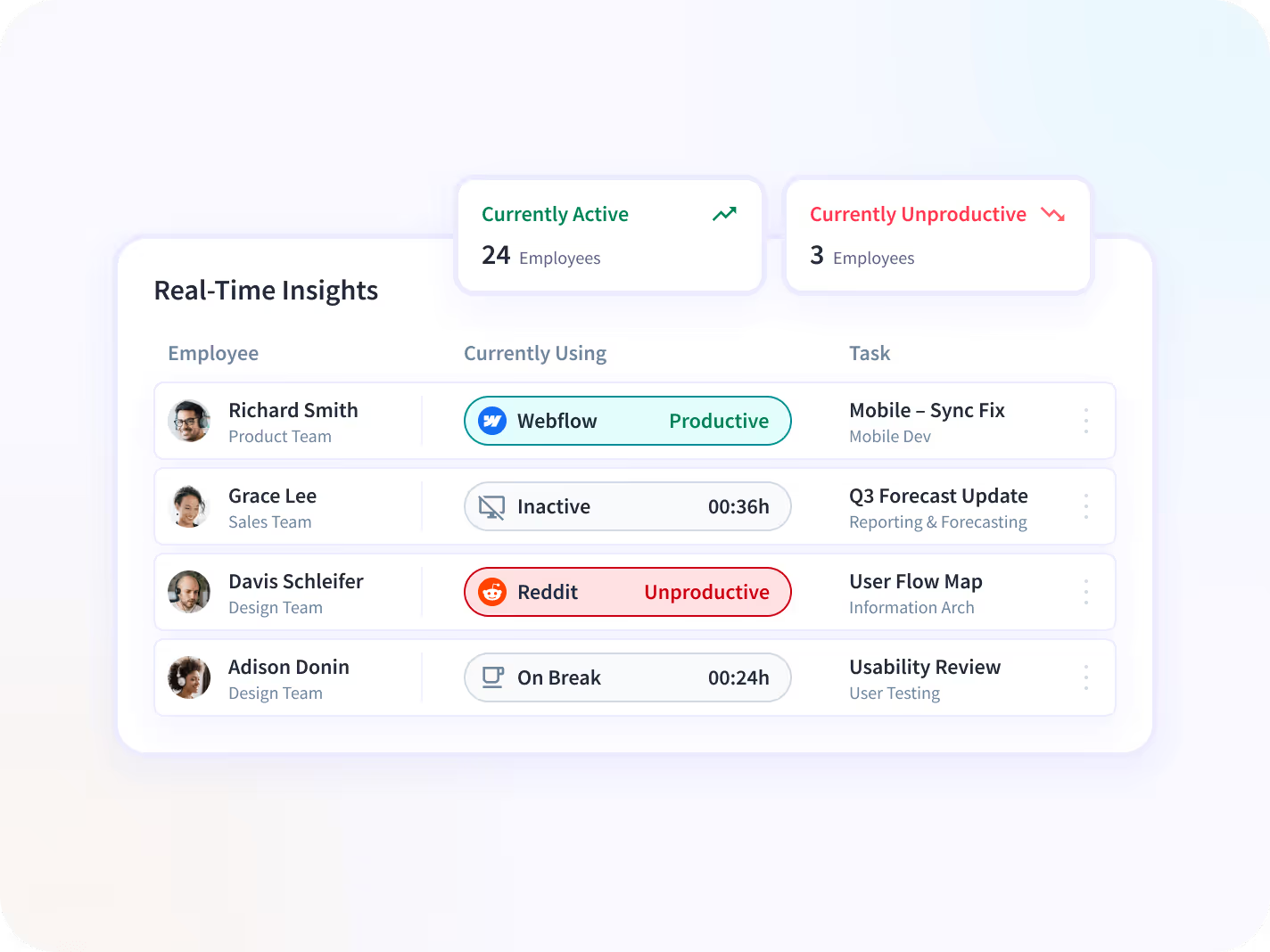
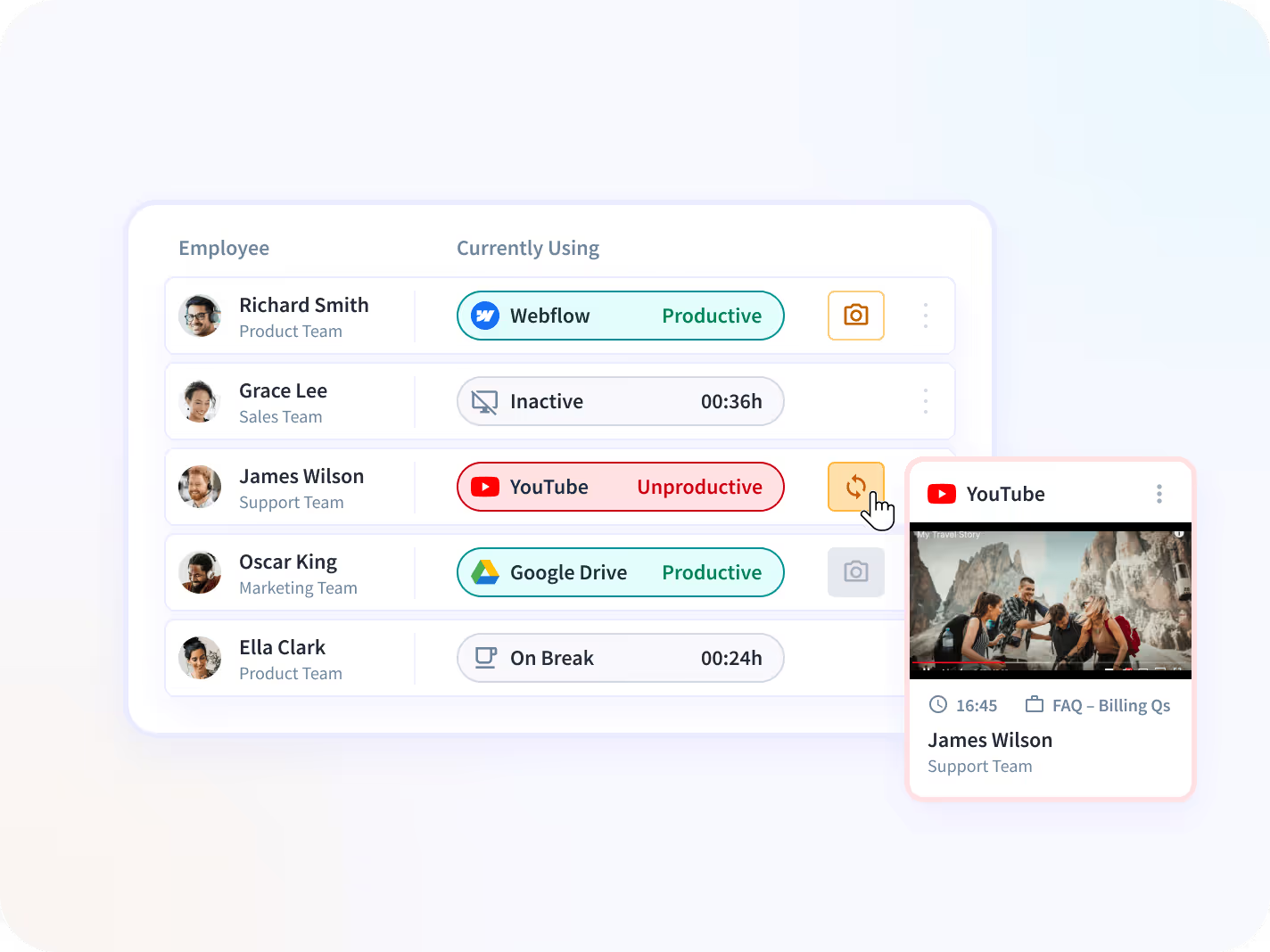
Track which apps and websites your employees are using individually, as a team, or on a company level.


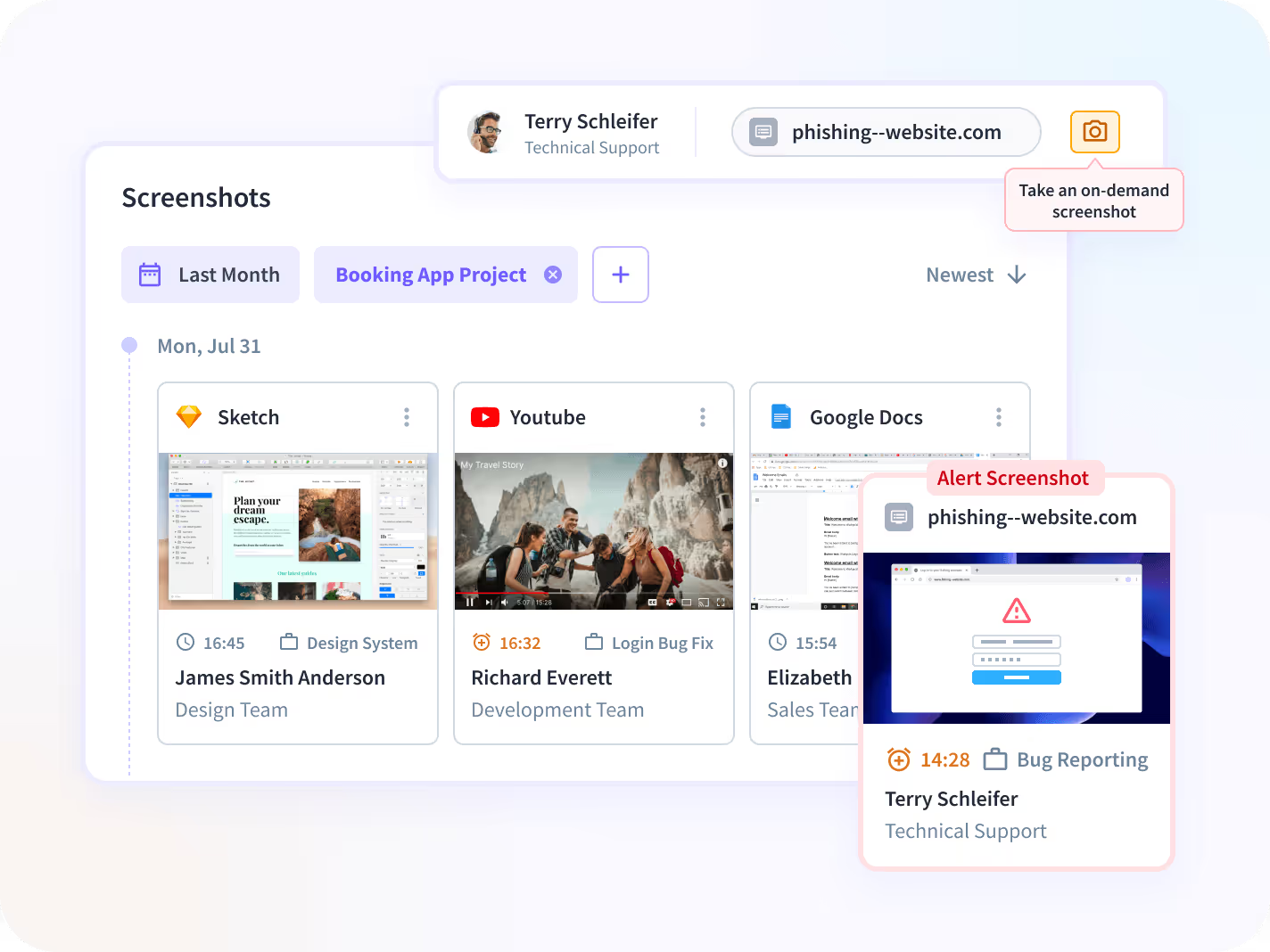
Get random screenshots, or those triggered by employees’ suspicious or malicious activities.


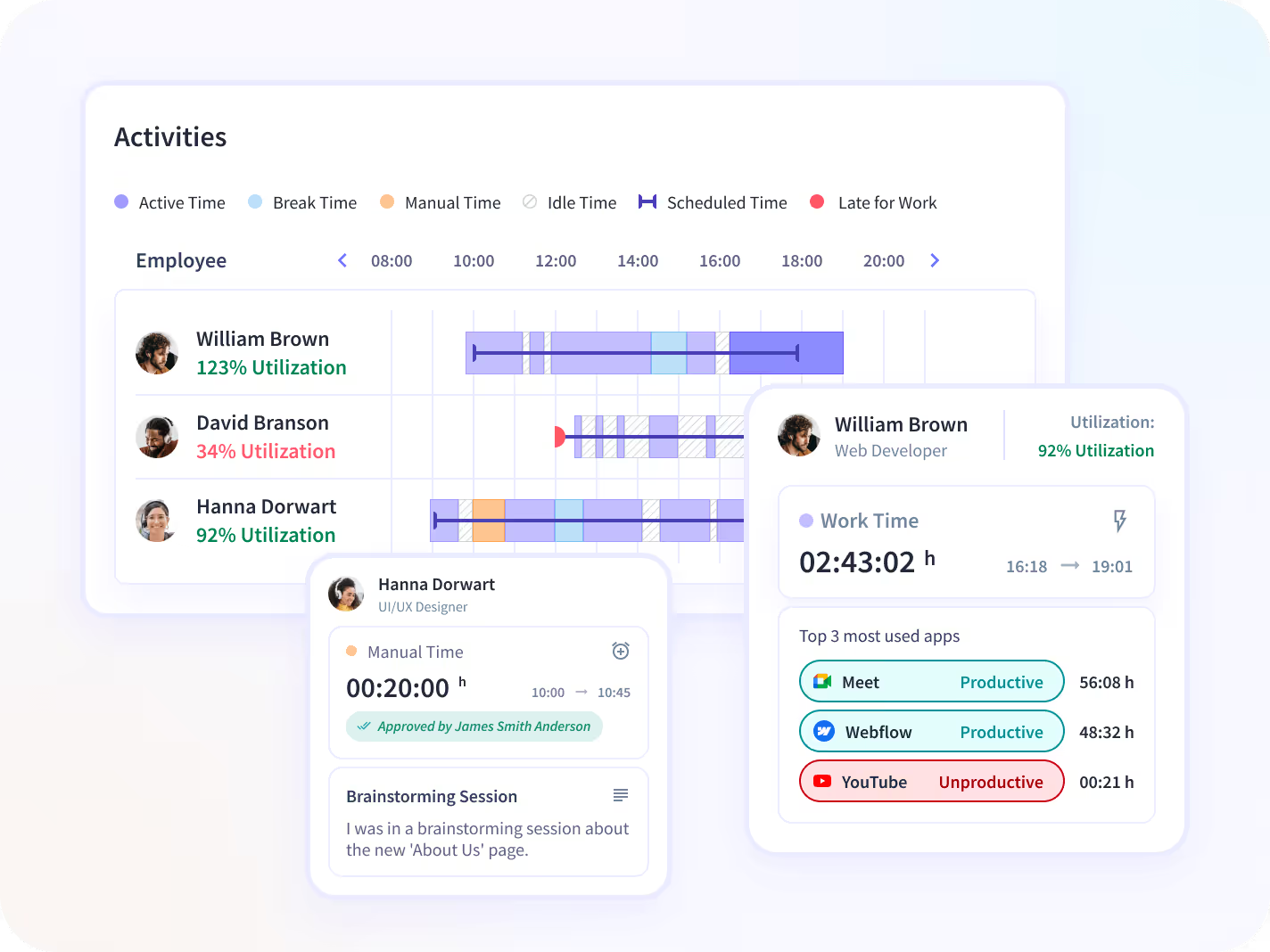
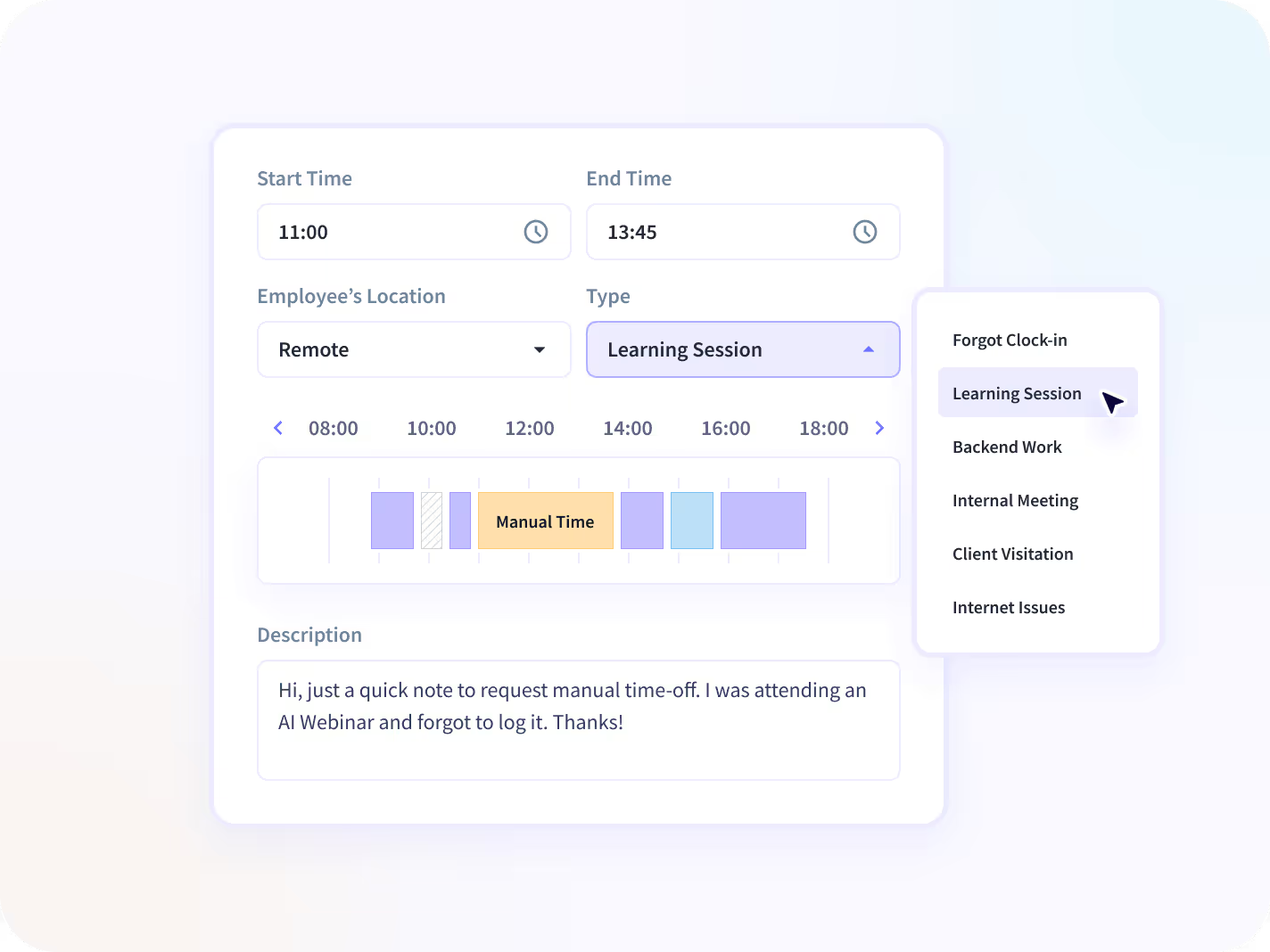
Look into your employees’ activity logs including active and idle time. Or review and approve manual logs.


Prevent malicious behavior and identify suspicious activity to protect your team’s data.
Try Insightful for Free Today
Productivity-focused features
Insightful software for employee monitoring gives you a unique perspective of your employees’ productivity, daily activities, and timesheets.


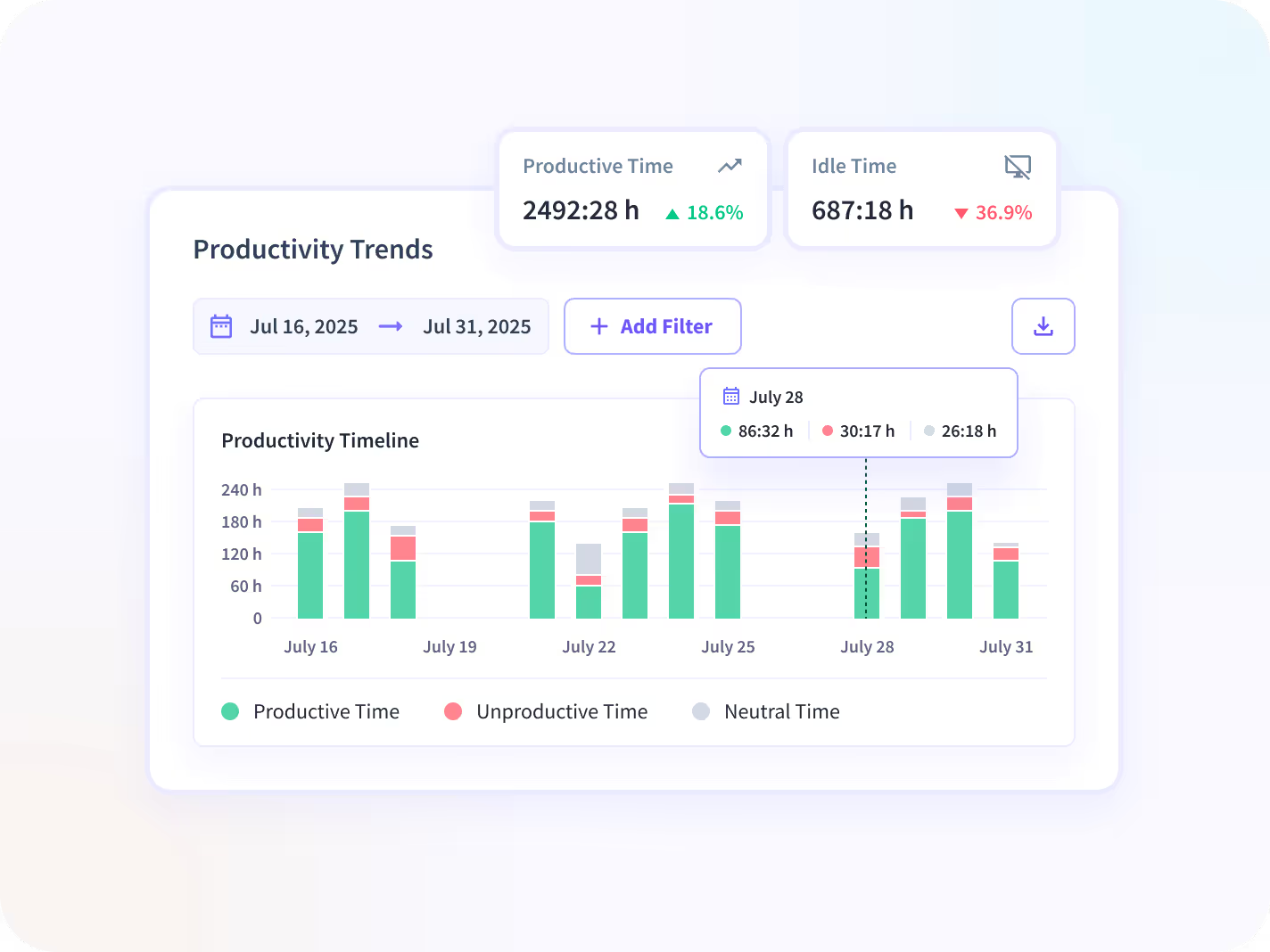


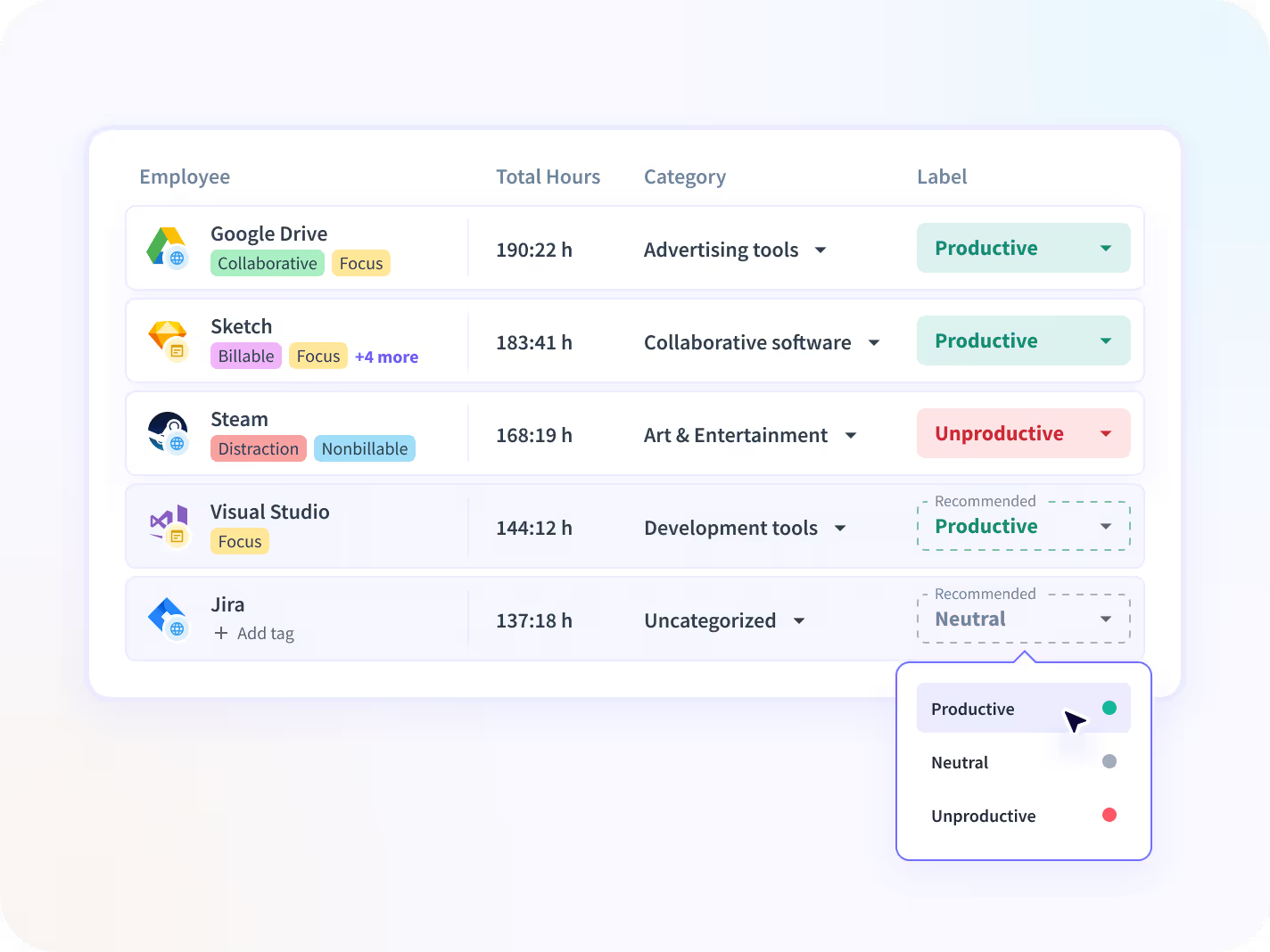
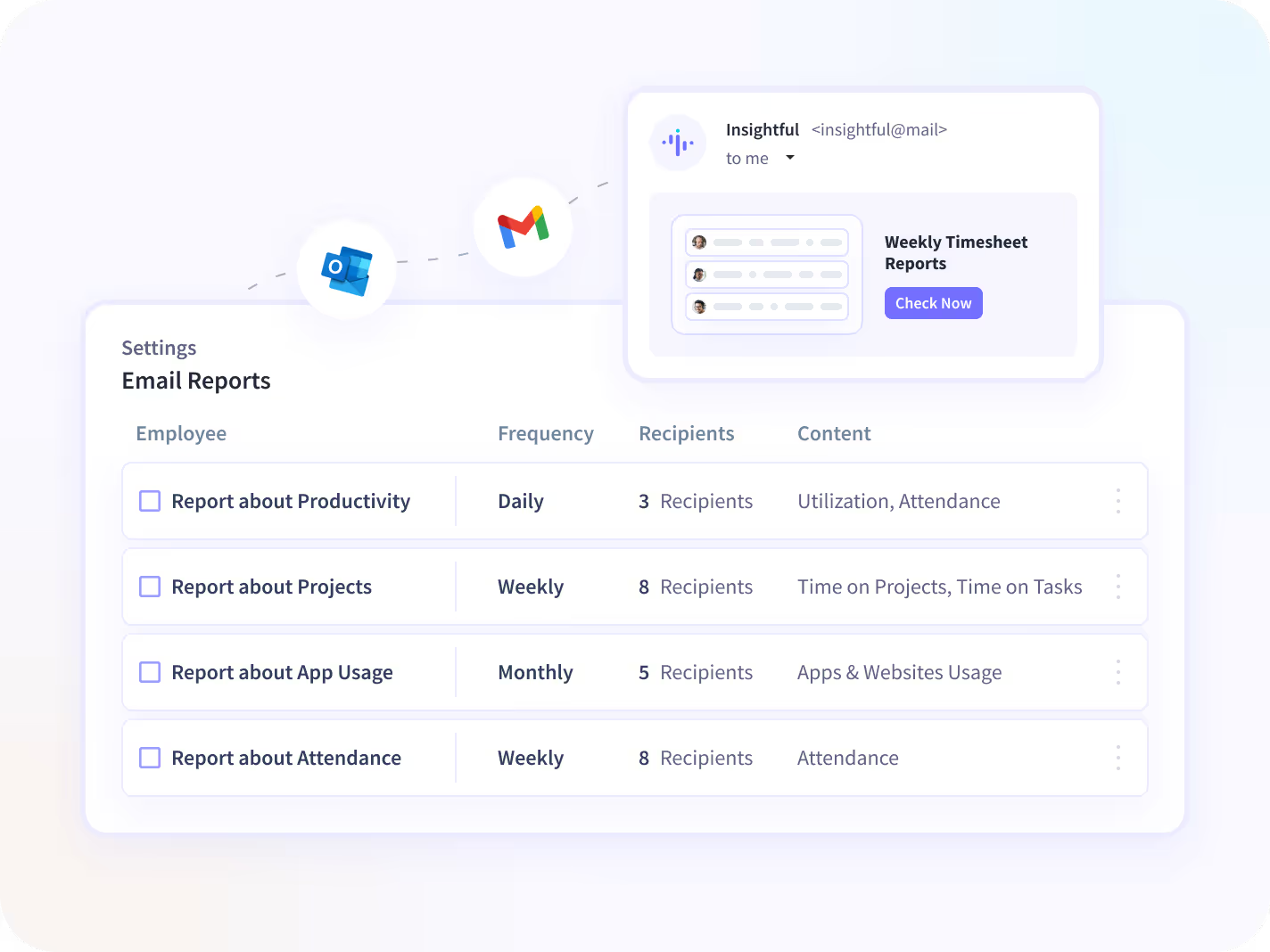
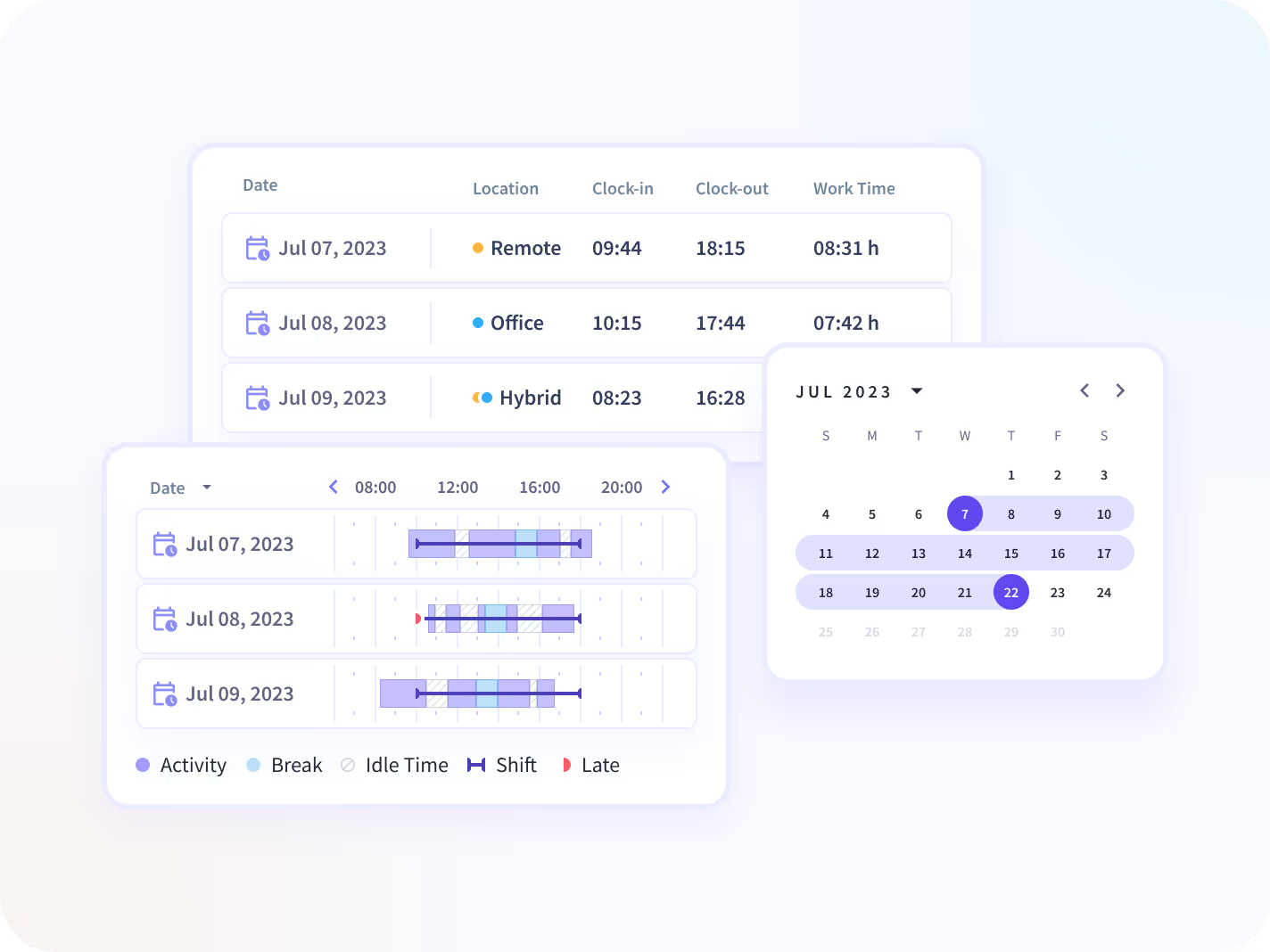

Get the State of Employee Productivity and Monitoring Report
Learn what recent research says about hybrid work, monitoring adoption, employee sentiment, and how to implement monitoring responsibly.
Get the State of Employee Monitoring Report
- Where Rollouts Go Wrong. See common implementation mistakes, and how to avoid them.
- Implement Responsibly. Learn best practices for transparency and protecting employee trust.
- Build Your Own Policy. Use our employee monitoring policy checklist before building yours.
- Pick the Right Tool. Learn what to look for in an employee monitoring platform.

What Insightful tracks, and what it doesn’t
Insightful sees the apps, sites, and AI tools your team uses, and how they use them. It does not log content or capture keystrokes, messages, or documents.


Get organized in your own way
Use these features to limit data access, organize teams, and get the most out of Insightful.

Manager Login
Let managers see only their teams' data, analyze performance, and adjust productivity labels.

Employee Login
Promote transparency and accountability by giving your employees access to their own data.

API
Integrate any internal or external software your team uses with Insightful Rest API.

Raw Data
Get second-by-second detailed data about your employees' computer activities.

Alerts
Get alerts based on productivity levels, or unwanted activities.

AI Usage
See which AI tools your team uses.
Flag Shadow AI before it puts you
at risk.
Employee monitoring on company and personal computers

Company Computers
This option is suitable for office teams who use company-owned computers. Insightful starts automatically when the computer is on, but you choose whether it collects data continuously, during certain hours, or when computers are connected to a specific network.


Personal Computers
When employees use their own computer for work, Insightful gives them control over when the application is running and when it’s not. By using the clock in/out buttons, users decide when work data is collected and when it’s not.
Easy to install on Mac, Windows, and Linux


Use cases

Improve Focus & Productivity
In-depth activity analytics detect changes in focus, activity, and output over time, so you can intervene before performance declines. Employee awareness of monitoring also naturally sharpens attention, without added oversight. Stabilize performance across teams. Deploy coaching exactly where it’s needed. Prevent missed targets.

Manage Remote Teams
Daily reports on active time, activity, and screenshots show how remote workers spend the workday, wherever they’re based. Location Insights allow you to compare remote and hybrid productivity to in-office teams. Suitable for contractors as well as employees.

Improve Attendance Accuracy
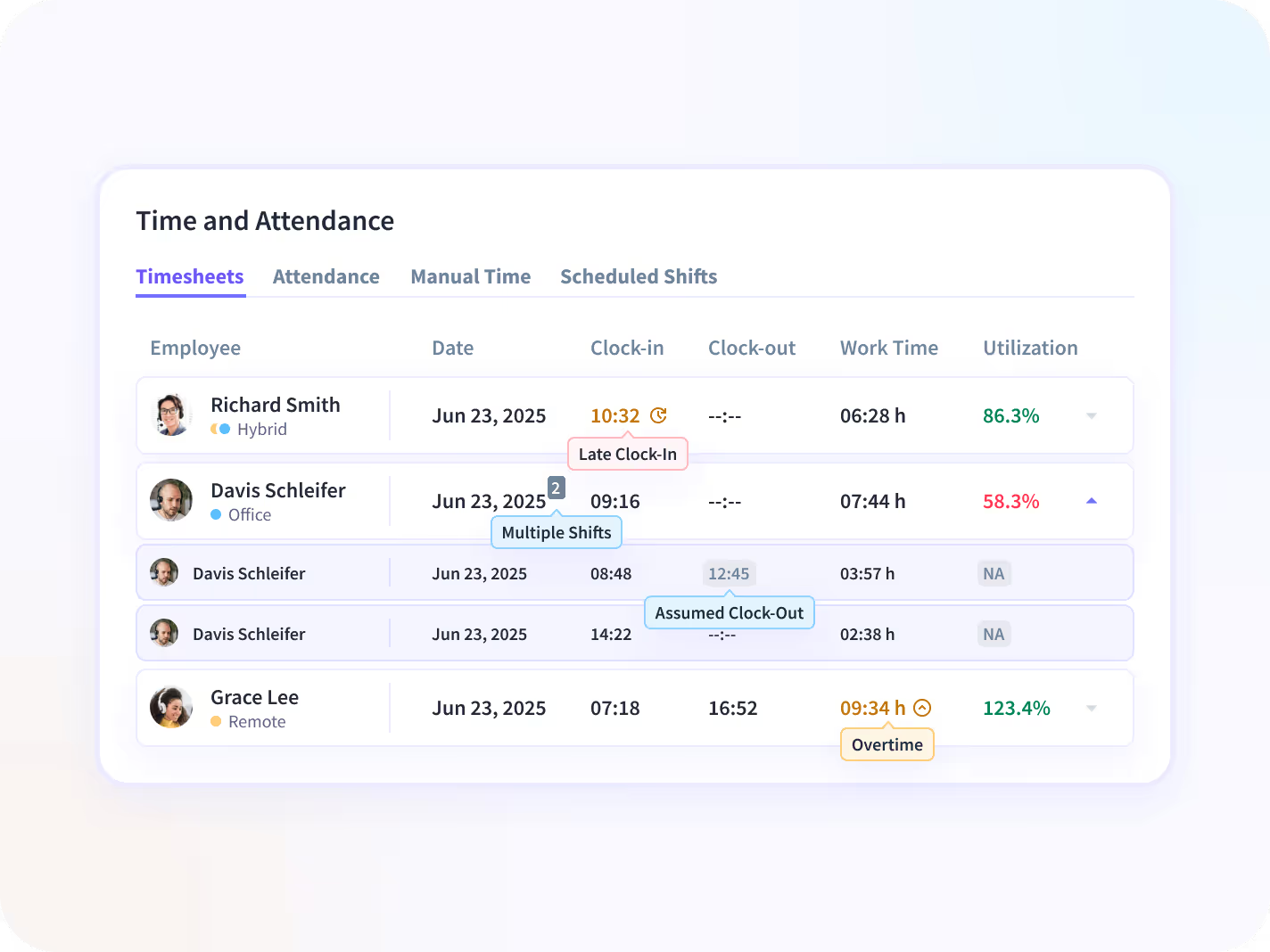
Attendance is calculated automatically from computer activity, so timesheets reflect actual work time, not arrival time. That removes the burden of manual time calculations from employees and managers alike, while supporting labor law compliance.
Insightful integrates with the tools your team already uses
Top project management, HRIS, and communication tools connect natively, including Jira, Asana, ClickUp, BambooHR, GitLab, and more. With over 50 integrations available, connecting your team’s top tools is just a click away.


Used by 5,000+ organizations worldwide




Tanya Holmes
Director of Client Services, Botkeeper

Shaun VanWeelden
Managing Director, Mercor

Grant Knaggs
COO, Caduceus Health
How do you want to securely store your data?
Cloud Solution
The best option for teams who want a fast, easy setup in just a few minutes. No tricky setup, added technical equipment, or involvement from your IT team. Your data is safely stored on industry-leading Google Cloud infrastructure using the latest security standards.
On-Premise Solution
Wanting to store your data on your own servers?
Our on-premise solution is for teams who don’t mind a little extra technical effort and have the IT team to pull it off. Your company provides the servers, we use them to store our data.
Insightful holds a SOC 2 Type II report, audited annually, and supports HIPAA, GDPR, and CCPA compliance, whether your data lives in the cloud or on your own servers. Data is encrypted with AES-256 at rest and TLS 1.2 in transit, and role-based access keeps each admin, manager, and employee to their own view. See security and data retention details.
The employee monitoring software guide for businesses of all sizes
Last updated: November 2026
Employee monitoring software analyzes continuous activity signals from desktop devices to measure team productivity. Effective platforms then transform those activity inputs into reports and process insights managers can act on. This guide covers what employee monitoring software captures, the decisions it enables for organizational leadership, and how to introduce it without losing your team's trust.
01: Why Do Companies Use Employee Monitoring Software?
Unmonitored work usually remains invisible until it becomes a problem. A missed deadline, a client who was overbilled, or a team that stopped hitting quota land as costly surprises if there’s no visibility into underlying activity.
It’s an eye-watering realization for any executive, founder, or manager trying to run a productive, profitable business. When you're in charge of a team, it's easy to feel powerless to do anything about wasted time, because in a modern digital workplace, watching every click, scroll, and tap by hand isn't possible. Left unchecked, today's digital working environments can turn into the Wild West: hours lost to social media, budgets running over, and “looking busy” indistinguishable from actually working. This is where employee monitoring software steps in.
{{divider-1}}
02: What Should You Consider Before Choosing Employee Monitoring Software?
Before choosing a platform, five questions tend to separate a good fit from a frustrating one: what features you actually need, how much customization matters for your workflows, what the total cost looks like once add-ons and seats are factored in, how complex installation and rollout will be, and how your employees are likely to react.
The rest of this guide works through each of these in detail, along with the logistical and practical questions that come with any monitoring decision.
{{divider-2}}
03: What Can Employee Monitoring Software Actually Do?
Employee monitoring software is a category of workplace technology that measures how employees use work devices during work hours (such as applications and website usage, active time, attendance, time-on-project, and more) and turns that activity into productivity reporting for managers.
It provides real-time visibility into team productivity, and is especially popular for remote, hybrid, and distributed teams. It enables managers to rebalance workloads, identify employees at risk of burnout, and coach the habits of their top performers across an entire team.
See what your team is actually spending time on. Start your free 7-day trial with Insightful.
{{divider-3}}
04: What Type of Employee Activity Can Be Monitored?
Employee monitoring software can track several distinct categories of activity, each with a different level of privacy sensitivity.
{{divider-4}}
05: What Data Does Employee Monitoring Software Give You?
Beyond raw activity logs, employee monitoring software turns data into decisions. That includes productivity analysis at the individual, team, and company level; workforce analytics that show what's driving spikes and dips in output; visibility into which apps and software are worth paying for; time and attendance charts that show how real hours worked align with planned shifts; and automated time tracking that measures billable vs. non-billable hours for accurate payroll and invoicing.
{{divider-5}}
06: Is Employee Monitoring Software Right for Your Business?
Some common workplace challenges tend to push a business toward monitoring software: inconsistent productivity across a remote or hybrid team, difficulty proving billable hours to clients, uncertainty about where budget is actually going, repeated missed deadlines with no clear cause, disputes over hours worked, difficulty onboarding new hires without a lot of hand-holding, and a general sense that no one has visibility into how the day is actually spent.
[fs-toc-omit]Option 1: Keep Managing It Manually
Managers attempting to keep up with productivity, time, and attendance across an entire team can quickly become untenable at scale. Add in multiple time zones and a distributed workforce, and maintaining accurate workforce data becomes virtually impossible.
[fs-toc-omit]Option 2: Automate Employee Monitoring
The increasingly popular choice is deploying employee monitoring software that analyzes computer time and activity automatically, whether employees are in the office, in a meeting, or working from another city entirely.
{{banner-1}}
{{divider-6}}
07: How Does Employee Monitoring Help Productivity, Performance, and Costs?
✅ +24% more efficient business processes
✅ +15% more accurate clock-ins
✅ +10% more active daily time
✅ +32% productivity increase for office teams
✅ +26% productivity increase for remote teams
✅ +23% more accurate payroll
✅ Up to $10 million in time saved annually
{{divider-7}}
08: What Types of Teams Rely on Employee Monitoring?
With the flexibility of today’s remote monitoring software, teams from every industry imaginable rely on it as a way to conduct employee productivity monitoring:
- Office workers
- Remote workforce/Teleworkers
- Enterprise
- Fast Growing Businesses
- AEC (Architects, Engineers & Construction)
- Startups
- Lawyers
- SMBs
- Accounting Agencies
- Software Development
{{divider-8}}
09: What Will Employee Monitoring Look Like in Your Business? (Real Case Studies)
[fs-toc-omit]Oklahoma Heart Hospital Cuts an 80-Hour Review Down to 30 Minutes
Oklahoma Heart Hospital's 85-person IT team needed a way to move to hybrid work without losing oversight of who was doing what. Before Insightful, evaluating a single employee's productivity meant piecing together network access reports and Active Directory logon files by hand, a process that ate up roughly 80 hours per review. That same assessment now takes about 30 minutes. The hospital also used the data to right-size its software licensing, avoid adding two full-time positions by coaching other staff in the habits of its top performers, and redistribute the workload of a key team member who was quietly struggling before it became a bigger problem.
[fs-toc-omit]A National Law Firm Uncovers Seven Figures in Hidden Capacity
A 700-person law firm that had shifted to fully remote work found itself second-guessing nearly every headcount request, with no real way to confirm whether the team was overloaded or simply working differently than leadership assumed. Performance reviews took 20 to 30 hours each and pulled data from seven separate sources just to build one employee's picture. After deploying Insightful, the firm used Productivity Trends and the AI Adoption Report to see how remote work was actually distributed across the business, and found its assumptions didn't match reality. The visibility avoided over seven figures in unnecessary hiring, cut review cycles by 20 to 30 hours per employee, and lifted both caseload and client satisfaction scores.
[fs-toc-omit]A PE-Backed Software Company Replaces Guesswork with Evidence
At a 700-person, fully remote software company, an engagement survey found that 85% of employees believed their colleagues weren't working as hard as they were, a perception gap that was straining trust across the team. Leadership turned to Insightful to measure utilization, which surfaced a workload split as wide as five productive hours a day on some teams versus eleven on others. With that evidence in hand, managers could coach based on data instead of instinct. Productivity rose 40% following the rollout, and the company found a direct correlation between engagement scores and output across all 700 employees.
{{banner-2}}
{{divider-9}}
10: What Are the Pros and Cons of Employee Monitoring?
[fs-toc-omit]Less Time Wasted
Time drains rarely show up as one big event. They show up as ten minutes here, twenty there, spread across a team and a month until they add up to a real cost. Monitoring software surfaces that pattern early, before it becomes a budget problem.
[fs-toc-omit]Enhanced Productivity
When managers can see where time actually goes, they can act on it directly: reassigning workload, flagging a process that's taking longer than it should, or recognizing the achievements of a team that's ahead of target.
[fs-toc-omit]Less Admin
Automatic time and attendance tracking removes a layer of manual timesheet review and correction that otherwise falls on managers every week.
[fs-toc-omit]A More Engaged Team
Employee engagement is a real problem, one that’s an increasingly large challenge year over year. Gallup's State of the Global Workplace: 2026 Report found that only 20% of employees worldwide were engaged at work in 2025, the lowest level since 2020, at an estimated cost of $10 trillion in lost productivity worldwide. Visibility into workload, paired with recognition for the work that's actually happening, is one of the more direct ways to counter that trend.
[fs-toc-omit]Prioritizes Focus
Knowing that work is measured tends to reduce the low-level multitasking, constant app-switching, and background browsing that erodes a workday one tab at a time.
[fs-toc-omit]Clearer Direction
As Henry Ford put it, “If everyone is moving forward together, then success takes care of itself.” Monitoring data gives managers a shared, factual reference point for what “moving forward” actually looks like, instead of relying on impressions alone.
[fs-toc-omit]Cons of Computer Monitoring Software
[fs-toc-omit]Impact on Team Culture
Culture takes years to build and very little time to damage. Monitoring introduced badly, without explanation or a clear purpose, can read as distrust even when that isn't the intent. Introduced well, with transparency and a real business reason attached, it can support culture instead of undermining it.
[fs-toc-omit]Perceived Lack of Privacy
Employees sometimes worry that monitoring means every detail of their day, not just their work, is visible to management. Being specific and public about what is and isn't tracked (see the activity table above) is the direct answer to that concern.
[fs-toc-omit]Perceived Lack of Trust
Introducing monitoring, or even asking questions about how someone spends their day, can read as a signal of distrust regardless of intent. Framing it around the business problem it solves, rather than around any individual, reduces that read.
{{divider-10}}
11: Is Employee Monitoring Legal?
Note that this is not legal advice. This section is a starting point for understanding the legal landscape, not a substitute for advice from an attorney licensed in your jurisdiction.
[fs-toc-omit]US Federal Law: The ECPA
At the federal level, the Electronic Communications Privacy Act (ECPA) generally allows employers to monitor communications on company-owned systems, done for legitimate business purposes (see 18 U.S.C. § 2510(5)(a)).
[fs-toc-omit]State, National, and Regional Notice Requirements
For a deeper look, see Insightful’s piece on Employee Monitoring Laws.
{{divider-11}}
12: How Do You Choose the Best Employee Monitoring Software? (Important Things to Look For and Avoid)
[fs-toc-omit]1. What Are Your Goals?
Most teams purchasing monitoring software are solving for one or more common goals: proving billable hours, catching budget overruns early, reducing timesheet disputes, managing a remote or hybrid team fairly, improving onboarding, benchmarking productivity across locations, preventing time fraud, planning capacity, supporting payroll accuracy, identifying process bottlenecks, and/or building a defensible compliance record.
[fs-toc-omit]2. What's the Makeup of Your Team? (Remote vs. Office vs. Hybrid Employee Monitoring)
Office-based teams and remote teams have distinct setups with distinct needs. Historically, monitoring was less of a challenge in an office, where managers get a sense of time, attendance, and activity by walking the floor. But when your employees are thousands of miles away, measuring activity and productivity becomes a challenge without real visibility. And hybrid teams, now the most common arrangement for many businesses, need consistent reporting regardless of where someone works that day, so comparisons across the team stay fair.
[fs-toc-omit]3. What Employee Tracking Features Do You Need?
Feature needs vary by team, but most businesses are choosing between off-the-shelf monitoring and a more in-depth work data platform. Insightful's Workforce Analytics delivers the latter: comprehensive employee monitoring and time tracking, alongside advanced reporting and analytics, at $8 per seat per month.
[fs-toc-omit]4. Will Your Software for Employee Monitoring Grow with You?
Four things tend to matter as a company grows: how much historical data storage is included and what it costs to extend, whether the platform scales smoothly from 50 to 500-plus employees without a re-implementation, what level of support is available at each tier, and how much the reporting and rules can be customized as needs change.
Security and compliance matter here too. Insightful is SOC 2, HIPAA, GDPR, and CSA compliant, with data encrypted in transit and at rest. A vendor without comparable compliance standards may not meet requirements that a growing company's own customers or regulators will eventually ask about.
[fs-toc-omit]5. What's the Real Cost of Employee Monitoring?
For some platforms, hardware and installation take time, especially across a large or distributed fleet of devices. Integrations with payroll, HRIS, or project management tools may cost extra or take engineering time to set up. Data delays (some platforms report activity in near real time, others batch it) can affect how useful the reporting is day to day. And system performance matters: an agent that slows down every employee's machine creates a cost of its own, in complaints and lost productivity.
{{divider-12}}
13: How Should You Interpret Monitoring Data Responsibly?
A drop in a single productivity metric can mean someone is struggling, or it can mean they spent the afternoon in a client call and never touched a keyboard. Treating one number as the whole story is where monitoring programs can lose employee trust fastest, and it's also where they produce the worst management decisions.
At the individual level, employee monitoring is most valuable for identifying coaching opportunities, spotting signs of burnout, or simplifying time tracking by project or task.
But effective monitoring software really shines at the team and organizational level. It should provide insights into real work patterns, processed into work days and workflows. It should enable smart, sustainable staffing and software strategies. A metric that simply rewards time clocked in or constant keyboard activity isn’t enough.
{{divider-13}}
14: How Do You Roll Out Employee Monitoring to Your Team?
Be transparent. Before installing anything, the best practice is to communicate the plan clearly: what's being installed, why, and what it's meant to improve.
Talk about the benefits to them. Show employees what's in it for them directly: accurate payment for freelancers and contractors, recognition for work that was previously invisible, and a more efficient team overall.
Make them part of the process. Bring key team members in early, including asking them to help evaluate which tool to buy. Involvement early tends to produce buy-in later. Once deployed, consider giving employees access to their own dashboards.
Put it in a policy. Have a written employee monitoring and privacy policy in place before rollout, in language that doesn't require a law degree to understand.
{{divider-14}}
15: Try Employee Monitoring in Your Business for FREE
Try Insightful free for 7 days. See advanced reporting and analytics for yourself; no credit card required.
{{divider-15}}
See What Automated Employee Monitoring Looks Like for You
Improve Productivity Based On Hard Data, Not Gut Instinct
Resources
Computer Tracking Software: A Blessing or a Curse?
The Best Computer Monitoring Software for Enterprises?
When to Use a Screenshot Feature?
How to Categorize Employee Computer Activities?
How Much Does Employee Monitoring Software Cost?
How to Monitor Employees' Computer Activity

Make the most of every hour with employee monitoring software
FAQs
Employee monitoring software tracks how employees use company time and devices, covering app and website usage, active and idle time, and task progress. It helps employers spot productivity trends, verify billable work, and improve operational visibility. Insightful does this with no messages or documents captured and no keystroke logging, focusing on work patterns rather than personal content.
Pricing depends on team size and plan. Insightful’s plans start at $8 per seat per month on the Analytics plan, which includes Workforce Analytics: time and attendance, productivity, and app and website usage. The Insights and Intelligence plans build on it; see the pricing page for what each includes.
No. Insightful tracks time, activity, and app and website usage without logging what employees type. It shows how work happens, not the content of individual keystrokes.
The best fit for growing teams balances data depth with ease of rollout. Insightful pairs itemized activity tracking, screenshots, and productivity labeling with flexible deployment and transparent, employee-facing dashboards, making it a strong option for teams scaling past 50 to 500+ employees.
Yes, when enabled by managers. Insightful's Employee Login gives team members access to their own activity and time data, supporting transparency instead of one-directional monitoring.
Yes. On personal computers, Insightful runs in Visible Mode and records activity only while the employee is clocked in. On company-owned computers, we recommend Visible Mode with an employee-facing view; you can turn visibility off per team where your policy and local law allow.
Yes. You can try Insightful free for 7 days with full access to Workforce Analytics, which includes comprehensive employee monitoring features. No credit card required.
Software automatically collects and analyzes activity such as app and website usage, active time, and screenshots, based on the rules a manager configures. That activity is categorized (productive, unproductive, neutral) and surfaced in a dashboard as time and attendance records, productivity trends, and reports.
Employee monitoring gives managers visibility into how work actually gets done, so small time drains are caught before they become budget problems. Automatic time and attendance tracking cuts down on manual timesheet review and improves payroll and billing accuracy. Teams also tend to stay more focused, with less app-switching and background browsing. Managers get a factual basis for recognizing strong work and supporting engagement.
Monitoring data helps managers make workload, spending, and staffing decisions based on evidence rather than impressions. They can rebalance workloads between overloaded and underused team members, spot early signs of burnout, and coach the whole team in the habits of top performers. The same data shows which software is worth paying for, where processes are slowing down, and whether a new hire is really needed.
Broadly yes, though some countries and several US states require advance notice before any electronic monitoring begins, and most jurisdictions require a legitimate business interest in conducting the monitoring.


