.svg)


Bill for the hours the work took, at the rate the contract sets
The invoice gets built from a timesheet assembled on Friday, and whatever missed it is gone. Insightful records hours as the work happens and prices them at the rate set for that client.


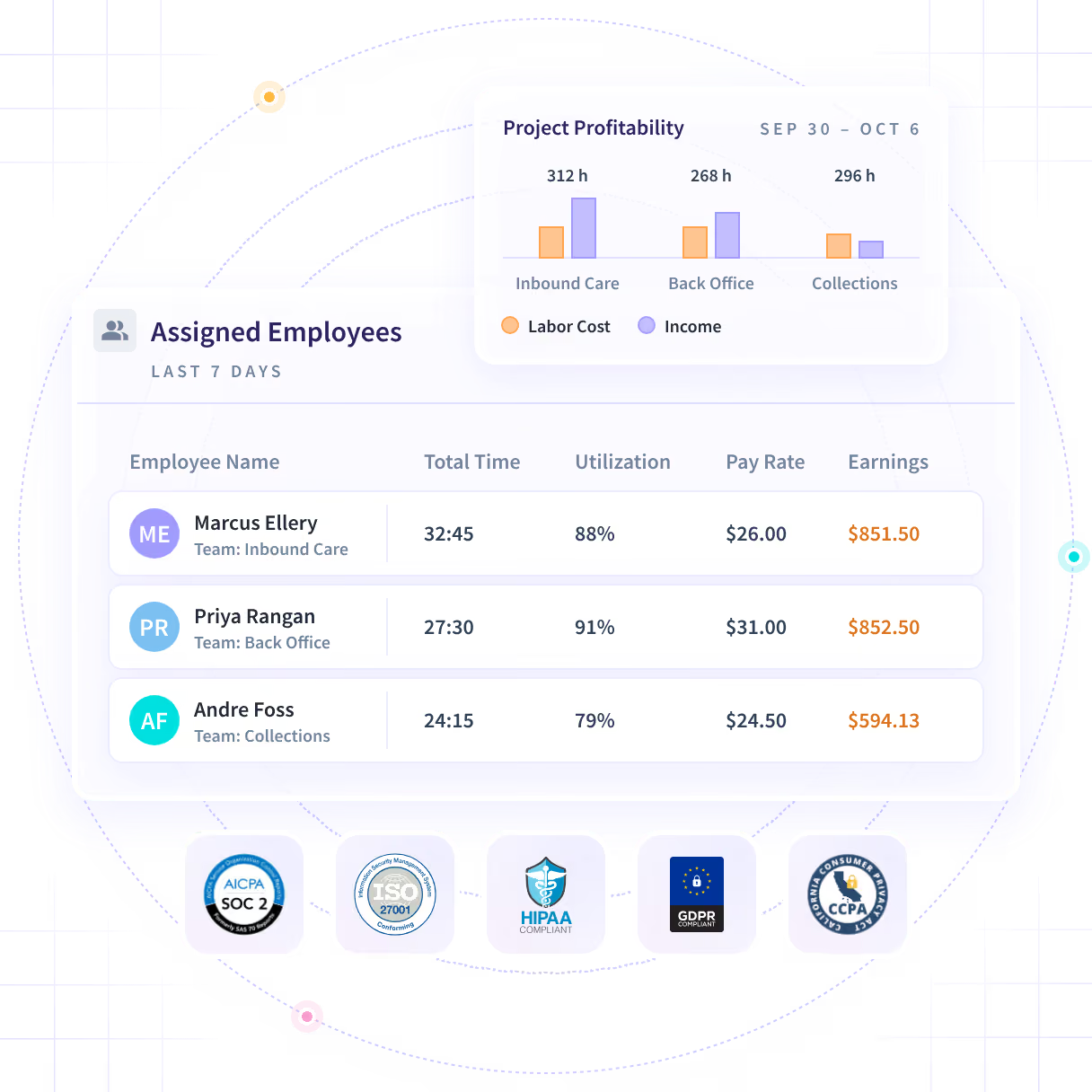











Three hours a week per person, across 1,500 people, off manual timesheets.

At Caduceus Health, down from 14%, per its case study

Across Customer Support and VIP Support teams.
Turn the hours worked into the hours billed

Without Insightful

Somebody assembles the week from memory, and the gaps never make it on.
A rate gets applied later, by hand, in a spreadsheet somebody maintains.
The project is finished and the margin is already whatever it is.
Defending an hour takes longer than conceding it, so it gets conceded.
Every progress question becomes something delivery has to build by hand.

With Insightful

Hours land against the client and the project from the moment work begins.
Recorded time is priced at the rate set for that client and that service.
Hours against the project are readable in the week they are spent.
The applications and the time in each are already under the entry.
Gated access to that client's projects and the hours recorded against them.
Bill from the week rather than from a timesheet
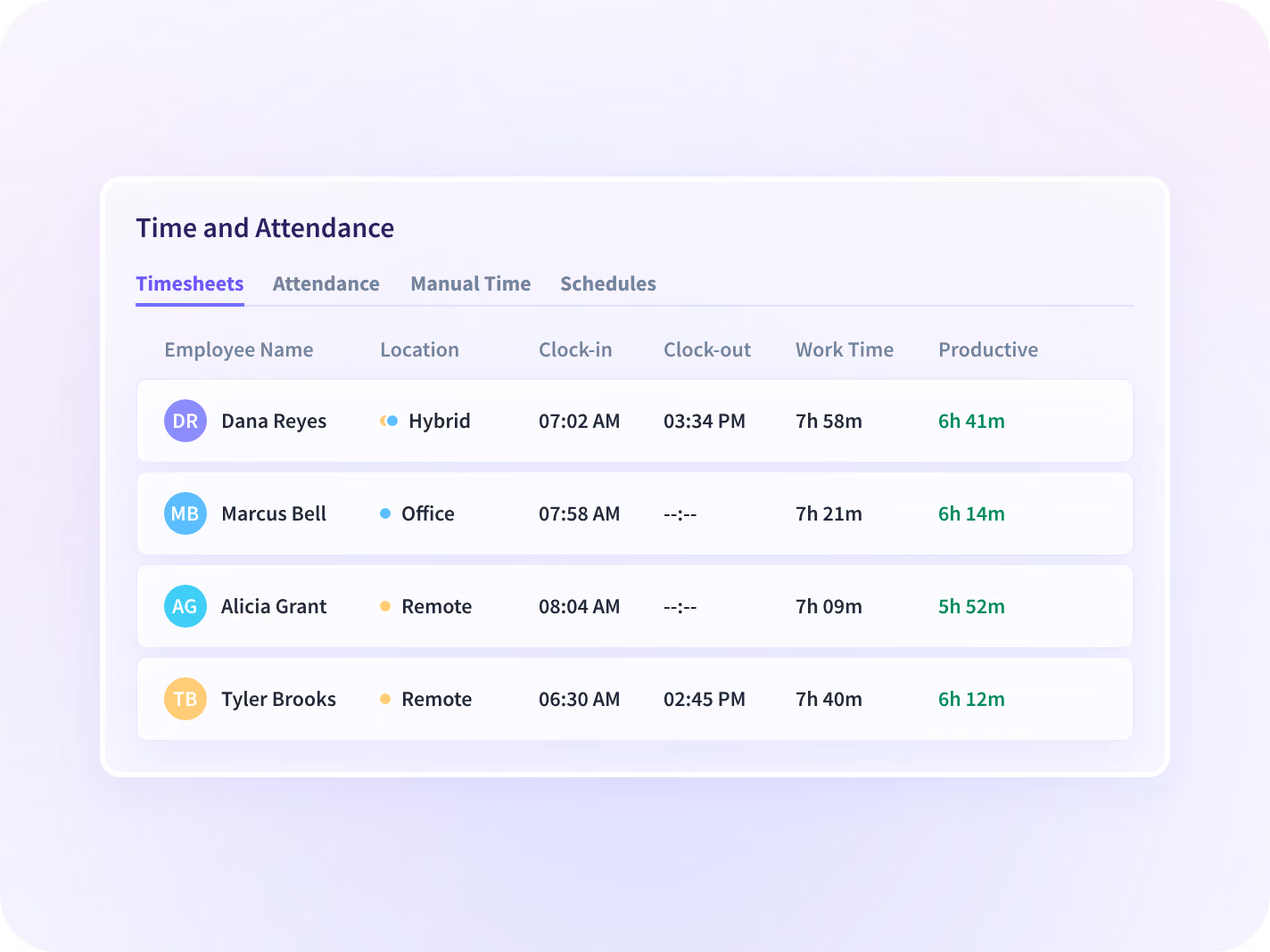
Hours record against the client, the project and the task as the work happens, and carry the rate set for that client and that service. What reaches the invoice is what the week held.
- Worked, on break and off schedule, on one record for each person.
- Every manual correction carries who made it and who approved it.
See what an engagement is costing while it runs
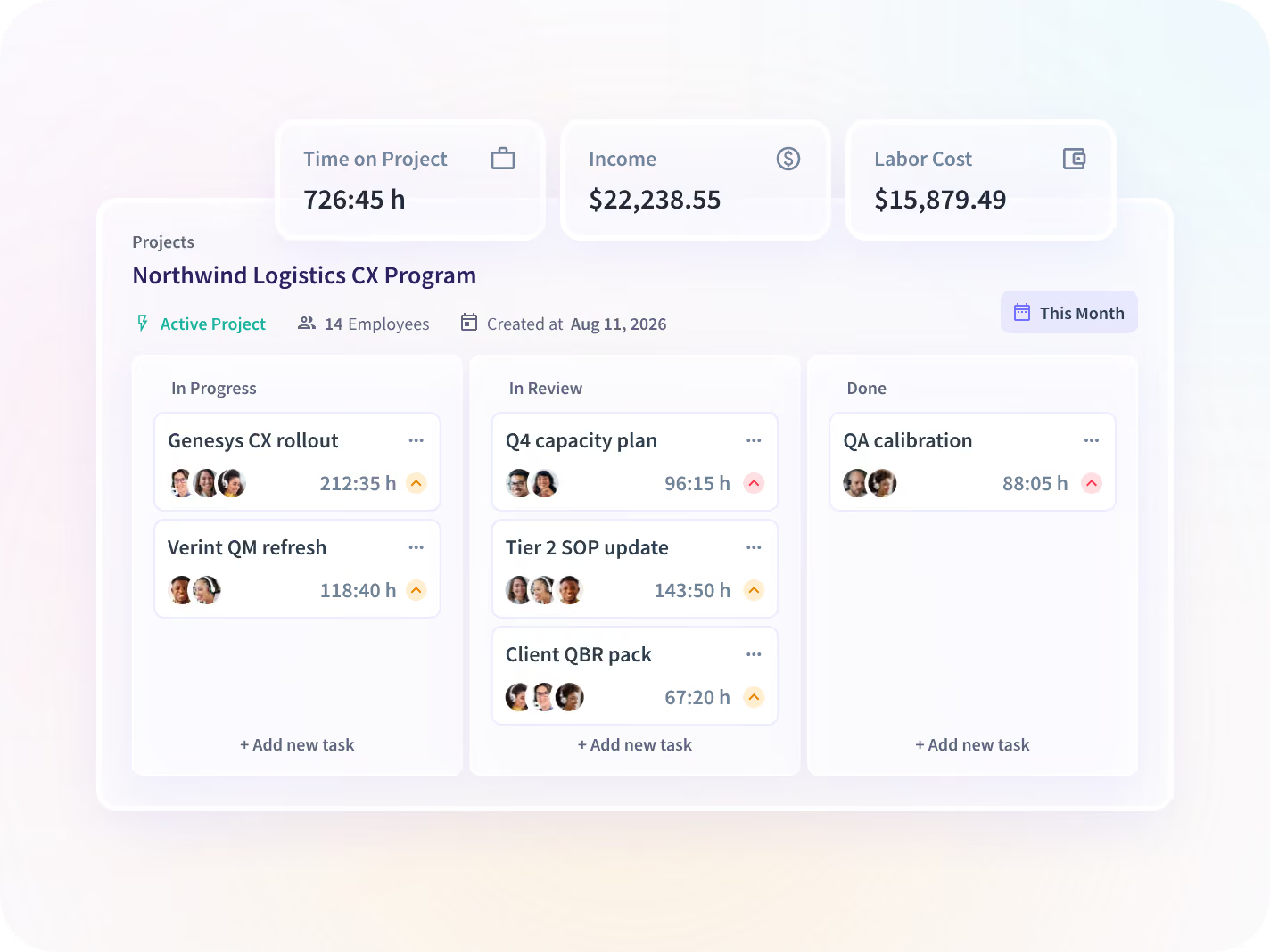
Recorded hours attach to the project and the task without anyone self-reporting, so a fixed-fee engagement shows what it is consuming in the week rather than at closeout.
- The last three engagements of the same kind, week by week, beside this one.
- Hours reach a project from the applications and files people work in.
Settle the next query by email
Catch the overrun with time left to price it
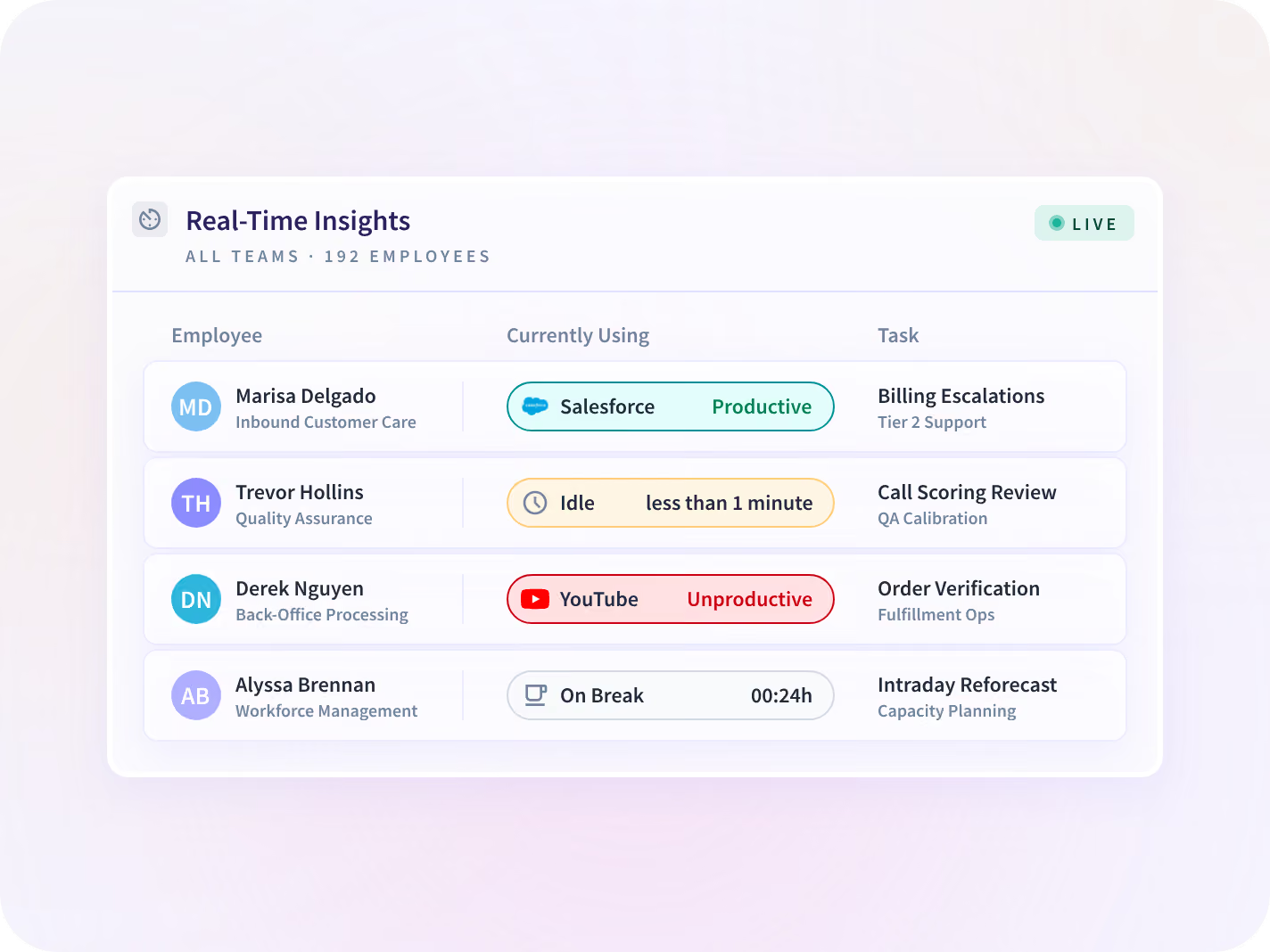
The live view shows the teams working on each account right now, and in what. A budget heading past its scope is visible while there is still a conversation to have about it.
- Today's hours against the account, without waiting for a report.
- Which teams are on which account right now, and in what.
Answer a queried hour without a meeting
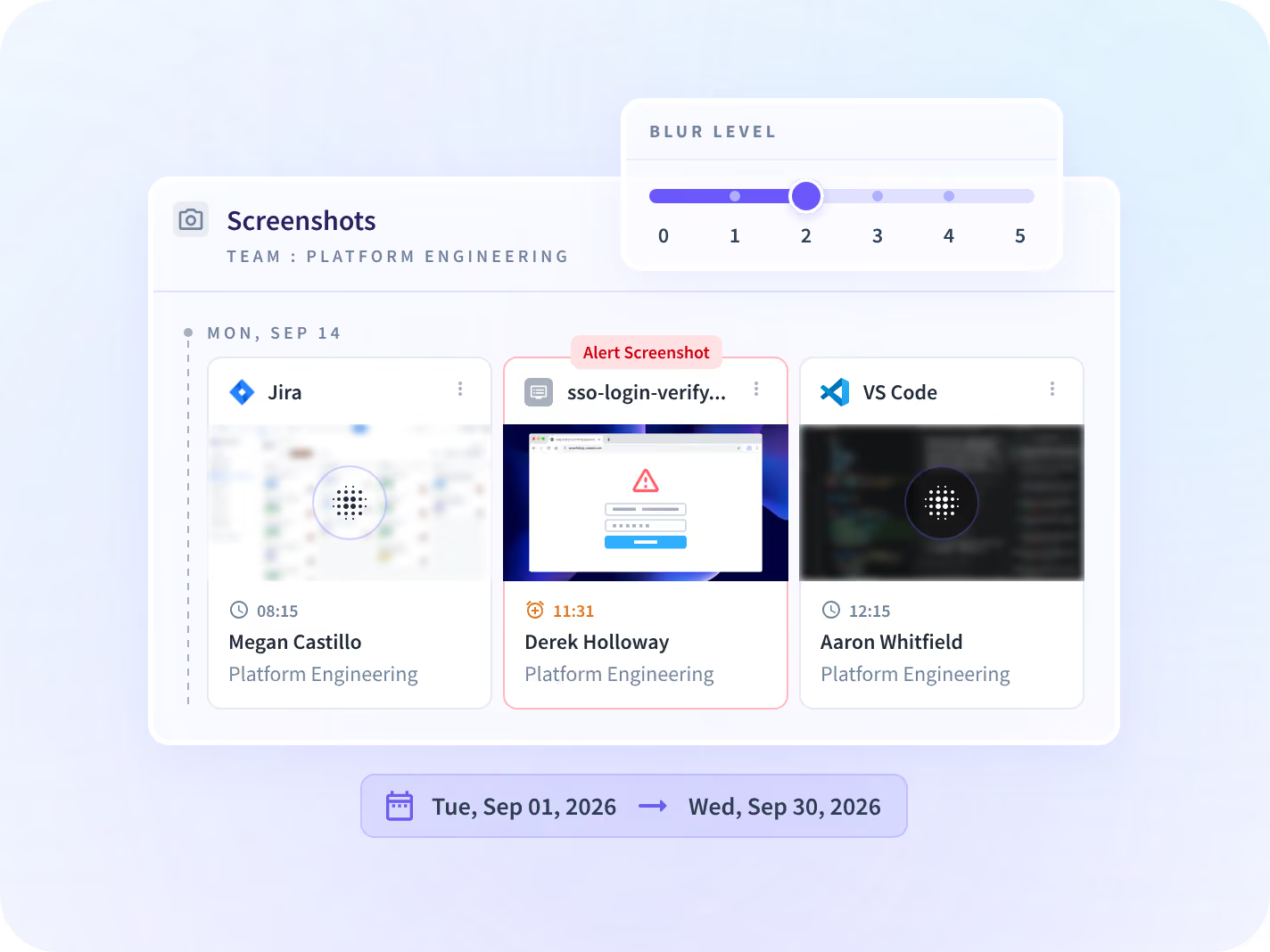
The applications and the working time in each sit under every entry, plus the screenshot from that window where screenshots are enabled. Conceding the hour stops being the cheapest way to close it.
- Blurred, or off entirely, per application, per team or per person.
- No keystroke logging, no webcam capture and no microphone capture.
A login scoped to one client's own work
Client login gives an end client gated access to their own projects and the hours recorded against them. The rest of the workspace, and every other client's work, sits outside it.






Three questions a billing week raises
An invoice you can defend settles the query and then opens the next question. These three are the ones a delivery lead asks in the same week, and each has a page that answers it properly.

Can we staff the accounts we already signed?
Utilization by person, team and site, read against the work already on the books.

Is one account running a person hot?
Where the billable week sits against the rest of it, member by member across a team.

Were the billed hours the worked hours?
The contract-team version of the same question, where the hours arrive from outside the building.
Teams that bill the hours the week held
These operations bill hours somebody else checks. The number now comes off the work itself rather than off a form filled in at the end of the week.







Every system the invoice is raised in, connected
Your accounting system, your PSA and the project tool the work is booked against sit beside the hours, and nobody re-keys a number between them. You can talk to your work data with MCP connectors.


Find the hours that never reached an invoice
What delivery and finance leaders ask us most
No, and plenty of client-facing teams never switch them on. Screenshots blur, or turn off entirely, per application, per team or per person, and that is set before deployment rather than found afterwards. Where they are off, a queried line is answered with the applications used and the working time in each, which settles most questions and not every one. The line that needs the window itself is the one worth turning them on for.
In two steps, and neither of them is somebody typing. Insightful is a work insights platform. It collects hours, application use and meeting load from desk-based teams and reports them by team, each measure against the period before. On this job the desktop application records hours on the computer the work happens on, and automatic project and task mapping assigns that time to the client and the work it belongs to. Rates are then set for the service and the client receiving it, so recorded time carries a value rather than waiting for a spreadsheet. Time spent away from that computer is not in the number, which is worth settling before the first invoice is built this way.
The evidence behind the entry is already attached: the applications used, the working time in each, and the screenshot from that window where screenshots are enabled. That turns a dispute meeting into an emailed attachment, and it changes the default answer from a write-off to a billed hour. It also changes what the conversation is about, because a client arguing with a record argues differently from a client arguing with somebody's recollection.
No to both. It produces the hours, the rate against them and the evidence behind them, and stops there, so invoices are still raised in the system you already use, with 50+ integrations carrying the numbers across rather than anyone re-keying them. It is also not a punch clock. It runs on a desktop application and suits salaried, contract or hybrid teams already working on a computer. A frontline, field or shift workforce that needs a time clock is a different product category, and this is not it.
Time and Attendance is the hours themselves: worked, on break and off schedule, and who approved a correction. This page is what happens once those hours have a client and a rate against them, which is an invoice, an engagement you can still steer, and a line that answers a query on its own. Read that page if the question is how time gets recorded. Read this one if the recording is settled and the problem is what the client is charged.
