


On this page
Measure the work, not the signal.
See productive time and utilization by team, not just what looks active.


Key takeaways
- Work from home productivity tracking and micromanagement can draw on the same data. What separates them is purpose, scope, and transparency.
- Healthy tracking reviews team-level trends and outcomes on a weekly or monthly rhythm, and collects only what a specific decision needs.
- Research finds that surveillance doesn't raise performance on average, and output suffers when managers don't explain why it's there.
- Unusual data is a reason to talk with the employee, and there are six warning signs to start an audit with before you add another tool.
Remote work removed the informal signals managers relied on. In an office, you could see who was stuck, overhear about a delayed project, or walk over and ask how a task is going. At home, that visibility disappeared, and many managers have reached for work from home productivity tracking software to replace it.
Used well, tracking reveals workload problems, workflow bottlenecks, and meeting overload, and it helps protect focus time. Used badly, with mouse-movement tracking, constant screenshots, and idle-time alerts, it leaves employees wondering whether every minute is being judged.
The tool is rarely the difference. What matters is why you collect the data, how much you collect, who sees it, and what happens next. This article draws a practical line between the two, lists six warning signs you've crossed it, and shows how to track remote employees without micromanaging.
What is work from home productivity tracking?
Work from home productivity tracking is the use of software and agreed metrics to understand how remote work time is spent, how workload is distributed, and whether output goals are being met. It looks for patterns and outcomes. Surveillance, by contrast, watches individuals in real time.
Remote employee productivity tracking typically covers:
- Time and attendance
- Active versus idle time
- App and website usage
- Focus time
- Project and task time
- Output against goals
Legitimate reasons to track include accurate payroll and client billing, balanced workloads, early signs of burnout, compliance, and evaluating a change in work model. In each case, the aim is to use the data to improve how work gets done.
What micromanagement looks like in a remote team
Micromanagement is excessive control over how and when employees work, with less attention to whether the work gets done. It slips into remote teams easily, and the signs of micromanagement are familiar.
Examples of micromanagement are:
- Expecting an immediate reply to every message
- Constantly checking who's online
- Scheduling check-ins just to see what people are doing
- Reviewing activity logs minute by minute because you can't see the team working
Remote work amplifies the habit. Low visibility creates uncertainty, and uncertainty makes presence feel like proof of productivity. Attention then shifts to green status lights, active time, and quick replies. But presence and performance are different things, and productivity theater is rife in remote work.
Software isn't required to micromanage. A manager can micromanage through constant messages, approvals, and demands for updates. Tracking tools can amplify the habit, but they don't create it.
Where does tracking end and micromanagement begin?
Two tests for any metric you track
The same software can help one team work better and make another feel constantly watched. Two tests make the line concrete.
The "So what?" test. Pick any metric you track and ask what you'll do with it. If the answer is to change the work, such as rebalancing workloads, cutting meetings, removing a bottleneck, or protecting focus time, you're tracking productivity. If the answer is to check what an employee is doing, such as why they were idle or offline, you're micromanaging.
The sit-beside-me test. Imagine the employee next to you, looking at the data you collected about them. Can you explain why each metric is there? If you can't, you're probably collecting more than you need.
How tracking and micromanagement compare
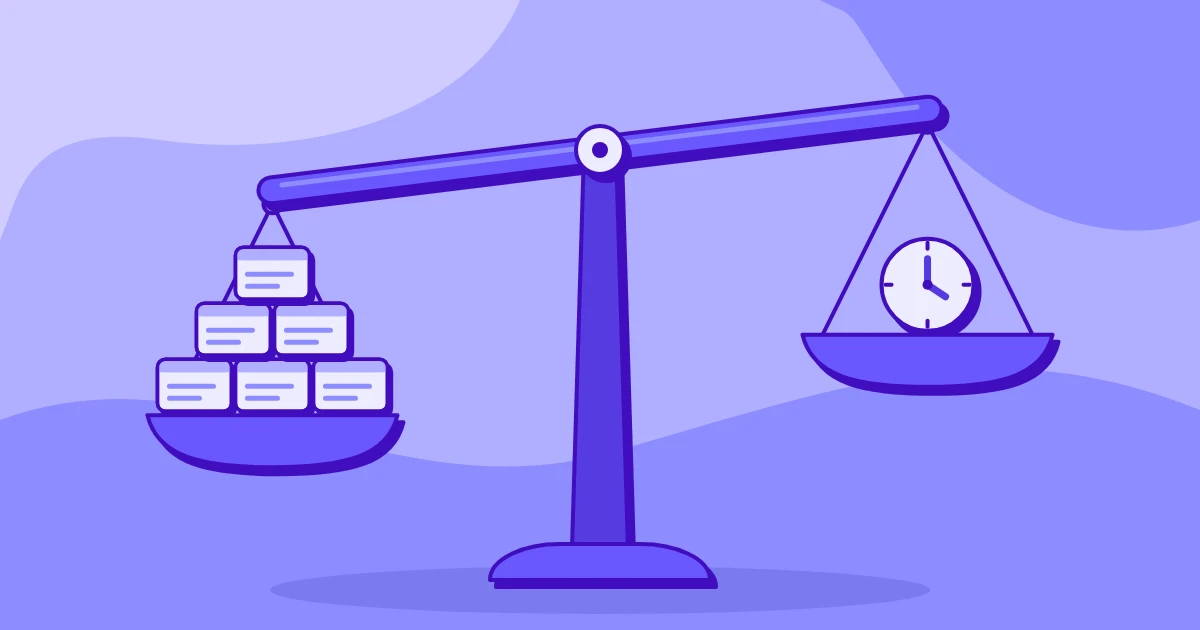
The pattern is simple. Productivity tracking looks at trends and outcomes. Micromanagement looks at individuals and moments.
6 signs tracking has turned into micromanagement
Tracking rarely turns into micromanagement overnight. More often, a manager adds one check, one metric, or one rule at a time. These six signs show where that drift has gone too far.
1. Employees don't know they're being tracked
Employees who discover hidden tracking on their own will read even legitimate data collection as surveillance, and trust drops. Instead, tell employees what you collect, why, who can access it, and how it will be used.
2. You check data throughout the day
Watching activity feeds or status changes all day measures whether people look busy and says little about results. Instead, review weekly or monthly trends, and drill into one person's data only when there's a specific reason.
3. You treat idle time as a performance problem
Ten inactive minutes don't say what happened. Someone may be thinking, on a call, or finishing offline work. Look at patterns and outcomes before drawing conclusions.
4. You rank employees by activity scores
Public rankings turn a metric into a target, and people start optimizing the score instead of the work. Use activity data as context for a conversation and keep it off leaderboards.
5. The data replaces the conversation
A dashboard can show that something changed. It can't always explain why. Treat unusual data as a reason to ask questions before you judge performance.
6. You collect data you never use
Keystrokes, frequent screenshots, and highly detailed activity logs add little where output is easy to measure. Ask what decision each metric supports, and if you can't name one, stop collecting it.
Track enough to understand how work is going, and stop short of reconstructing every minute of someone's day.
Research on monitoring and employee trust
Monitoring is common and necessary, but the research doesn't show that more of it produces better performance.
A September 2025 GAO review of 122 studies published from 2020 to 2024 found that digital surveillance can increase stress and anxiety, and that the effect depends partly on how transparent employers are about what they collect. It also found that tools built on flawed productivity benchmarks can misjudge performance and lead to low evaluations, lower pay, or discipline.
A 2025 NBER randomized controlled trial in an online labor market found that digital surveillance had no significant effect on worker performance on average. Output dropped when managers didn't explain the use or removal of surveillance in terms of worker performance.
Employee sentiment points the same way. The APA's 2024 Work in America survey, run by the Harris Poll in March and April 2024 among 2,027 US adults, found that 44% knew their employer monitored them electronically, down from 51% in 2023 and 53% in 2022.
Monitored workers were more likely to feel tense or stressed at work (51% versus 38%), to feel micromanaged (47% versus 23%), and to plan to look for another job within a year (39% versus 21%). The report notes these are associations and don't show cause.
Attitudes also depend on context. A 2026 Journal of Business and Psychology analysis of 2023 survey data from 2,515 US workers found that monitoring was negatively related to job attitudes, though it explained little of the difference between workers. Workers who felt micromanaged by monitoring viewed it more negatively, and the authors note the data are correlational.
Managers and employees also read productivity differently, which often pushes managers toward micromanaging. Gallup's 2025 data show 54% of managers of remote workers strongly agreed they trust their teams to be productive, and 57% of employees said they felt trusted.
Gallup found four practices that can raise employee trust by nearly 30 percentage points: consistent communication, a sense of team community, clear accountability for performance expectations, and equal access to feedback and development.
The lesson from the research is to keep tracking, but to make it proportionate, transparent, and useful to the people being tracked.
How to track work from home productivity without micromanaging
All remote work monitoring best practices start with getting clear on what decision the data needs to support.
Before you roll out tracking
- Name two or three questions tracking must answer, such as whether workloads are even, whether projects run long, or whether payroll and client billing hours are accurate. If a metric answers none of them, you probably don't need it.
- Collect only what you need. If project-level time tracking answers your billing question, you don't also need screenshots or keystroke data. Choose the least intrusive option that gives a useful answer.
- Put the rules in writing. A tracking policy should state what data is collected and when, who can access it, and how long it's retained. It should also say what the data will be used for and what it won't be used for.
- Tell employees before tracking begins. Explain why you're introducing it, walk them through what they'll see, and invite questions. Bring team leads into the rollout so the policy is applied consistently.
Once tracking is live
- Review team-level patterns weekly or monthly, and open individual data only for a clear reason.
- Pair activity with outcomes. Ten active hours don't prove high productivity, and lower activity doesn't prove poor performance. Read activity next to completed work, deadlines, quality, or agreed goals.
- Give employees access to their own data. It helps them spot meeting overload, protect focus time, and notice when the workday regularly stretches.
- If something looks unusual, ask what happened before concluding anything.
- Use tracking to protect people by catching excessive workloads, repeated after-hours work, and other early burnout signals.
- Audit what you track twice a year, and drop any metric that hasn't informed a decision.
These practices rest on one principle: collect the minimum data needed to make useful decisions. For a policy template and rollout detail, see the guide to creating an employee monitoring policy.
Notice and privacy laws for remote productivity tracking
Employee monitoring ethics and compliance overlap, but they're different tests: being allowed to collect data doesn't mean you need it. Notice, privacy, and data-handling rules vary by where the employee works, so check them before you begin. A few examples:
- New York: Civil Rights Law section 52-c requires covered employers to give written or electronic notice before monitoring telephone, email, and internet use. Employers must also get the employee's written or electronic acknowledgment and post the notice conspicuously.
- Connecticut: Connecticut already required prior written notice of electronic monitoring. Its amended law, Public Act 26-73, took effect October 1, 2026, and requires the notice to name the workplace locations where monitoring may occur.
- Delaware: Delaware requires notice of monitoring of telephone, email, and internet use, either as a daily electronic notice or as a one-time notice the employee acknowledges.
- Maine: Maine enacted LD 61 in 2026. It requires notice to applicants and employees before surveillance begins, plus an annual written notice. Confirm the effective date before rollout.
- California: The employee exemption under the CCPA expired on December 31, 2022. Employees and job applicants now have rights to know, delete, and correct their personal information and to limit the use of sensitive data.
- European Union: GDPR requires a lawful basis for processing personal data and stresses transparency, purpose limitation, data minimization, and proportionality. National employment rules and works council requirements may also apply.
Take extra care with personal devices, webcams, audio, and any monitoring outside working hours, since these methods can capture far more than you need to measure work. The safest approach is to collect only what you need, say what you collect, and limit tracking to its stated purpose.
This is general information and isn't legal advice. Check applicable laws and consult legal counsel before implementing an employee monitoring program.
Start with an audit of what you track now
Effective tracking looks for trends and outcomes, and it helps managers understand workloads, find obstacles, and improve how work gets done. Micromanagement starts when the same data is used to watch people too closely, question routine behavior, or control how each task is done.
Before adding another tool, audit your current approach against the six warning signs above.
How Insightful keeps tracking transparent
Principles only help if your software lets you control what's collected and who sees it. Insightful's Workforce Analytics starts with teams and trends. Productivity Trends compares productive time and utilization with the previous period of the same length, filtered by employee, team, or org group, so you read a trend instead of judging a single day.
Transparency can extend to employees. When admins enable the permission, employees can open their own dashboards and review their productive and idle time, and their app and website usage.
Tracking settings let admins set idle thresholds, screenshot rules, and employee permissions for each team. Insightful sees the apps, sites and AI tools your people use, and how they use them. It does not log content or capture keystrokes, messages, or documents.
For leaders who want to go further, Work Patterns in People Intelligence shows how each team spends the workday, including meetings and after-hours work, and suggests ways to improve focus and execution.
Start your free trial for visibility into remote work without micromanaging. No credit card needed.
Frequently asked questions
Is tracking employees who work from home legal?
Often yes, but rules depend on where employees work and what's monitored. Some jurisdictions require prior notice, and privacy laws limit how data is used. Check local law and consult counsel before rollout.
Is employee productivity tracking the same as micromanagement?
No. Tracking focuses on patterns, workload, and outcomes, while micromanagement controls how people work moment to moment. The same tool can support either, depending on purpose, scope, transparency, and how managers use the data.
What should employers track for remote employees?
Only what specific decisions need, such as time and attendance, project time, focus time, workload, and output against agreed goals. Skip detailed activity data when simpler metrics answer the same question.
Do employers have to tell employees they are being tracked?
In some places, yes, including New York, Connecticut, Delaware, and Maine. Where no rule applies, explaining what's collected, why, who sees it, and how it's used still builds trust.
How can managers track remote productivity without micromanaging?
Review team-level trends and outcomes instead of minute-by-minute activity, and collect only the data each decision needs. Show employees their own data, and treat unusual numbers as a prompt for a conversation.
Does productivity tracking hurt employee trust?
It can, especially when it's hidden, excessive, or used to scrutinize individuals. A 2025 trial found output fell when managers didn't explain surveillance. Disclosed, proportionate tracking is less likely to damage trust.