


On this page
Measure the work, not the signal.
See productive time and utilization by team, not just what looks active.


Key takeaways
- Help desk automation pays off first on the tickets that repeat: access requests, account changes for joiners, movers, and leavers, and routine resets.
- Answering questions isn't the same as closing tickets, so give agents the approved work behind the queue.
- Ticket counts can't show how much work sits behind a category, so measure the work itself.
- People write the approval rules, own security decisions, and handle every exception.
- Expand to the next ticket type once the first one shows savings that hold up in your own numbers.
According to Gartner's AI Digital Workplace I&O Landscape, typical productivity gains from generative AI tools in digital workplace IT are only 8% to 10%.
To see transformative results, Gartner says, heads of infrastructure and operations need a disciplined approach and AI agents. Help desk automation is how a service desk moves from adding a tool to changing how the work runs.
If you run a service desk, you have probably been asked to add AI. AI for IT operations is the obvious next step, and the easy first move is a chatbot on the portal. It answers questions, but the ticket that needs permissions set in several systems still lands on an engineer.
The better place to start is the tickets that repeat. Pick the ones an agent can finish, hand those over with your engineers approving the work, and prove the savings with your own data.
What is the best IT process to replace with an AI agent?
Start with the service desk tickets that follow the same steps every time: access requests, account changes for people joining, moving, or leaving, and routine fixes like password and MFA resets.
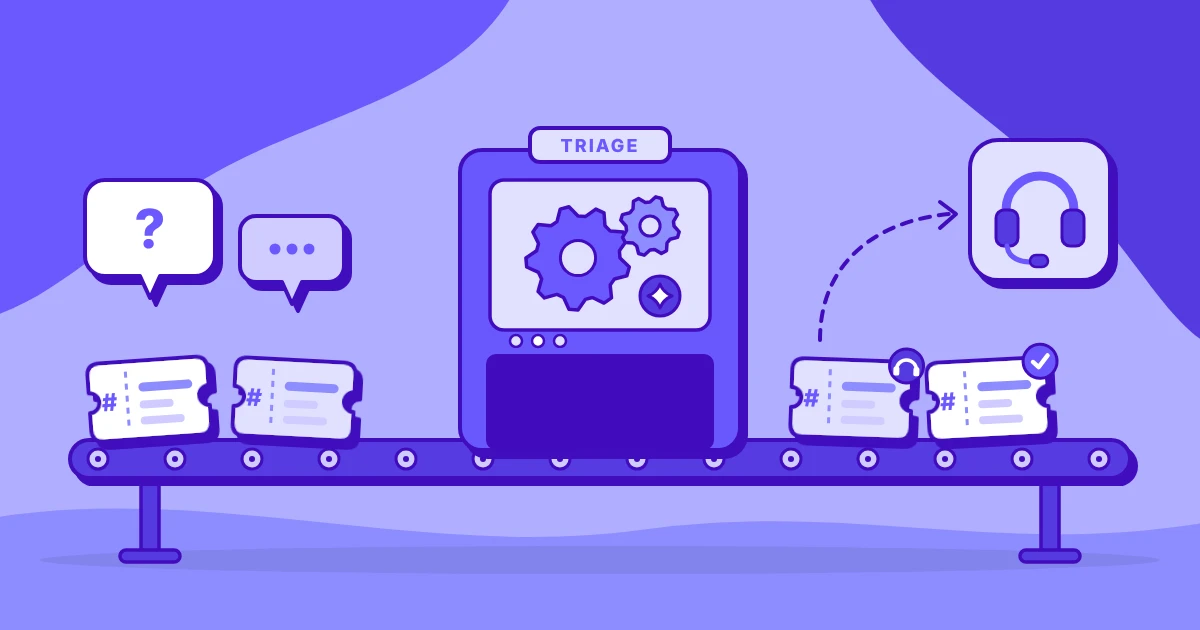
These tickets repeat daily, follow written runbooks, and move between the ticketing tool, identity systems, and chat, so an AI agent can triage, gather details, and complete approved steps while engineers handle exceptions and anything that touches security.
Pick the exact ticket types from measured data on how the work is handled, because ticket counts alone can't show it.
Service desk automation is software and AI agents handling repeatable IT support work, from sorting tickets to completing approved changes.
Take a password reset on your desk. It arrives every day, and the steps are written down. It touches the directory and the ticketing tool, and the identity check already works as the approval rule. That combination is why repeat tickets are the strongest candidates for AI agents for IT.
A written runbook gives the agent its steps. Daily volume makes the savings easy to see. Work across several systems is where your engineers lose time to retyping and switching, and an agent doesn't lose that time. An existing approval rule tells it where to stop and ask a person.
An agent that works a ticket from first read to closing note is agentic process automation at the service desk. It moves through the identity console, the admin panel, and chat, as an engineer would.
Gartner identifies 18 AI use cases relevant to the IT service desk, assessed by feasibility and business value. Of those, use cases built on repeat tickets are where to start.
Why most IT teams start help desk automation in the wrong place
Giving your engineers an AI tool and handing a ticket type to an AI agent are different projects. Teams that blur them start in the wrong place. AI adoption is staff using AI tools in their daily work: Human + AI.
A technician has a chat assistant draft a reply to a user. AI implementation is handing an existing process to AI, with people reviewing and approving: AI + Human. An agent gathers the details for an access request and prepares the change, and a manager approves it before anything is set.
The common mistake with AI in ITSM is a chatbot bolted onto the portal. It deflects a few how-do-I questions, yet the tickets that need an approval or a permission change still wait in the queue. The chatbot answers; it doesn't finish the work behind the ticket.
The second mistake is choosing by ticket category counts.
Two categories can show the same monthly count and cost the desk markedly different amounts of work. One category closes with a single reply. The other needs a manager's approval, changes in several systems, and a confirmation to the user.
A count tells you how often a ticket arrives. The work behind it tells you whether an agent can finish it.
A sound AI adoption framework chooses the ticket type before the product.
What IT service desk work looks like, step by step
Take one access request, the kind that lands on your desk every day, from start to finish:
- The ticket arrives. A user asks for access to a shared drive or a SaaS app, usually in a sentence or two.
- Someone reads and recategorizes it. The category the user picked isn't always right, so the ticket sometimes changes queues before anyone works it.
- The user is asked for missing details. Which app, which role, which manager. The answers come back in pieces.
- The desk waits for the manager's approval. Nothing moves until the approver replies.
- Permissions are set in two or three systems. The identity console comes first, then a SaaS admin panel, then often a file share.
- The user is told it's done. A message in chat or email closes the loop.
- Notes are written. Usually after the fact, from memory.
Nothing in that path is difficult. Every step is routine, and every step repeats the next day. Put the path on a clock, and the waiting stands out. The user has to answer, the manager has to approve, and the next console has to load. The switching between consoles adds more time still, and none of it shows up in the ticketing tool.
Every leaver on your desk follows one route. The same checklist repeats across the directory, email, chat, the file share, and each SaaS tool the person used. Each app is its own console, and each removal needs its own note. Joiners and movers follow the same chain, with accounts created or changed instead of removed.
That's where IT service desk automation fails when it stops at the ticketing tool. The ticket is only the record of the work. Much of the work itself sits in identity consoles, SaaS admin panels, and chat.
The Process Savings Matrix for the IT service desk
ITSM automation pays off where the tool view and the work view disagree, so read the same desk two ways. Surface-level tool data, on the left of the table, shows hours in each application. Step-level process data, on the right, shows what happens inside a ticket.
Read the last two columns as the call on what to hand over. High means an agent can do most of the work. Medium means the agent runs approved steps and an engineer decides. Three rows show how that plays out on your desk:
- Triage and route tickets: high. This is ticket automation in its simplest form: the agent reads the request, picks the queue, and a lead reviews the misroutes.
- Handle access requests: high within approved roles. The agent chases the approval and sets only the permissions the role allows, the manager approves, and security reviews the exceptions.
- Reset passwords and MFA: high, with identity verification. The agent resets only after the identity check passes, and people set the security policy.
Even the one step with no human role, gathering missing details, only asks the user for facts. The agent decides nothing there.
A step should be automated when it runs often and often needs redoing, and you can't see either without measuring. Workflow optimization starts from those two readings.
Measure the work before you automate it
The slow way to map desk work is to put consultants behind your engineers for two to three weeks. They document the process by hand and still miss steps. Ticket data can't fill the gaps: timestamps show when a ticket moved, but they don't show what happened in between.
Step-level measurement captures how the work happens across apps, step by step, across the whole desk. The identity console, the SaaS admin panel, and chat show up as steps of their own.
That step-level data is the raw material of process intelligence. In task mining, the capture happens inside the consoles and chat, so your engineers never have to rebuild a ticket from memory.
The measurements are deterministic: they come from recorded activity. AI is involved only at the end, summarizing the findings into recommendations that a person always reviews.
For IT operations automation, measure five things on your own desk:
- Time per ticket type. The hours each kind of ticket takes, from intake to close.
- App switches. Each move between the ticketing tool, an identity console, and chat is a step in its own right.
- Wait time for approvals and users. The hours a ticket sits until a manager approves or a user replies.
- Reopen rates. Tickets that return because the first fix did not hold.
- Rework. Work an engineer has to do twice, such as a permission set again after an error.
Then weigh the cost. Once agents are running, compare what each AI step costs with the value of the ticket it closes. A ticket that repeats daily and closes without an engineer pays back quickly. A rare one that always needs judgment may never earn its automation.
Where people stay in control
An AI service desk still has engineers. The agent triages the ticket, gathers the missing details, runs the runbook steps people have approved, and drafts the notes. People approve access: the manager signs off, and security handles anything unusual.
Engineers own the security decisions. When a request falls outside the rules, the agent stops and passes the ticket to a person with the details already gathered.
Three controls hold an agentic AI ITSM setup within limits you set:
- Approval rules. People write them, and the agent can't act outside them. Access beyond a user's current role, for example, waits for a manager's sign-off.
- Least-privilege access. The agent holds only the permissions its approved steps need.
- A full log. Every change the agent makes is recorded, so a reviewer can see what changed and when.
You set all three before the agent works its first ticket.
The payoff is time. Engineers spend it on projects and hard problems, and the job changes shape: less retyping, more of the work only an engineer can do. Teams that split their days between the queue and project work know the cost. It's part of why hybrid IT teams keep missing sprints.
Start with a Work Audit
Your queue won't look exactly like the matrix. Insightful is a work data platform in the Work Intelligence category, and its Work Audit maps the ticket work your service desk does across ticketing tools, identity consoles, and chats. Every business has a unique work data profile to capture and leverage.
The Work Audit delivers a measured baseline and an estimate of what the first ticket type to automate costs as it runs today, so the first agent you deploy is chosen from evidence about your own desk.
You see which tickets repeat, where they wait, and which are ready for an agent before any agent runs. The same data shows your team's current AI adoption and where workflow optimization would pay off first. Access, security decisions, and exceptions stay with your engineers throughout.
Request a Work Audit. Insightful collects 14 days of data from your service desk work, then surfaces your first opportunities.
Frequently asked questions
What is help desk automation and how does it work?
Help desk automation hands repeatable IT support work to software and AI agents. An agent works a ticket the way an engineer would. It triages the request, collects what is missing, runs the approved steps, and documents what it did. People set the approval rules and handle the exceptions.
Is the help desk being replaced by AI?
No. Repeat tickets move to agents, while people handle exceptions, security, and projects. An AI help desk still needs engineers to set the approval rules, review what the agent did, and solve the problems no runbook covers. The repetitive work shrinks, and the work that needs judgment stays.
Which IT tickets should I automate first?
Start with access requests, joiner/mover/leaver account changes, and routine resets. They repeat daily, follow written runbooks, and already carry approval rules. Confirm the order against measured data on how your desk handles each one, which ticket counts alone can't show.
What is the difference between a help desk chatbot and an AI agent?
A chatbot answers questions. An agent completes the approved work behind the ticket: it checks the request, sets the permission or runs the reset, and writes the note. A chatbot can still help at the front door, though an agent earns its place on the ticket that needs action.
Is it safe to let an AI agent change access?
Only within approval rules, with least-privilege access and a full log. The agent is given only the access its approved steps call for, and every change it makes is recorded for review. People own the security decisions.
How do I prove AI savings on the service desk?
Record a baseline for each ticket type before the agent runs, then measure the same ticket type afterward. Put the AI cost per ticket next to the value of the work it closes. A saving only counts if it appears in the same measure on both sides of the change.
How do I measure service desk work before automating it?
Measure time per ticket type, app switches, approval wait time, reopen rates, and rework from real work rather than ticket timestamps alone. A timestamp records that a ticket moved, and recorded work shows how. Collect the numbers across your whole desk so the picture reflects the process.