.svg)


Utilization Calculations: Turn Time Into Revenue
Work is happening, but results aren’t moving. Identify where effort isn’t making an impact, correct it early, and deliver more without increasing headcount.

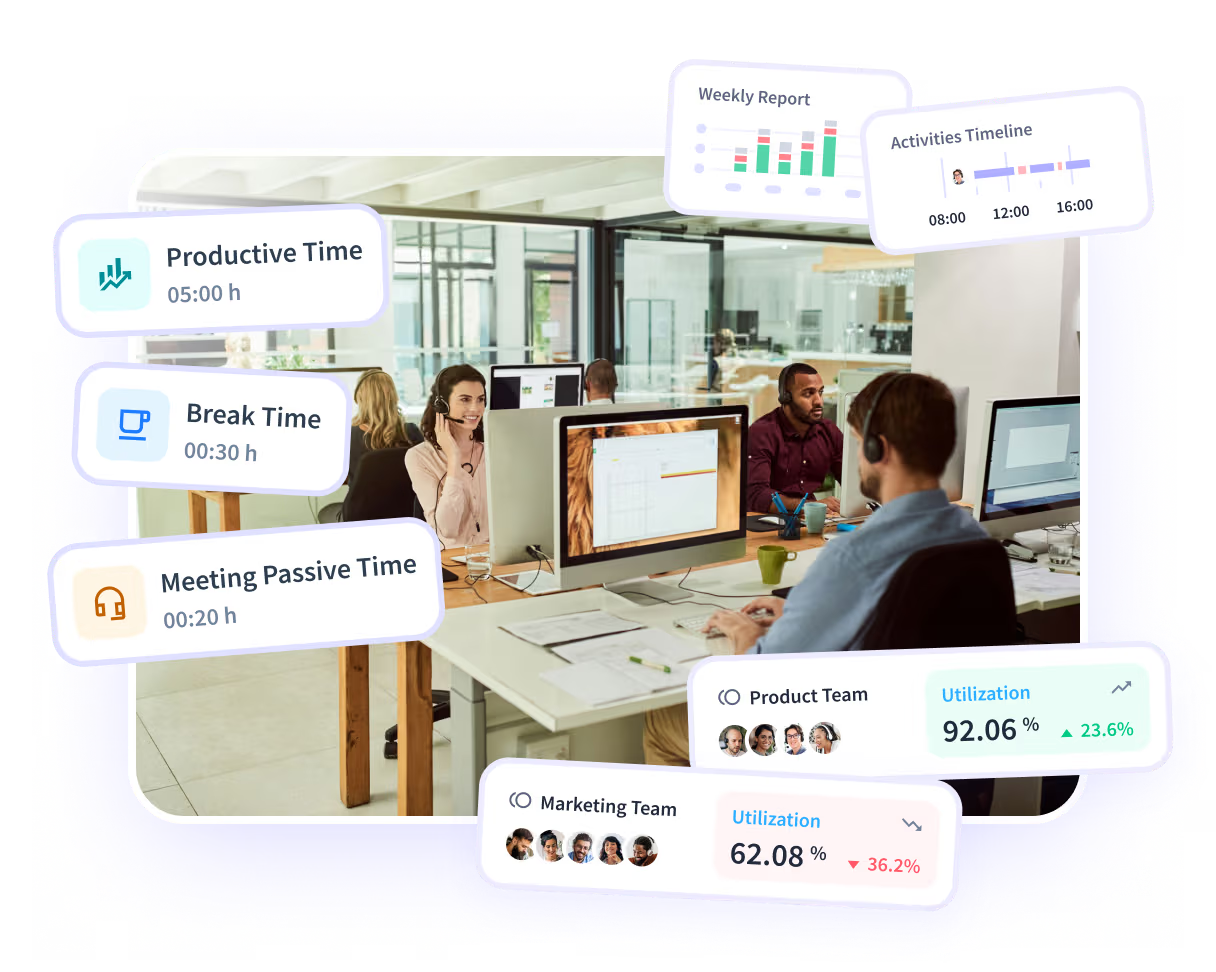







When delivery slows, hiring is usually the wrong answer
When performance drops, the instinct is to add people. But surface-level metrics don't show whether your team is truly maxed out or just misaligned. The result is higher costs, the same output, and no clear fix.

Decide if you need more headcount - or better allocation
Calculate workforce utilization to see if your team is truly at capacity or if time is being spent in the wrong places. Fix the gap first and get more output without adding headcount.

Compare planned vs actual work
Identify gaps and reallocate work before they impact output

Break down productive vs total time
Reduce low-value work and focus on what drives results

See how teams are using their time
Rebalance workloads to keep delivery on track

Understand how work is distributed
Correct imbalances before they turn into bottlenecks

Find where time is lost
Recover that time and avoid wasted spend

Use cases
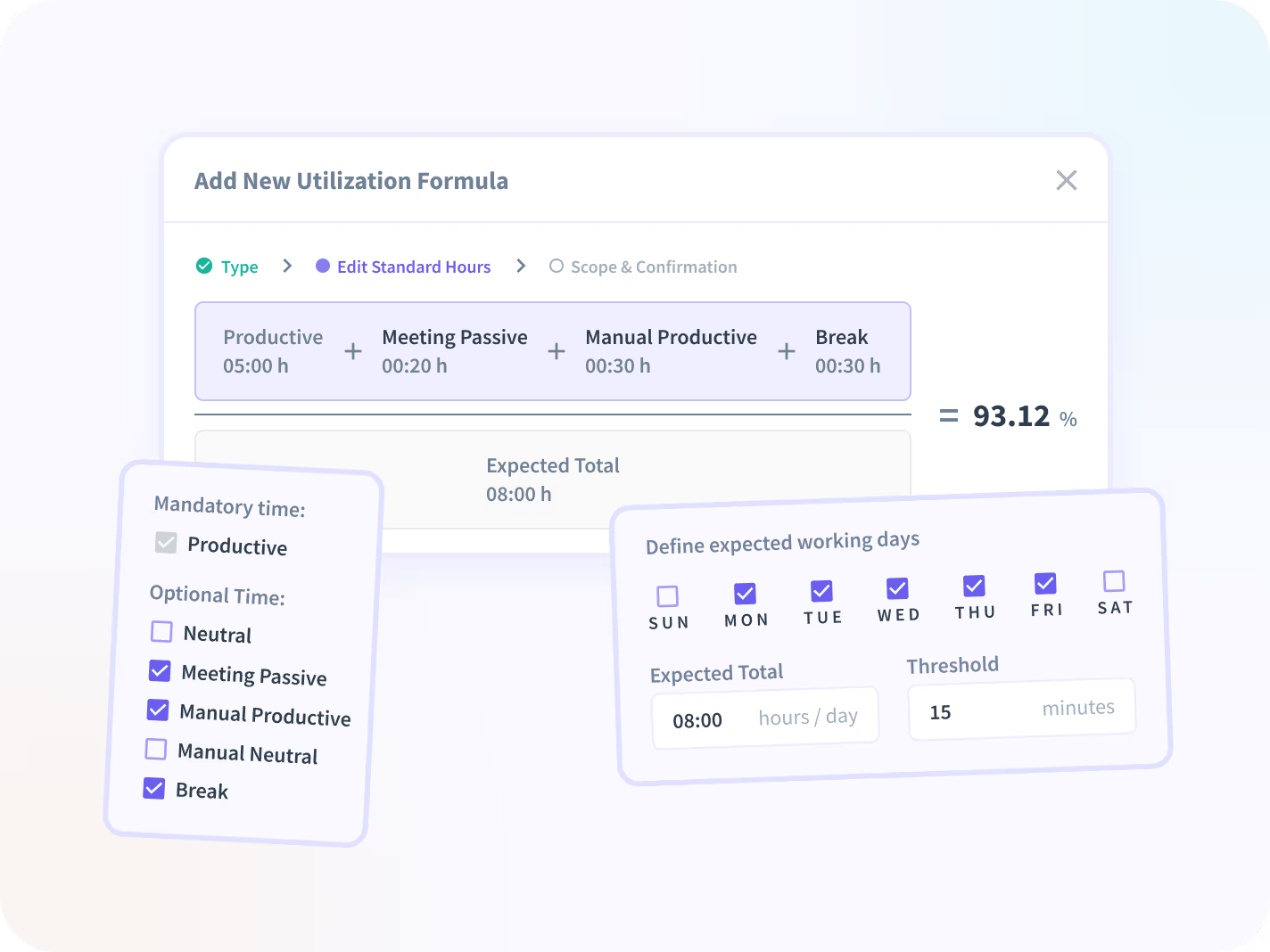


Delivery slows, everyone looks maxed out, so you hire. But output doesn’t change, and time is still being wasted. Find where work isn’t driving results and fix it before adding headcount that increases cost without improving output.


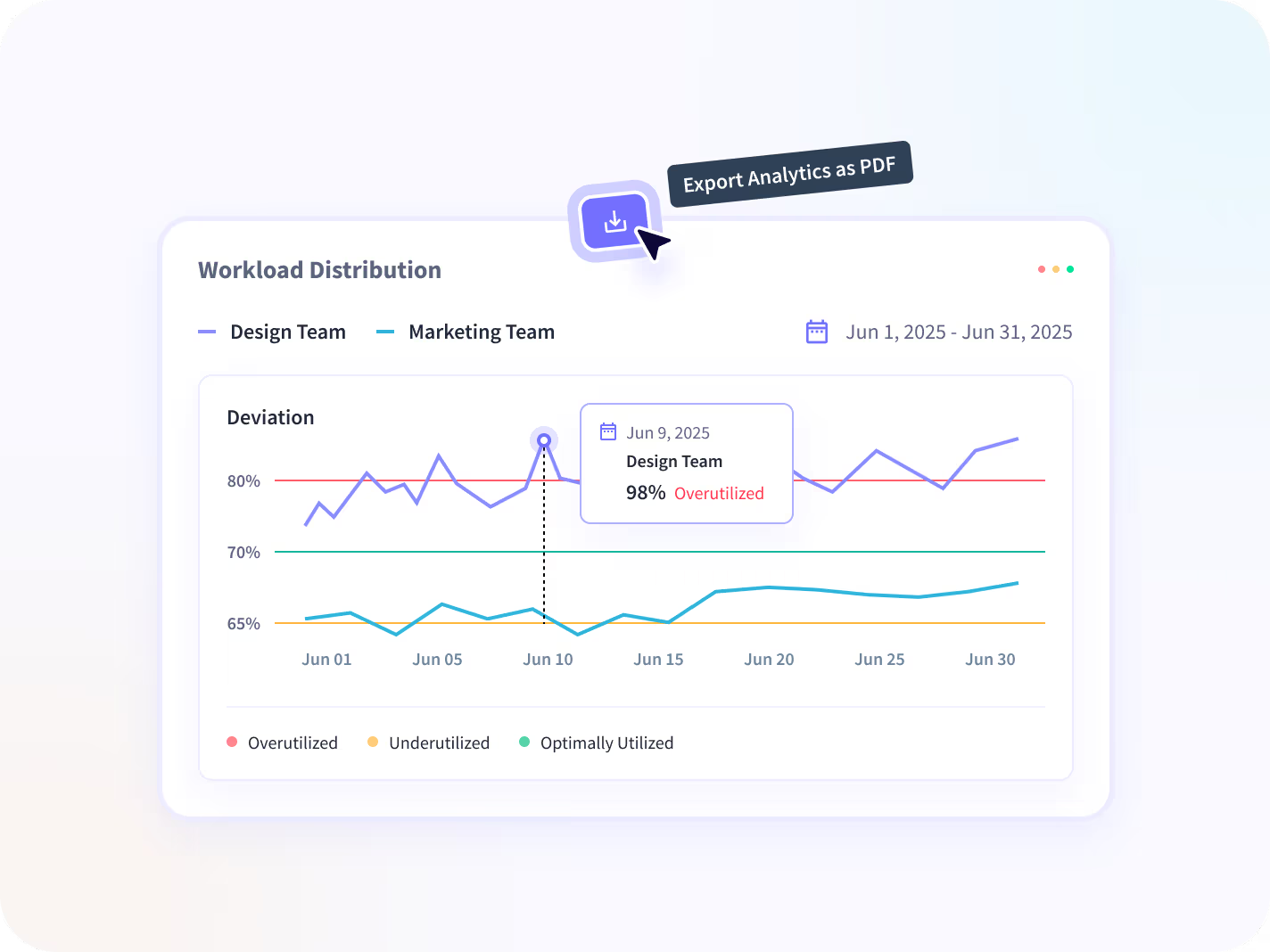
One team is overloaded while another has capacity, but the imbalance isn’t obvious at first. Work builds unevenly until deadlines slip. Spot the imbalance early and shift work before bottlenecks slow delivery and push timelines out.


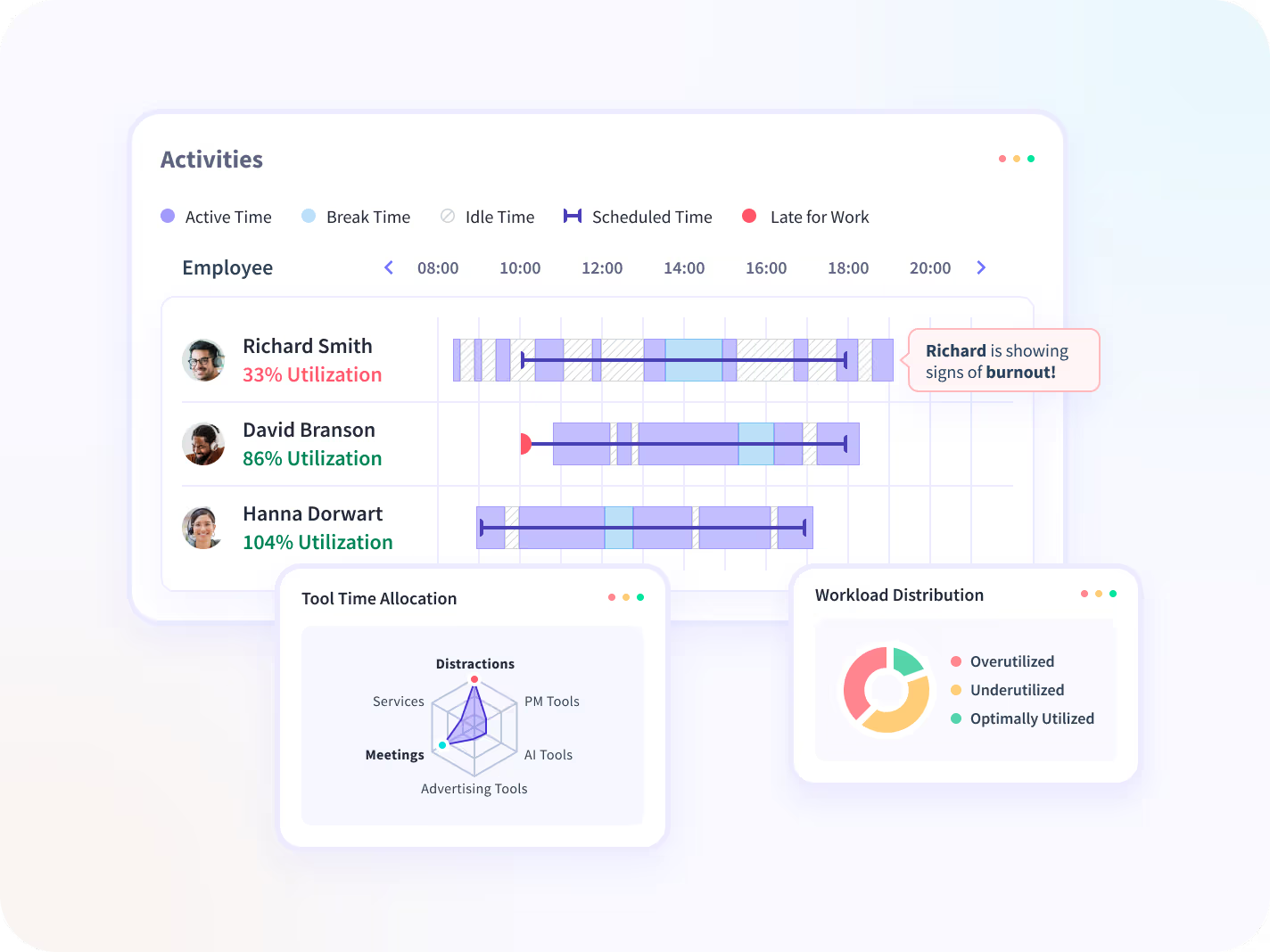
Targets get missed, but the cause isn’t clear. Hiring, process, workload, everything looks fine on the surface. See where time isn't turning into results and correct the real issue before it shows up in missed targets or margin.
Insightful seamlessly integrates with your technology ecosystem
With over 50 integrations available on the Insightful platform, connecting with your team's top tools is just a click away.


Trusted by 5,000+ Teams Worldwide








Make the right call on headcount
FAQs
Teams can look busy while results fall short. The employee utilization rate shows how much time is actually driving output versus expected work. Insightful shows you whether capacity is fully used or needs to be reallocated.
Not always. When delivery slows, hiring is often the first response, but capacity may already exist. When you calculate workforce utilization with Insightful, you can see whether teams are truly maxed out or if work needs to be redistributed.
Because time spent doesn’t always translate into results. Comparing active vs scheduled work hours with Insightful shows whether gaps are real or caused by how work is distributed—so you can fix the issue instead of adding more work or headcount.
Yes. Different teams operate differently, so you can use Insightful to define how to calculate employee utilization rate based on schedules and work types. This way, the numbers reflect how each team contributes to output and supports better staffing decisions.
Utilization data shows how time turns into results across teams. Insightful’s employee utilization score is aggregated to highlight patterns in productive work hours, helping you decide where to reallocate work, where capacity is underused, and whether additional headcount is actually needed.


