.svg)



.avif)



On this page
Measure the work, not the signal.
See productive time and utilization by team, not just what looks active.


Key Takeaways:
- Hybrid schedules can impact the informal visibility in-person management relies on, so screen monitoring software should apply one consistent policy to office and remote staff rather than singling out remote workers.
- Some platforms prioritize screenshots at scheduled or regular intervals, others offer after-the-fact screen recording, and others utilize direct live streaming of employee screen activity.
- Pricing and monitoring depth vary widely, though matching monitoring intensity to actual need matters more than price alone.
- After rolling out Insightful’s work intelligence platform, Peach Payments grew business 40% and lifted remote team productivity 22%, showing configurable, privacy-minded monitoring can strengthen trust rather than erode it.
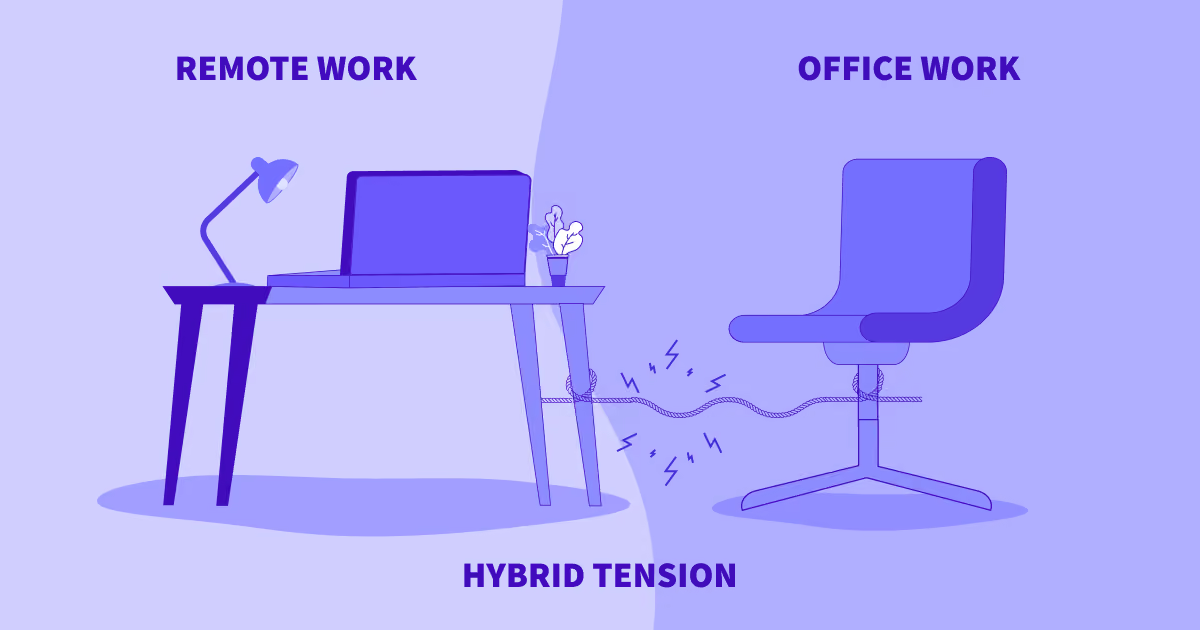
Hybrid schedules can make it harder to know how work is actually happening. A manager who could once glance across the floor now has half the team at a kitchen table and half in a conference room, with no consistent way to compare the two.
The best screen monitoring software closes that gap by giving hybrid leaders the same visibility into remote work that they’ve always had in person, while still respecting employee privacy. This guide compares six tools built for hybrid teams, covering live viewing versus scheduled screenshots, privacy controls, and current pricing, so you can match the monitoring depth to what your team actually needs.
Why Hybrid Teams Use Screen Monitoring Software
Hybrid schedules remove the informal visibility that in-person management relies on. When all or part of a team is working remotely on a given day, a manager can no longer gauge focus or chat through a stuck task just by walking past a desk.
Inconsistent monitoring across office and remote staff can also create its own problem. If screen activity is tracked only for people working from home, it reads as distrust of remote work rather than a standard applied evenly. Best practice is to implement one policy, applied the same way regardless of where someone is sitting that day.
For hybrid teams serving external clients, proof-of-work screenshots and activity logs also verify billable hours and completed workflows. It adds an objective, defensible data layer to ensure accurate billing and resolve any disputes over billed time.
Quick Comparison: Best Screen Monitoring Software for Hybrid Work
See a fuller side-by-side comparison of Insightful against these tools, or start a free trial to see for yourself.
Best Screen Monitoring Software for Hybrid Work: Full Reviews
1. Insightful
As a privacy-first platform, Insightful takes a random-interval screenshot approach rather than continuous live viewing. Admins can choose the frequency of screenshots per hour, and additional frequency is available as an add-on to any plan. Alongside screenshots, Insightful's screen monitoring available features include screen recording for clients needing even more visibility.
But Insightful truly distinguishes itself by going beyond screen monitoring to offer comprehensive work intelligence. Its Workforce Analytics tier includes screenshots by default, while also offering advanced reporting, productivity trends over time, location insights to compare distributed team performance, and a real-time AI Adoption Report. It also allows employees to access their own activity data when enabled, and has an available on-premise deployment option.
Best fit: hybrid teams that want configurable screenshot monitoring with privacy and data security in mind.
➕ Pros: Combines screenshots with comprehensive work data, app and website usage, and workload/burnout insights in one platform. Detailed, decision-grade reporting is designed to give leaders actionable insights into high-value operational improvements.
2. Teramind
Teramind offers continuous, real-time streaming of user activity and OCR (optical character recognition) that extracts text from images and screenshots. It also uses keystroke logging as an additional check on employee activity. It deploys on-premise as well as in the cloud. Teramind's Starter tier begins at $14 per user per month with a 5-seat minimum.
Best fit: hybrid organizations with an eye on data-loss prevention and insider-risk detection matter.
➕ Pros: Deep security and DLP feature set, with SIEM integration and an on-premise option.
➖ Cons: Employees often regard continuous live viewing and keystroke logging as particularly invasive forms of monitoring.
3. ActivTrak
ActivTrak's paid plans run $10 to $17 per user per month, with a free tier capped at 3 users. Screenshots, live screen view, and full URL and title bar visibility are not included on any paid tier by default; they require a separate Screen Details add-on. ActivTrak’s core plans focus on activity summaries, productivity classification, and aggregated reporting rather than screen capture. It is cloud-only, with no on-premise deployment option.
Best fit: hybrid teams that want workforce analytics with privacy safeguards built in by default, and are comfortable paying extra if they later need screenshots.
➕ Pros: Aggregated analytics and productivity classification, plus a usable free tier for teams of 3 or fewer.
➖ Cons: Screenshots are gated behind a paid add-on rather than included, and the free tier's 3-user cap makes it impractical once a hybrid team grows past a handful of people.
4. Hubstaff
Hubstaff pairs screenshot capture with GPS tracking and geofencing, which suits hybrid teams that also have field or mobile staff. Pricing on annual billing runs from $4.99 per user per month for the Starter tier up to $25 for Enterprise, but screenshot volume is capped on the lower tiers: 500 per user per month on Starter and 1,500 on Grow. Unlimited screenshots and full app and URL tracking only arrive on the Team plan, at $10 per user per month annually.
Best fit: hybrid teams that mix desk-based staff with field or remote workers who need location verification alongside screen activity.
➕ Pros: Combines screenshots with GPS and geofencing in one platform, useful for teams that aren't purely desk-based.
➖ Cons: More comprehensive monitoring features are gated behind the Team and Enterprise tiers.
5. Time Doctor
Time Doctor captures screenshots at random points within a set interval rather than on a fixed schedule, alongside app usage monitoring and work reports with performance-metric summaries. Video screen recording is a Premium-tier feature. Pricing on annual billing runs from $6.67 per user per month on Basic up to $16.70 per user per month on Premium. Time Doctor offers role-based access and exportable records, suitable for teams that need to hand reporting to a client or compliance function.
Best fit: hybrid teams that need clean activity reporting and exportable records for internal or client review.
➕ Pros: Random-interval screenshots plus exportable, audit-ready reports make this a clean fit for compliance-driven reporting needs.
➖ Cons: Lighter on workforce-analytics depth.
6. Kickidler (KeepActive)
KeepActive, formerly Kickidler, offers live desktop viewing, including a grid view for watching several employees at once, plus screen video and audio recording and a keylogger. It runs full monitoring agents on Windows and macOS. It can deploy on-premise, and current published pricing runs from $5 per user per month for Time Tracking up to $15 per user per month for the DLP tier.
Best fit: hybrid organizations that specifically want live, real-time screen viewing. Alongside keystroke logging, this is generally considered a more invasive monitoring style than periodic screenshots.
➕ Pros: True real-time viewing with multi-employee grid monitoring.
➖ Cons: Live viewing and keystroke logging are a heavier-handed approach than most hybrid teams require. The always-on nature of the monitoring can work against trust if not clearly communicated to staff.
Key Features to Look for in Screen Monitoring Software for Hybrid Teams
Screenshot vs. Live/Real-Time Viewing
Scheduled or randomized screenshots, the approach used by Insightful, ActivTrak, and Time Doctor, are generally less invasive than continuous live viewing. Match the style to your team's culture and trust level rather than defaulting to whichever tool “watches the most.”
Privacy Controls
Look for a screenshot deactivation option configurable capture frequency, and role-based access to reduce the risk of monitoring feeling invasive.
App and Website Usage Tracking
Visibility into which tools and sites are actually in use helps distinguish focused work from distraction without relying on screenshots alone. Computer monitoring features like this give managers a lighter-touch way to spot workflow gaps than screen capture alone.
Security Compliance
SOC 2, ISO 27001, and GDPR compliance matter, especially when screen capture could include sensitive client or company data. Insightful’s adherence to international security standards enables compliance with GDPR, HIPAA, CCPA, and more. Confirm current compliance information directly with each vendor before rollout.
Deployment Flexibility
On-premise or private-cloud deployment matters for organizations that need to keep screen-capture data within their own infrastructure. Insightful, Teramind, and Kickidler all support on-premise deployment; ActivTrak and Hubstaff are cloud-only.
How to Choose Screen Monitoring Software for Your Hybrid Team
- Step 1: Decide how much visibility you actually need: scheduled screenshots versus continuous live viewing.
- Step 2: Confirm privacy controls, including whether screenshots can be turned on/off. Match with your company culture and legal requirements.
- Step 3: Check whether proof-of-work and billing features matter more than workforce-analytics depth for your use case.
- Step 4: Verify current security certifications and deployment options against your data-handling requirements.
- Step 5: When possible, pilot with one team before a full rollout.
Matching Monitoring Depth to Actual Need
Most hybrid teams do not need continuous live viewing or keystroke logging to get useful visibility. Scheduled screenshots paired with app and website usage data cover the workload-balancing and proof-of-work use cases that drive most hybrid monitoring decisions, without the always-on feel.
Insightful's approach reflects that: screenshots can be turned off as needed, productivity trends and workload insights come from the same platform, and role-based access keeps the data structured around actionable decisions. For teams weighing analytics depth against monitoring intensity, that combination is worth testing directly.
Pan-African payments provider Peach Payments ran into this exact balancing equation when it moved to a remote-first model. Its Head of Business Operations needed visibility into a distributed team without eroding trust, and an earlier manual tracking setup had made that worse rather than better. After rolling out Insightful across operations, finance, and IT, the company measured a 40 percent increase in business growth and a 22 percent increase in remote team productivity, without adding headcount. The result reframed remote-first work internally as a productivity advantage rather than a management challenge.
See how Insightful supports hybrid teams. Start a free trial.
FAQs
What is screen monitoring software?
Screen monitoring software captures what happens on an employee's computer, either through periodic screenshots, continuous live viewing, or both. It typically pairs that capture with app and website usage data so managers can see not just what a screen looked like at a given moment, but which tools and sites made up someone's working day.
What's the best screen monitoring software for hybrid teams?
It depends on how much visibility you need. Insightful suits hybrid teams that want configurable, privacy-minded screenshot monitoring alongside workforce analytics. Teramind and Kickidler may fit organizations that specifically need continuous live viewing. ActivTrak offers analytics without screen capture as the default.
Is screen monitoring software legal?
In most jurisdictions, yes, when used on company-owned devices during working hours. Requirements vary by location: several U.S. states and countries require advance written notice before monitoring begins. Confirm the specific rules in every location where your hybrid team works before rolling out any monitoring policy.
What's the difference between screenshot-based and live screen monitoring?
Screenshot-based tools capture images at scheduled or random intervals, giving periodic snapshots of activity. Live monitoring, used by Teramind and Kickidler, streams a continuous real-time view of the screen. Screenshot-based approaches are generally considered less invasive and are what Insightful, ActivTrak, and Time Doctor use by default.
How much does screen monitoring software cost?
Current entry pricing ranges from about $4.99 per user per month for Hubstaff's most limited tier up to $32 per user per month for Teramind's DLP tier. Insightful starts at $8 per user per month, with full Workforce Analytics feature access on a 7-day free trial and no credit card required.